i personally can’t use it anymore, because Plex doesn’t update the Server-App on the QNAP App Store!  The version there is outdated and from 2023.
It’s best to get it directly from Plex and then Plex itself will notify you of new updates and you can download it right from that notice and update it manually in like 5 seconds. Been doing it that way for years and years on QNAP and Synology.
Linky: https://www.plex.tv/media-server-downloads/?cat=nas&plat=qnap
The QNAP store app is usually not that far behind either so might be something up there.
I agree with you about the “unusable” complaints - there are oddities I don’t like but getting around it isn’t much different so I totally second this about it being more of a knowledge\information problem in many cases.
Even in the beta we asked them to document some of the common things coming up that were just knowledge problems (how to disable discovery stuff at account instead of client, how to pin libraries using “favorite” and that it was account level now, using the back button instead of the d-pad on the remote, that the “snapback” feature for library navigation was added and how it works).
Plex has always had a habit of posting info somewhere - anywhere - and assuming every user should now be aware of it (I think sometimes that includes their internal spaces too). So many issues folks experience with Plex could be resolved with just accessible information. That doesn’t mean add an AI tool, just improve the documentation setup. For example, the current “documents” area doesn’t work very well unless you already know what to search for so simply making it more structured and browsable would be a huge improvement to help people find things they need to know but didn’t know they needed to know it. It’s a huge peeve for me. 
I was trying to find a documentation about how to migrate it specifically from the QNAP App situation under you linky but I can’t  can you help me maybe out?
Sure! There’s really nothing to it but I can understand the trepidation.
Download the version for your QNAP (likely be the intel\amd 64-bit one but double check).
In your QNAP go to the App Center.
Click the “Install” button:

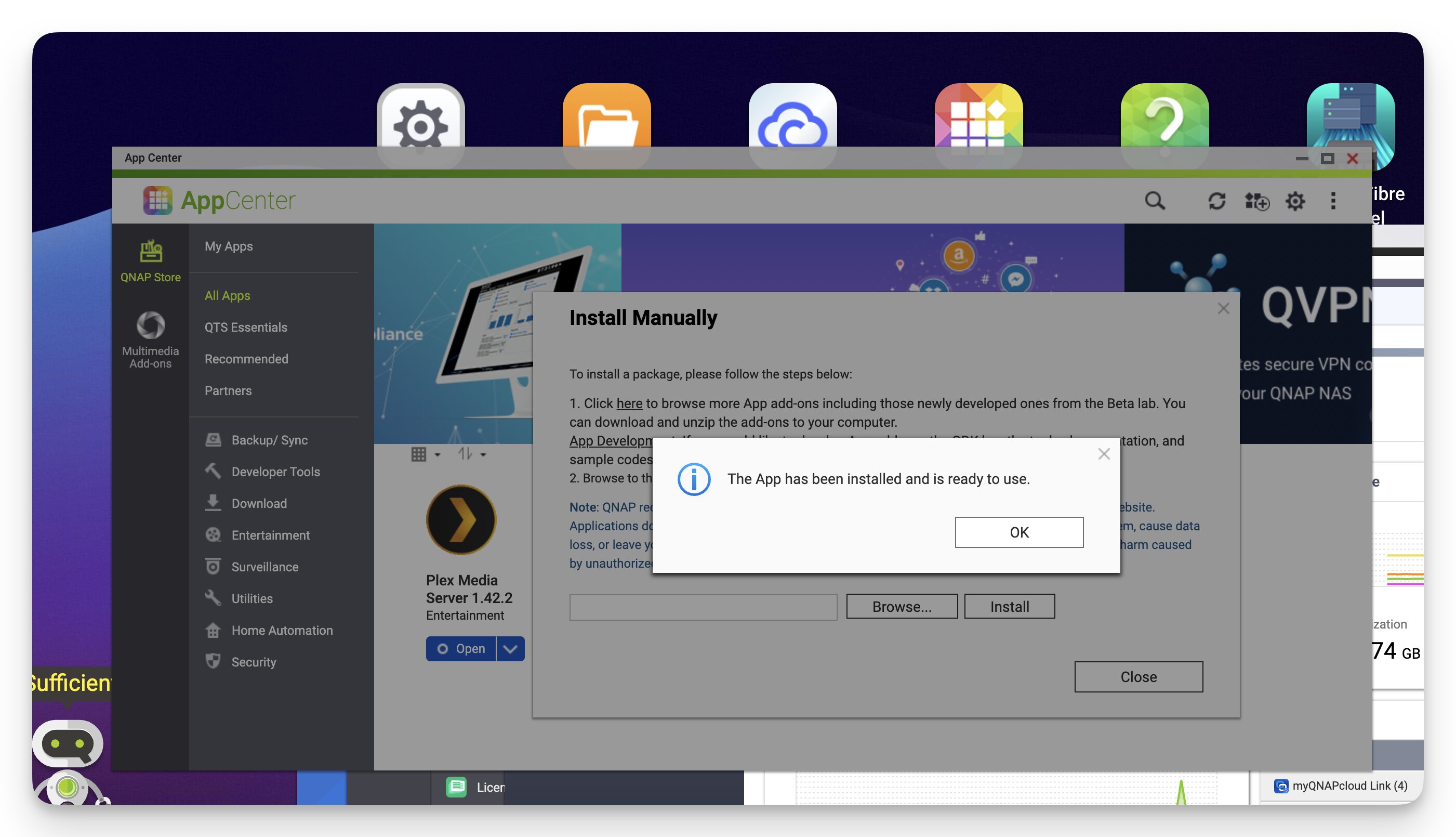
Follow the prompts to point at the Plex Server file you downloaded and install it manually. You don’t even have to stop Plex Server to do it but you can if you wanna. You don’t have to remove the old one and it’ll just pick up the setting and everything from your current install.
You may need to make this setting change in the App Center if it won’t let you install but I think it has a valid signature so shouldn’t be a problem:

All done! You have now upgraded your plex install and switched from QNAP App Store version to Plex direct download version.
On QNAP it can also be helpful to create a PlexData alias to backup\manage your Plex install (you don’t have to do this but it can be helpful for some things). Plex will do this for you automatically as long as you name the folder\share correctly: PlexData share for QNAP systems
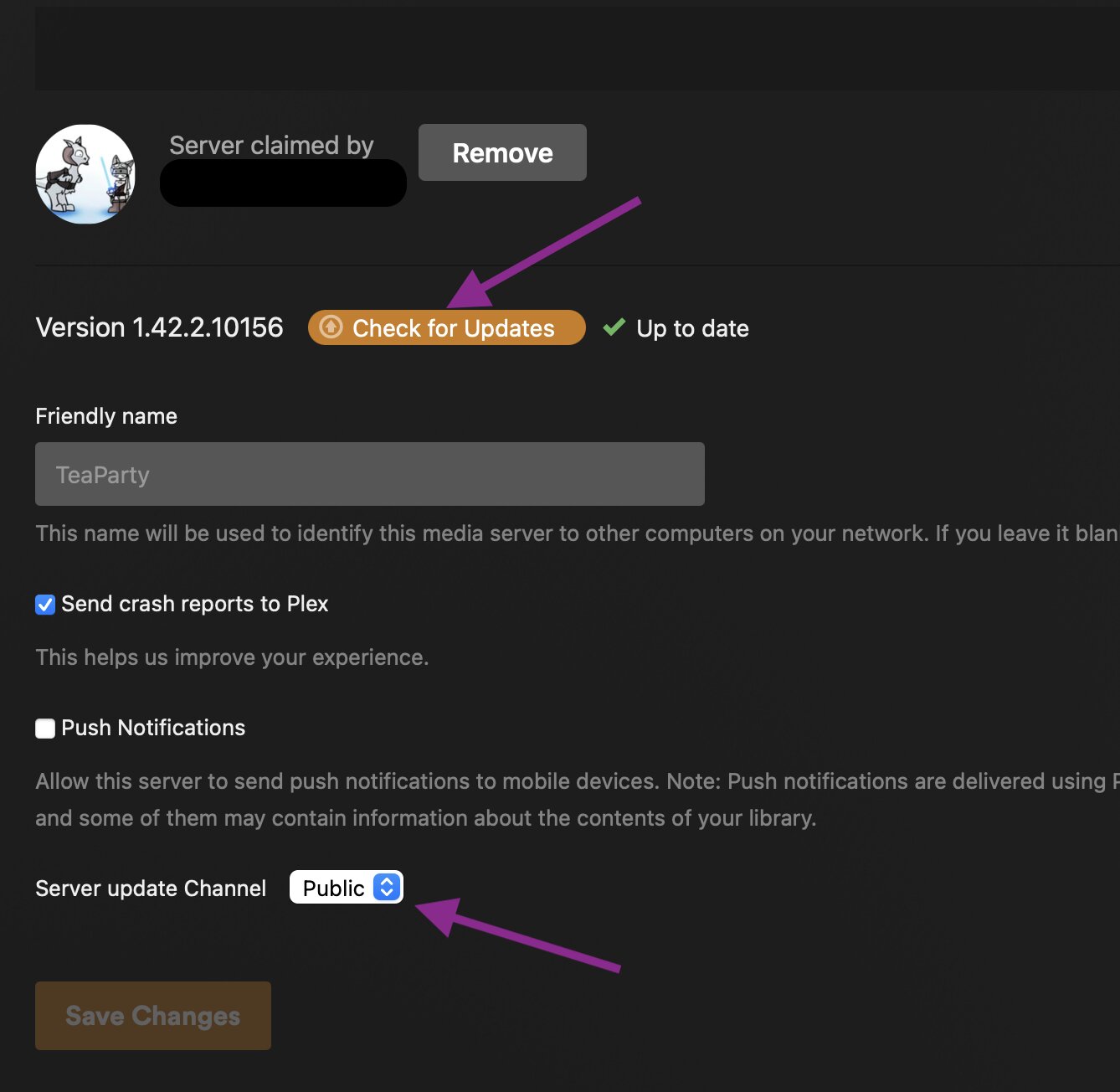
When you sign into Plex WebUI in the future you’ll get an icon in the upper right near your dashboard and settings icons showing when a new version is available. When that pops up, just click it and you’ll have the option to download the correct updated file right there. You can also manually check for updates and select if you want the Public or Beta updates in the Plex Server Settings→General page:
Oh wow, i think your answer is really helpful. This sounds like i should be able to do it. I’ll keep updated. Thank you so much already. I couldn’t easily find a step by step like this that ensured me my library will be fine, and i dont have to change configs with ssh or stuff. Gonna try.
 <3 Thank you so much! after years…
I’m glad it went so smoothly, you’re welcome!
Edit: Sorry folks for the bit of thread hijack … but also kinda apropos in a way too.
I took the liberty to move this into a separate thread. Maybe it’ll help more users and is easier to find that way.
And adding here, since I really would like every Qnapper to know abount our QNAP FAQ, where it also is mentions, among lots of other things:Qnap faq.....read me first!
