Tonight I’m going to try to change the scheduled task hours in case there’s a conflict with the NAS. If it stays the same, I’ll try temporarily disabling 1 app (although it’s not the solution). If it stays the same, I’ll remove the intro detection. Yes
If even after all that it stays the same… Then we’ll have to find another solution.
Look my logs (Plex Media Server.log.1) at: Nov 22, 2020 07:39:29.642 [0x7f70146ab700] DEBUG - EPG[cloud]: Purging 0 airings which completed in the past.
Multiple Nov 22, 2020 07:46:02.325 [0x7f7014f75700] WARN - HTTP error requesting GET http://192.168.1.53:4789/upnpd/49da96086c.xml (7, Couldn't connect to server) (Failed to connect to 192.168.1.53 port 4789: Connection refused)
It seems that it ended without major complications.
I have rerun scheduled tasks with intro detection turned on again. I’m going to see what happens in this case…
The htop output you show is “Thread View”. PMS has approx 75 threads within the process based on what it’s actually doing.
ps only shows processes.
htop has the ability to show each individual thread. Turn off Thread view for best view of reality.
Notice the RES size is the same and is only 137m (MB) for PMS.
I can’t analyze from screenshots but a damaged file is a valid theory.
I will need the ZIP of the logs (captured right after it reports the activity) to see what is happening)
Thanks for the htop /top/ps hint.
Regarding music … I’m not downloading anything. The music library is in a folder called “Música” within the media library. I have a music library of 3028 tracks.
This is a problem?
It appears to be scanning … and scanning… and scanning.
Is everything named properly (per plex spec) ?
I would like to suggest letting the machine settle down.
I would also like to suggest increasing the log file retention so we can get a better view of what is happening over a wider time interval.
To do this:
Stop Plex
Open FileStation -> PlexData -> Plex Media Server
Using the QNAP text editor, open Preferences.xml
On the last line, before the closing /> , add LogNumFiles="10"
(It will look like this: SomethingElse="Value" LogNumFiles="10" />)
I just rebooted with that parameter active.
I have done an analysis of my music and it seems well renamed, at least Plex has recognized it thanks to the MP3 tags.
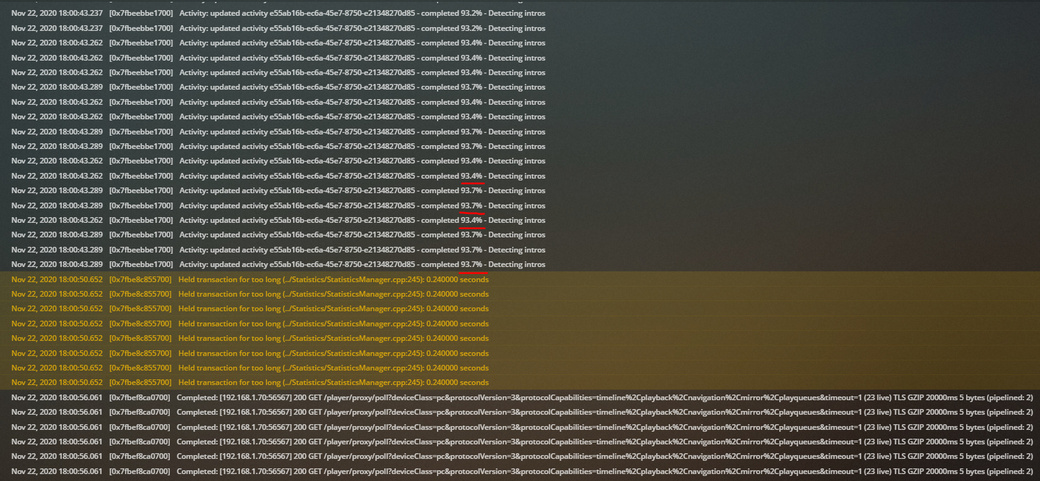
In my files when the system crashed … I saw this line …
Nov 22, 2020 18:00:41.761 [0x7fbeebbe1700] DEBUG - IntroDetector: Running intro detection for [39080] [Sobrenatural] [15] Nov 22, 2020 18:00:41.761 [0x7fbeebbe1700] DEBUG - Activity: registered new activity e55ab16b-ec6a-45e7-8750-e21348270d85 - Detecting intros
It may be an episode of the “Supernatural” series that is causing the problem.
I can delete my music library if you want but I don’t think that’s the reason.
Yesterday I started playing my next unseen episode of Supernatural.
My surprise was when in that episode there began to be cuts and jumps in the video.
I looked for another version of the correct file, downloaded it and played it without problem.
I will run the scheduled tasks again in 20 minutes. Perhaps this badly played video file was causing the problem.
However, I am sorry to say that I replaced this file yesterday and that I no longer have the supposedly wrong video file … Sorry