Good morning,
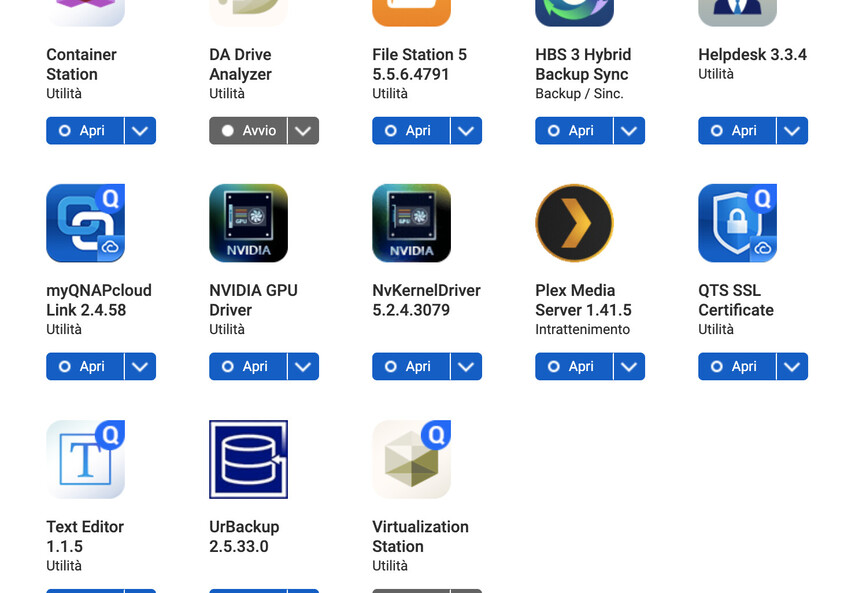
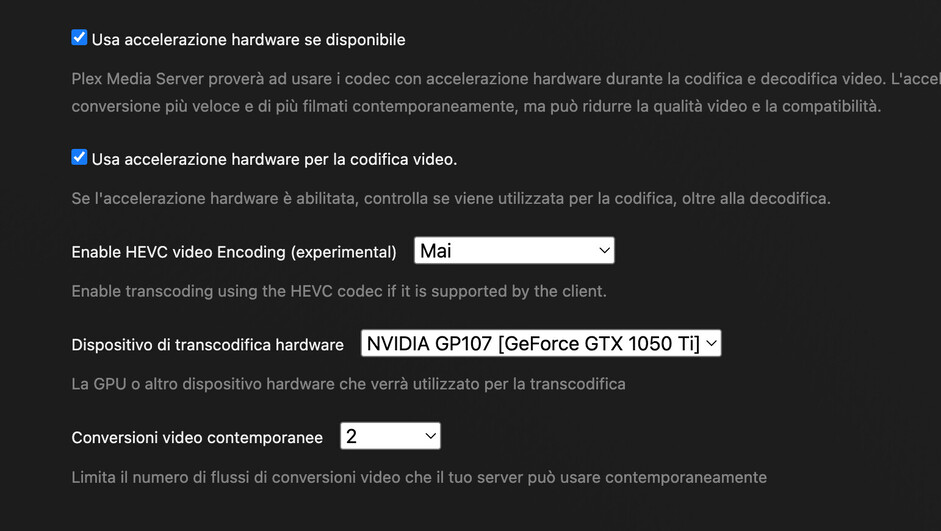
unfortunately for months now, I think since last December, the hardware transcoding of my QNAP TS-873A-8G no longer works with Plex. I tried everything, updating the drivers and the kernel driver, the system, I also tried the beta versions of plex (I just installed 1.41.6.9606), I contacted qnap support, but the problem is absolutely not solved. With Cayin media the hardware transcoding works (nvidia), so I think the problem is Plex.
I add that with some versions of Plex the processor igpu conversion works, but not the nvidia one. Lately the conversion no longer works at all, the screen remains black and the movie does not start.
You are my last hope before giving up. Thanks to everyone for the help!
ValerioMassimo
Plex Media Server.3.log (143.7 KB)
@valeriomassimo
- Turn on DEBUG logging & SAVE
- Restart PMS
- Recreate the failure
- Download the server logs ZIP file from PMS
- Attach here
It’s extremely difficult / almost impossible to diagnose these errors with INFO/ERROR only logging.
If you’ve had the problem for months, why have you waited so long?
Hi ChuckPa,
thanks for the reply!
I attach the complete log. Sorry, I didn’t think it was all necessary. I waited so long before asking for help because I always try to solve my problems on my own. Often there are solutions, you just have to look for them. Sometimes it’s a matter of waiting for an update in the software or drivers… in this case, i tried everything i could and i waited for updates of all the available software (plex, qnap, nvidia) for a while, but at this point i don’t know what to do anymore. in the meantime i reinstalled the version 1.41.5, so i leave the logs of the stable version.
Thenks!
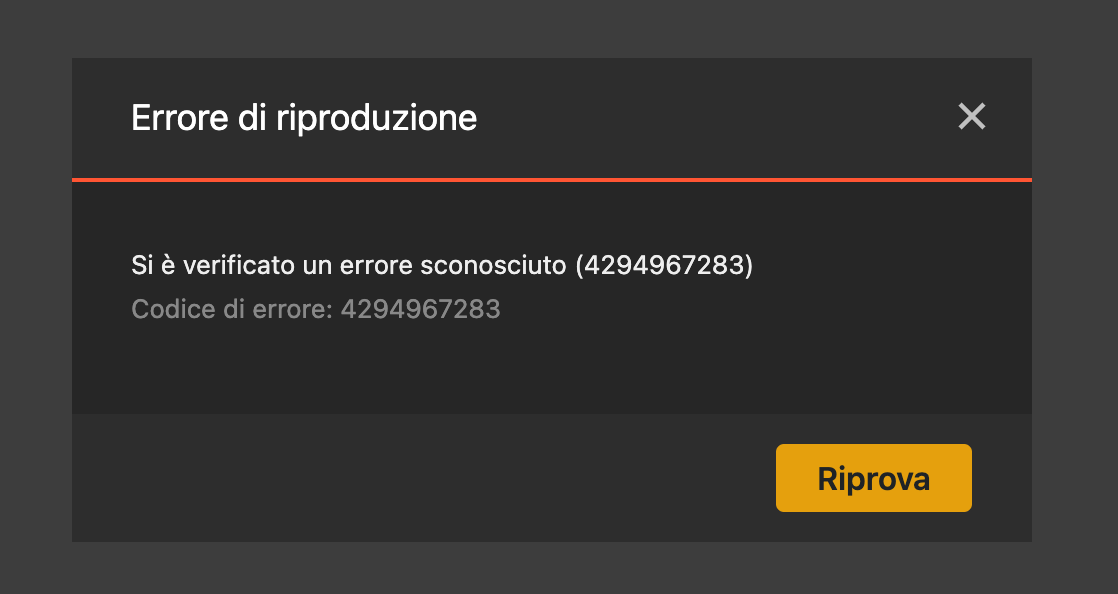
with the plex app for macos this error appears. In the browser nothing appears, the screen remains black.
Plex Media Server Logs_2025-03-26_17-35-54.zip (1.3 MB)
Thank you for the logs.
I confirm PMS is not able to use the GPU:
Mar 26, 2025 17:26:13.805 [139872318233400] DEBUG - [GPU] Got device: NVIDIA GP107 [GeForce GTX 1050 Ti], nvidia@unknown, default true, best true, ID 10de:1c82:1462:8c96@0000:01:00.0, DevID [10de:1c82:1462:8c96], flags 0xe8
Mar 26, 2025 17:27:06.582 [139872088382264] DEBUG - [Req#62/Transcode] Starting a transcode session jx2enm4f4882c0iaoyz82rci at offset -1.0 (state=3)
Mar 26, 2025 17:27:06.582 [139872088382264] DEBUG - [Req#62/Transcode] TPU: hardware transcoding: enabled, but no hardware decode accelerator found
Mar 26, 2025 17:27:06.583 [139872088382264] DEBUG - [Req#62/Transcode] [Universal] Using local file path instead of URL: /share/Multimedia/Film HD/The Bourne Supremacy/The Bourne Supremacy (2004, Paul Greengrass).mkv
Mar 26, 2025 17:27:06.583 [139872088382264] DEBUG - [Req#62/Transcode] TPU: hardware transcoding: final decoder: , final encoder:
Mar 26, 2025 17:27:06.583 [139872088382264] DEBUG - [Req#62/Transcode/JobRunner]
Questions:
- Do you have the Nvidia GPU Driver package installed (from QNAP) ?
- Is the GPU (in Control Panel) set for “QTS mode” ?
Thank YOU for the response!
Unfortunately the answer is yes to both questions 
@valeriomassimo
You want the QNAP set this way
When you assign it to other apps, you prevent PMS from using it.
Ok, but as you see the graphics card is already assigned to qts… I don’t know how to make the data on memory capacity, temperature and fan activity disappear, like on your qnap. Any advice?
You are showing me “HD Station, Linux Station”.
This is not QTS mode.
Check the dropdown again please. You should see “QTS” listed by itself.
I do not understand…
what you are referring to the screenshot of the driver? it is an image from qnap site…
My qnap looks this
I believe I have seen this happen before with my previous Qnap.
Change the option to another mode and hit apply, then back to QTS mode and hit apply.
If it does not work, restart the NAS and see if it then works.
If this fails, then you need to remove the Nvidia GPU driver, reboot the NAS and then re install
Thanks to @broncogr , I just checked our TS877.
I think a QNAP firmware change caused this. I had to set QTS mode again
Thanks guys! You don’t know how many times I changed that option… Even today, just to be sure, but nothing changes :"(
The card is correctly assigned to qts, plex sees it, but something goes wrong when it tries to use it to convert. Now maybe you understand my resignation. I tried all reasonable ways… It takes a miracle, but I don’t believe in miracles.
Have you tried uninstalling the Nvidia GPU driver, reboot the NAS and then re install ?
Yes my friend, I also tried uninstalling the driver, reboot, install kernel driver, reboot, install nvidia driver, reboot, but nothing. It doesn’t work. Thanks anyway 
Only @ChuckPa can help you then, or QNAP support
fingers crossed! But thanks for your interest, you’ve been very kind 
This might be one for QNAP support.
Plex can see the GPU.
I can give you the command line info on how to know if PMS can use it:
- SSH into the QNAP
- If you’re not ‘admin’, then type
sudo bash to gain admin privilege
- type:
gpuhal_app -l (list the GPUs installed)
- The ID will be the first field in the line returned
- type:
gpuhal_app -s IDNUMBER to read the card status
It looks like this
[~] # gpuhal_app -l
f:NVIDIA Corporation:GP107 [GeForce GTX 1050 Ti]:external:7
[~] # gpuhal_app -s f
active_status=2,real_status=2,driverqpkg=NVIDIA_GPU_DRV,driver_installed=1,in_used=none,transcode=1,display=1,pcie_slot=1,pcie_vp=1,va_type=none
[~] #
Important:
real_status=2 – PMS knows the GPU is in QTS modedriver_installed=1 – the driver is installeddriverqpkg=NVIDIA_GPU_DRV – tells me where the driver is stored
I use this information in the plex.sh commmand (How QTS starts Plex) to know whether to attach the GPU to PMS as it starts
According to that, PMS should play 100% OK with the GPU
I think we need QNAP to jump in on this one.
You can share this info with them, explaining that PMS is dependent on this.
As a last-ditch effort, under Plex Media Server, you’ll see Codecs.
Delete everything underneath Codecs and restart
Unfortunately it didn’t work and qnap customer service already told me that it doesn’t support plex. It’s ok anyway, thanks for the help…
Have a nice evening