Server Version#: Latest - 4.30.2
Player Version#: via Browsers and TV Android
Hi PMS people,
I have an issue where I couldn’t find an answer on the internet.
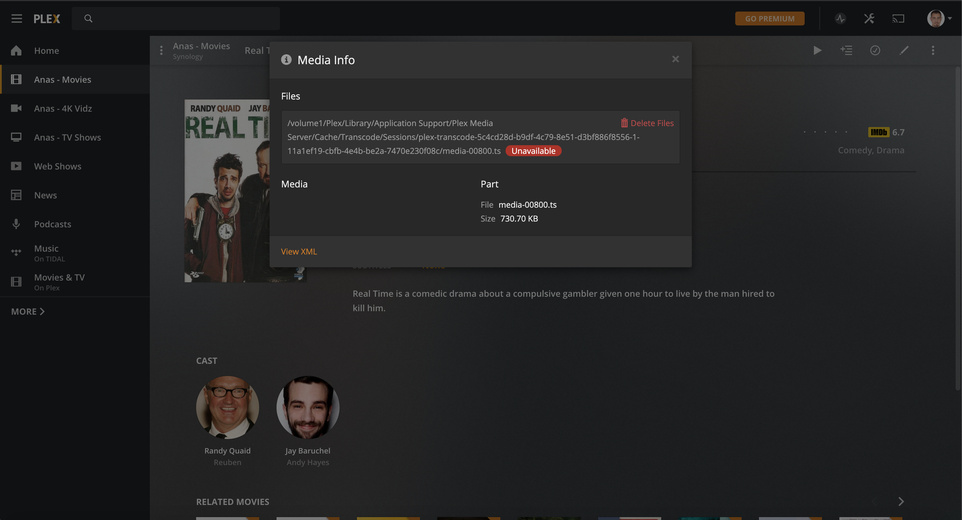
Where recently my PMS finished a couple of scans, and later I found in my library over 800 media files (mixed between just photos and movies thumbnails I have never added/downloaded)
They seem to be cache files or temp files something like that.
/volume1/Plex/Library/Application Support/Plex Media Server/Cache/Transcode/Sessions/plex-transcode-5c4cd28d-b9df-4c79-8e51-d3bf886f8556-1-11a1ef19-cbfb-4e4b-be2a-7470e230f08c/media-00942.ts Unavailable
Please let me know how to stop that, it’s only happening on the Movies library, the TV Shows library is fine.
Edit your movie library and ensure that only the top-level folders where your movies are stored are present on the Add Folders tab. Right now it appears that you have added some path containing the Plex data directory, which includes the transcode temporary directory (among other things).
Examples of paths not to include:
/volume1
/volume1/Plex
/volume1/Plex/Library
/volume1/Plex/Library/Application Support
/volume1/Plex/Library/Application Support/Plex Media Server
@trumpy81 & @pshanew thank you gentlemen for clarifying that and identifying the issue, I have removed the Plex server related folder except the libraries and things looks to be working fine.