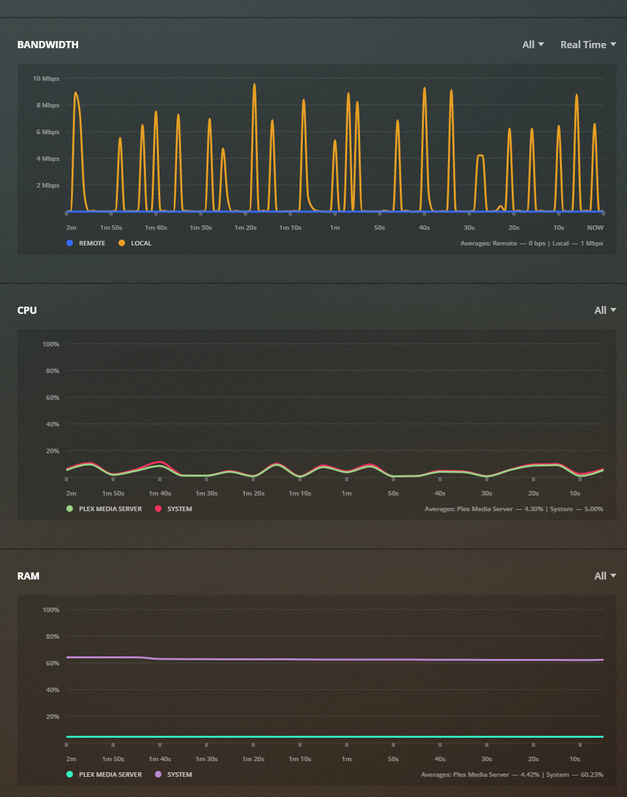
I have Plex running on a Windows 10 pro machine for a year. I would say in the past couple months things have really degraded in performance and streaming quality both local and remote. My home network has not changed and cant seen to figure out what the issue is. I even went so far to reinstall a fresh installation of windows and PMS install and it had no affect. I have searched and tried many things on here from optimization to transcoding tweaks to windows settings (Large Send Offload). No change. Utilization is in the 2-3% on Intel Core i5-7260U CPU. I am stuck, any help would be extremely thankful.
Windows 10 Pro
Server Version#: 1.18.3.2156
Player Version#:
Fire TV 7.25.2.14287 Plex for Android (TV)
Chrome 4.18.1 Plex Web
video degradation is across the board on all files, If i select play original or a transcoded quality it also performs the same. PMS is on a NUC desktop that is hardwired with internet test speeds 100mbs/120mbs (down/up)
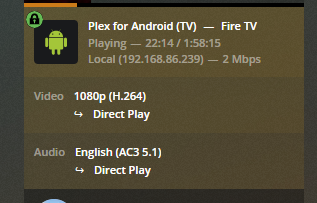
@ryanbrichards it seems like you have an indirect connection to your server – the 2mbps stream rate usually indicates your video stream is being relayed through plex.tv.
This could be a DNS issue
or
DNS rebinding protection
set the DNS server to the one provided by Google (in your router) (8.8.8.8 and/or 8.8.4.4)
disable DNS rebinding protection for the domain plex.direct (also in the settings of your router)
My router was set to ISP DNS, i use a google wifi connected to a switch and changed it to Auto (8.8.8.8) not sure there is a setting to disable DNS rebinding protection other that specify a specific DNS
I’m not familiar enough with that client to know what the best settings are for playback… but it seems like you’re closes; I’m going to re-tag this thread with android tv in the hopes that someone else will be able to help out.