Thank you for the find @sa2000 . I look forward to a fix to this frustrating issue.
@sa2000 is there any update on progress? Lately, the server itself has been shutting off for me, meaning it goes beyond just the live tv/wintv issues. I am beyond disappointed in my purchase of the Shield for this purpose (Plex server) as well as a lifetime pass after a few weeks of initially good performance.
@ElCaminoGuy - I’ve been on software engineering teams for many years and one of the things we carefully try to keep in mind. is “One issue One ticket”, if you view a topic as an issue then the server shutting down is a separate topic.
When you say “shutting off for me” are you saying that:
- The Plex service shuts down and fails to restart?
- The Shield shuts off, including all services, and you need to cold boot it
Do not feel disappointed in the shield, it is a great device and I’ve used it for a couple of years now and have it plugged in to the router instead of using WiFi and Ziply fiber recently upgraded us from100/100 to 200/200 so there is nothing but awesomeness. Even on WiFi it all works really well.
My complaint with Plex is that they forget that they are providing a service to people who want it to ‘just work’.
- I don’t care about ‘fluff’ if I cannot play videos.
- I don’t care about fluff if it will not record the shows I want it to record.
- I don’t watch the free content because I don’t like commercials.
- There are videos I cannot skip back 10 seconds because Plex hits an error and gets stuck.
-
- why not be more universal like what the VLC player is?
- Why when I am playing back videos on my local network, from a wired computer to my wired Shield does the shield occasionally tell me that my network speed is not quick enough? I have no need for compression, I have no need for limits, I want to watch full quality all the time.
- Why does Plex DVR Record in AC3 when it is not supported?
All of that aside @ElCaminoGuy, @BigWheel is an employee and pretty responsive. I would suggest you create a new post for your issue of the server shutting down and include log files, with debug information enabled. If you go to Plex Settings > Manage (at the bottom of the left Nav for me) > Click Trouble Shooting > and download the log files. You can paste the downloaded.zip file into a new post.
2 Likes
@BigWheel, any word about where this bug lies in the Backlog?
I hadn’t rebooted the shield in a few days and this morning I realized that I hadn’t recorded much of anything yesterday and when I looked at Live TV & DVR there was nothing showing. Nothing showing is what happens when the Shield has been rebooted. Will see if that is what happened when something is supposed to get recorded or if it just went to sleep and the info from failed recordings was wiped out.
Copied from: Plex Tuner Service.log
Oct 12, 2021 15:00:20.514 [8005] INFO - Plex Tuner Service v1.0.0.0 - NVIDIA SHIELD Android TV foster - build:
Oct 12, 2021 15:00:20.515 [8005] INFO - Android version: 9, language: en-US
Oct 12, 2021 15:00:20.515 [8005] INFO - Processor Unknown architecture
Oct 12, 2021 15:00:20.515 [8005] INFO - /data/user/0/com.plexapp.mediaserver.smb/Resources/Plex Tuner Service /data/user/0/com.plexapp.mediaserver.smb/Resources/Tuner/Private /data/user/0/com.plexapp.mediaserver.smb/Resources/Tuner/Shared 1.24.3.5033-757abe6b4 32600
Oct 12, 2021 15:00:20.400 [8004] INFO - [I] broker_t::start…
Oct 12, 2021 15:00:20.578 [8004] INFO - [I] device_manager_t::init.
Oct 12, 2021 15:00:20.578 [8004] INFO - [I] device_manager_t::init. Initialize provider manager
Oct 12, 2021 15:00:20.579 [8004] INFO - [I] device_manager_t::init. Initialize all device auxes
Oct 12, 2021 15:00:20.579 [8004] INFO - [I] dvb_device_factory_t::get_aux_list
Oct 12, 2021 15:00:20.579 [8004] INFO - [I] tvbutler_aux_t::init
Oct 12, 2021 15:00:20.609 [8004] INFO - [I] web_server_t::start. Starting web server on port 32600
Oct 12, 2021 15:00:20.610 [8004] WARN - [E] web_server_t: bind: Address already in use
Oct 12, 2021 15:00:20.610 [8004] WARN - [E] web_server_t: port 32600 is not available
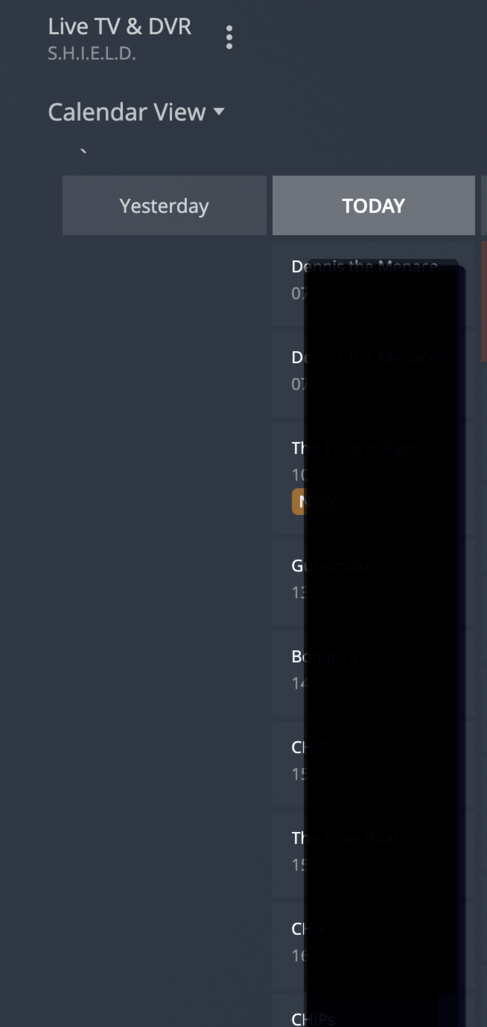
Same issue here. After a few channel changes I get “Could not tune channel. Please check your tuner or antenna.” THe only way to solve this is to restart the plex service on Ubuntu.
This feature is simply unusable like this.
I’ve tried Raspberry Os and different old versions of Plex same issue…
I was notified of an update for Plex server on my shield and was “hopeful”, since I’d forgotten to restart my shield for a week and missed a lot of recordings, to see something about this long standing issue of losing the antenna.
@BigWheel, is the issue even in the Product Backlog so that it can get prioritized and hopefully prioritized about a flashy new update?
I am also an extremely disgruntled Live/DVR user. But on this issue, Plex is just doing what any DVR software should do. It is recording the sound format that is on the TV signal (AC3, aka Dolby Digital). That way, you get the full quality of what was available. If Plex automatically decompressed the AC3 and compressed it to another format (say AAC), you would end up with less quality when you played on something that can decode AC3.
Mine has been working since the most recent update landed for me. Something like 10 days without having to reset. Now that I’m typing this out, I’m sure it’ll quit today but I’m hopeful there was something about this latest change that solved this.
And I jinxed it. Stopped working again yesterday and went down again overnight. So much fun.
@BigWheel is there any status update you can offer on this? I can only add to my list of observations but it seems to be particularly sensitive to after our FireTV stick has been used to access the media server (live tv or otherwise).
My WinTV-dualHD has been running fine for several months. But then this morning I got this error in the syslog (NOT in the plex logs). Also note that at the time, 8:01AM a single recording was finishing.
Dec 15 07:18:33 fozzie systemd[1]: Finished Ubuntu Advantage Timer for running repeated jobs.
Dec 15 08:01:59 fozzie kernel: show_signal_msg: 20 callbacks suppressed
Dec 15 08:01:59 fozzie kernel: Plex Tuner Serv[1053]: segfault at 17 ip 00007f9935dbad2a sp 00007f9933ec9fa0 error 4 in Plex Tuner Service[7f9935d8e000+129000]
Dec 15 08:01:59 fozzie kernel: Code: 7d d0 e8 49 aa 0f 00 80 3d a1 35 12 00 00 48 8d 35 83 35 12 00 79 07 48 8b 35 7a 35 12 00 48 8b 85 30 ff ff ff 4a 8b 54 20 28 <80> 7a 17 00 79 03 48 8b 12 48 8b 7d d0 e8 14 aa 0f 00 48 8b 85 90
And after getting this segfault Plex refused to use the tuner. The tuner returned when I rebooted the machine. Plex logs are attached.
Plex Media Server Logs_2021-12-15_13-28-18.zip (1.5 MB)
We have an open issue on these Plex Tuner Service crashes with the Plex Media Server development team
You have debug logging disabled - please enable server debug logging in server advanced settings
Also suggest you update from version 1.24.4.5081-e362dc1ee to the current version 1.25.2.5319-c43dc0277
Recording failed again yesterday. Taking my shield with me over the holidays, and it getting rebooted every few days - and not connected to a tuner I’d forgotten that I need to reboot it.
Plex, WHEN will this long standing Priority 1 bug (for your customers) be fixed?
+1 on this. I’ve found that rebooting the Shield every day will solve the issue for around 24hrs. Fine if you’re able to do this but isn’t the whole point of being able record live TV that it should just do this without daily input from me? What if I were not able to do a daily reboot?
When coupled with this other current issue -
my Plex Live TV is pretty much unusable & not what I should have to tolerate from a paid service.
2 Likes
This topic was automatically closed 90 days after the last reply. New replies are no longer allowed.
