Server Version#: 1.18.0.1944
Player Version#: 4.8.4
I am at my wits ends here. I know there are countless articles on remote connections and how to fix issues with them, but nothing I have done has been helpful or successful in any way.
My remote connection outside of my home network used to work fine. I got a new Fios router back in April and it hasn’t worked since. I honestly think it stopped working before that actually, but I’d like to sit and blame Fios at the moment… because, well, it’s the easiest thing to do.
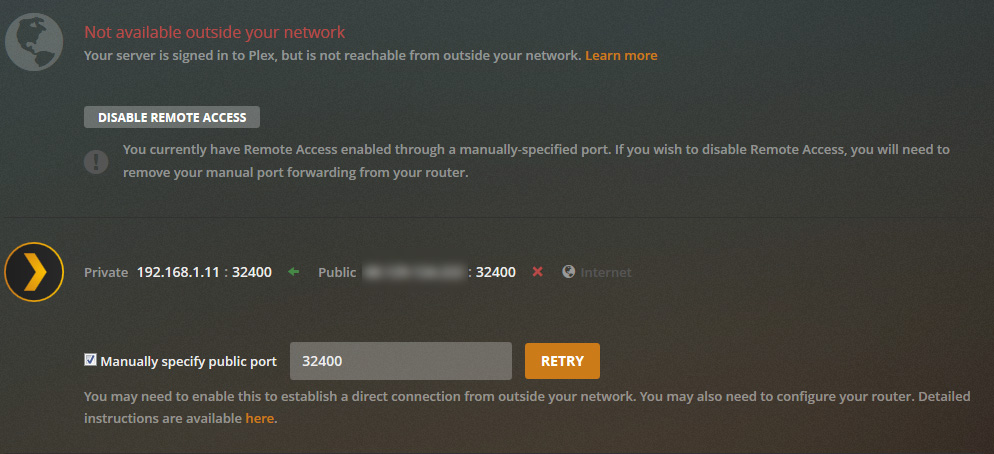
Any time I try to make any type of setting change in the Remote Access section of Plex (i.e. check off Manually specify public port), I will get the green “Fully Accessible” for about 1 second and then it switches right back to the red of death – Not available.
I have Plex Pass, but don’t see any point in paying for this any longer, if I can’t get this to work ever again.
I am running the server from a Windows 10 machine and the actual files are located on a NAS drive, if that matters at all.
Please tell me what else I need to provide here and what can be done!
I tried this. Many times… it doesnt seem to be helping. I’ve followed multiple port forwarding articles and yet I still have errors and issues. I’ve also disabled and re-enabled upnp in the router itself.
Last stop would be the local firewall. That would be either Windows or are you running a 3rd party firewall application on this Windows 10 install?
Verify that the Plex Media Server.exe is allowed to receive inbound connections on port 32400
So, it turns out it was my Firewall settings all along. Apparently on that machine, I had not only Windows Firewall enabled, but also Avast Internet Security’s Firewall feature as well. Just disabling Windows Firewall didn’t work, but changing the Firewall profile in Avast from Public to Private DID do the trick!