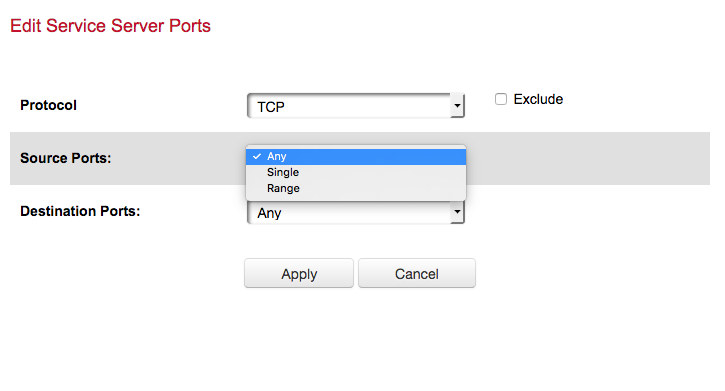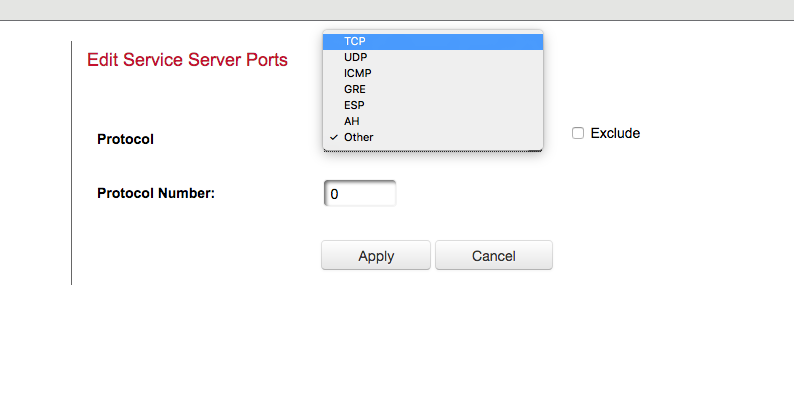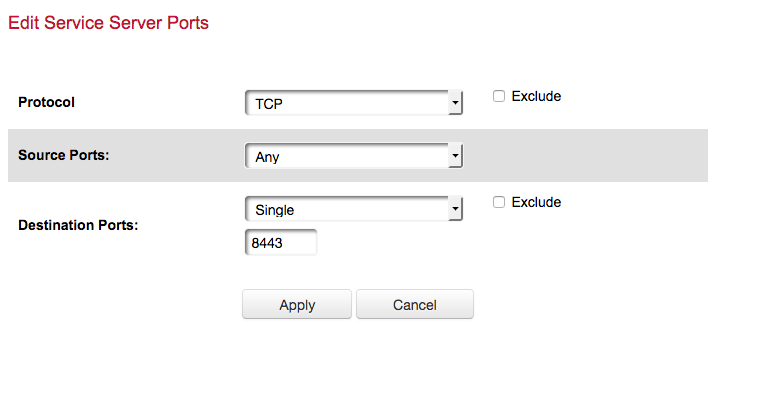

Updated the ports and firewall settings.
Going to restart my Plex and then try and access it via cellular.
Fresh set of logs. I am able to stream at least for a little bit, music to my iOS device. Testing it out to see if it will maintain a connection.
com.plexapp.system.log (38.5 KB)
Plex Media Server.log (580.2 KB)
The music stopped after one song. Here is the log from my mobile device.
PlexDebugInfo-rhett7660-5.5.1-15289 (2018-10-17 18.51.46 -0700).zip (415.0 KB)
Why has the Port Forward changed?
I thought that would stay the same as forwarding WAN 8443 to LAN 32400
and only the service rule needed changing for Source to be Any, Destination=8443
Did you two not say change the port forwarding???
" In the menu shown in the first screenshot change Source Ports to Any (or something similar the dropdown offers) and change Destination Ports to 8443 . This should allow any remote port to connect to your port 8443 (which is what you need for remote access)."
The service rule is linked to the port forward. If I change the port forward like I was instructed to do, it changes the rule for firewall.
Please give screenshots of what you have to enter and not of the final settings
It 03:27 am - going to bed now.
ok so that is for source port and destination port for the rule
Isn;t there a separate port forward screen to input LAN port and IP?
where would we enter 32400?
Is Plex pre-defined on the router?
The only place I can put in the 32400 would be in the port forward section that I know of… I don’t know anywhere else I could put it…
what about if you do not select plex but create your own new application custom forward rule ?
which screen?
Plex is the name I give it so it is easy to forward… I can call it what ever I want to. Should I create another rule?
Which is where I had it originally… see above posts…
So the steps are as follows.
1 Create new port foward, call it what ever you want, I call mine “Plex”. I set the source ports and destination ports.
2 I then go to the firewall section, and in the drop down on the right, I select the server (Mac Mini) where PlexServer resides and then select the application to forward which is the rule I created in step 1 named “Plex”.