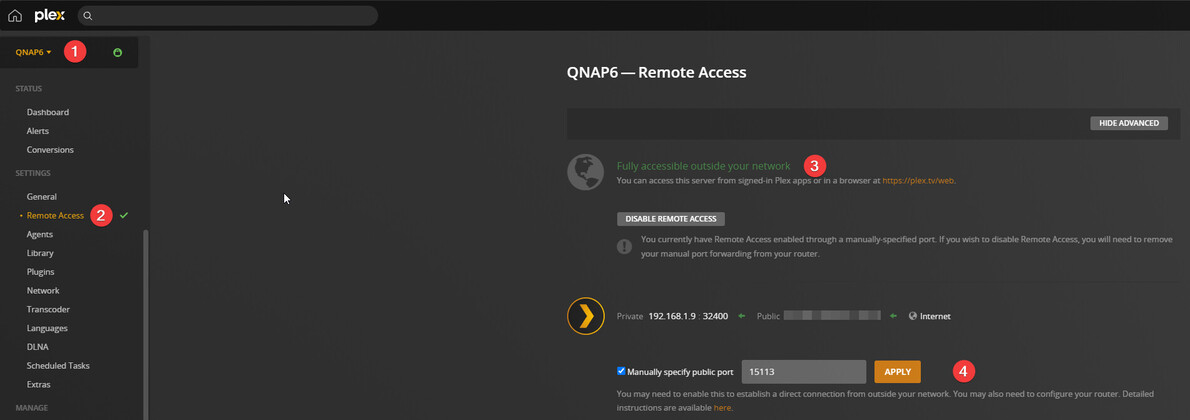
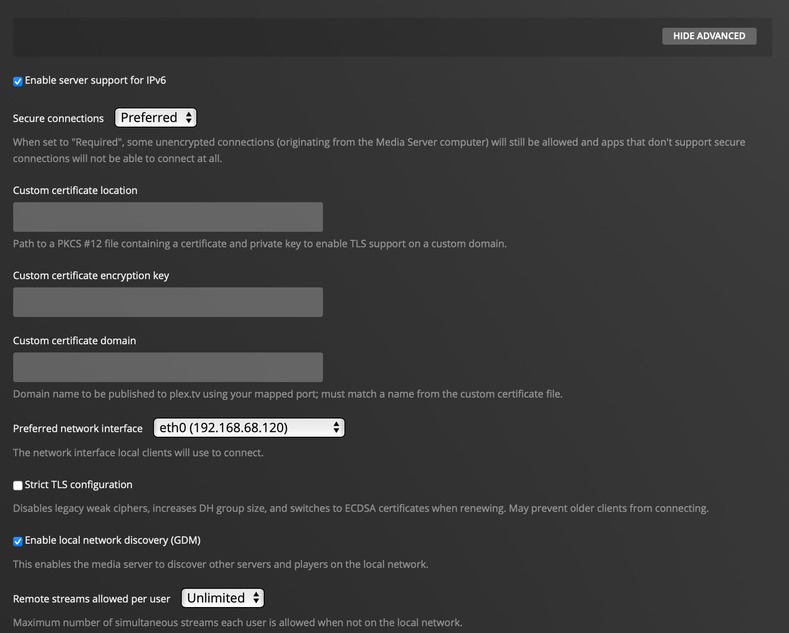
Server Version#: 1.28.1.6104
Player Version#: latest as of today (need to confirm exact number)
After trawling through endless posts on similar issues I am unable to find one that addresses my particular one so hoping someone can help.
I’m encountering the dreaded ‘server unavailable’ issue when trying to connect to my PMS remotely from TVs outside of my local network (at family & friends). This has worked in the past but I do it so infrequently that I can’t remember when or what my network setup was like, but it’s never been a complex one.
My current setup is, PMS running on a QNAP TS-421+ NAS, connected to a TP-Link M5 mesh network, which in turn is connected to a Virgin Media (UK) modem/router that’s setup in modem only mode.
I have absolutely no issues when connecting remotely using iOS apps on my iPhone or iPad, or when using the app on my Roku 4K streaming stick, which I use when travelling. The remote access issue only seems to occur when trying to access via an app directly on a TV. I have tested at on the TVs of several friends and family, which are either LG, Samsung or Sony and manufactured in the last few years so shouldn’t be affected by the DST Root CA X3 cross-signed certificate especially as an LG TV I tested yesterday is running a version of WebOS 5, which should be ok. Either way I have tried allowing insecure connections to test with no success. This same LG TV has worked remotely in the past but I can’t think of what might have changed to prevent it from working now.
I’ve confirmed that my local network doesn’t suffer from double-NATting, I’ve used port-forwarding, changed reserved local static IPs, disabled UPnP and combinations of the above with no success. What’s also confusing is that when enabling remote access or refreshing the manual port on PMS it says everything is ok and it’s green ticks all-round, then within a minute or navigating away from and returning to the remote access page it suddenly decides it’s not. I’ve seen posts where this status might not always be accurate but they’re a little older so don’t know if that’ still an issue.
I can’t fathom why it says it’s all good and then says it’s not, nor if it says it’s not but it still works perfectly fine on my iOS and Roku devices. Everything is perfect on my local network, the issue I’ve encountered is only with remote access on TVs, at least all that I’ve tested or had access to.
Any suggestions or assistance would be greatly appreciated!
Thanks for the quick reply. I’ve just updated to the latest version (1.28.2.6106) which restarted my PMS in the process but have also restarting the NAS just in case. Neither worked unfortunately.
I noticed the same thing, when I click the retry button it works fine and gives me the green check mark, then about 5 minutes later or after refreshing the page it says it’s not working again.
Hi @dane22, correct it momentarily says remote access is working and then says “not available outside your network”.
I did reclaim it after the recent password change but I was experiencing this issue before then too. As mentioned above, although it says unavailable it still works remotely through the iOS and Roku apps.
Ah thanks for the info. Also I realised I gave the wrong model number for my NAS on my original post. It’s the QNAP 251+. Either way I’ve disconnected the second cable.
I thought this had worked at first as navigating away from the Remote Access page or refreshing the browser tab didn’t show it as disconnected, but after not checking it for about an hour and a half I’ve just discovered it showing as Not Available again. Back to the drawing board?
Should I send the PMS log here or via DM if it would contain sensitive info like my public IP?
Wasn’t sure what you meant by Jumbo Frame but after clicking through the settings I found its 1500. I haven’t touched that before so assume it’s the default.