Server Version#: Version 1.23.5.4862
Player Version#: Latest?
I have tried everything I can and I can’t get it to work correctly.
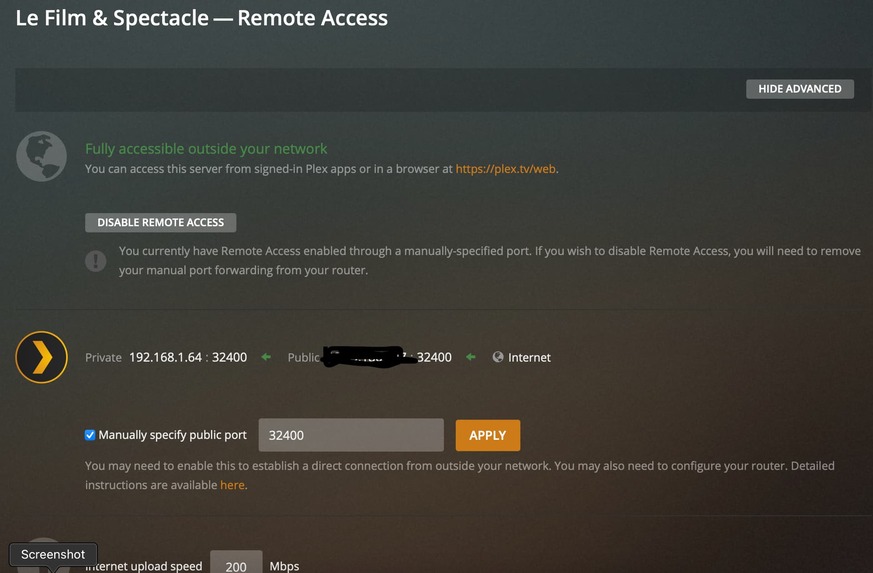
Originally I was getting the unable to connect remotely, I followed the steps to opening up the port on my router and finally got it to stay steady green.
Now when I try to connect from a remote location I get different error messages and the movies won’t play at original quality. I have the Lifetime Plex Pass. It seems to be stuck at playing under the 2 MBPS from what I can gather from the different forums and error messages.
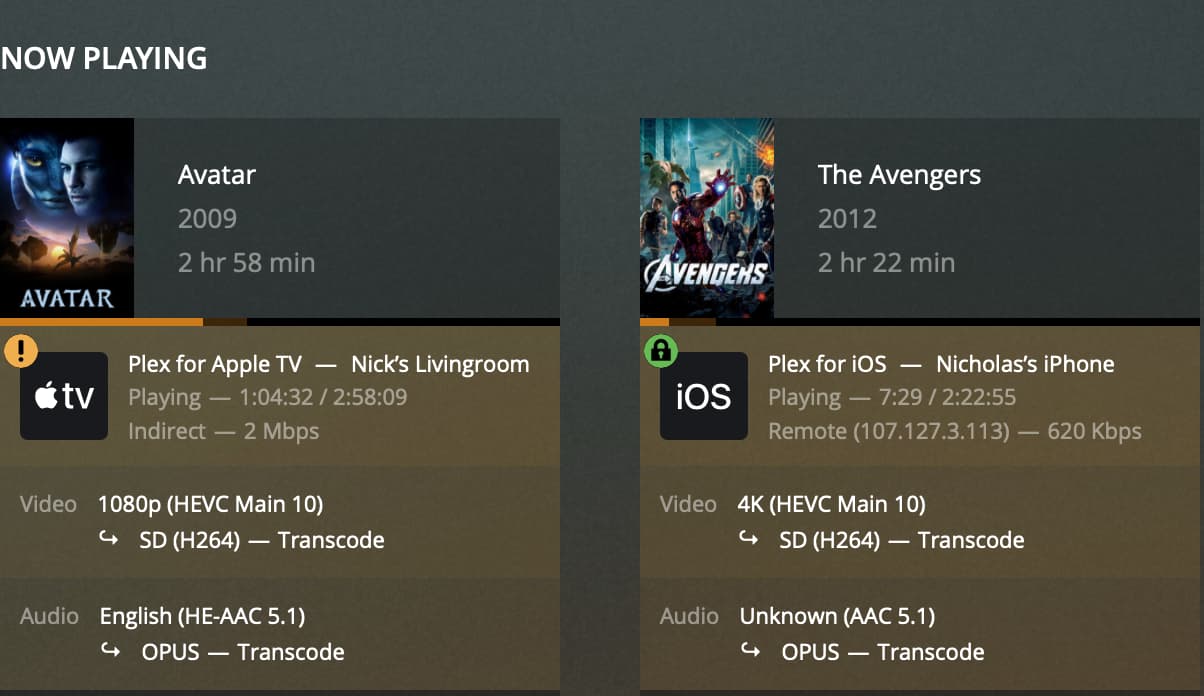
On my iPhone 12pro when on LTE/5G it will show remote, but will only play at SD, if I try to force it to play at original quality it will crash. Speed test on the phone shows 39mbps down and 16.9mbps up with ping at 32ms, Jitter at 5.4ms and loss at 0%.
On my AppleTV I get different messages. I created a guest wifi network on my router so it wouldn’t share any direct connections. It shows an a yellow exclamation point next to my AppleTv and it says indirect - 2mbps. Under Technical Details Transcode Reason I get App cannot direct play this time. No direct play video profile for protocal http, with container mkv, and video codec hevc. If I click on play original quality then it changes to Transcode Reason Not enough bandwidth for direct play for this item. Required bandwidth is 9291kbps and only 2000kkpbs is available.
I also noticed that when only the AppleTV is playing the CPU bare blips, when I add the iPhone it skyrockets.
Sorry to post here. I really do try to figure things out myself but this one I just can’t get. I have major ADD so I go from topic to topic and it’s driving me nuts. I entered some of my computer and network connections on the about me if that helps. I can also attach logs if anybody needs them.
That is the problem. The AppleTV must communicate directly with the Plex Media Server to work correctly.
Notice the connection type = Indirect. That means you’re connecting via Plex Relay, tunneling through a plex.tv host on the Internet. The connections are limited to 2 Mbps (1 Mbps w/o a Plex Pass).
Put the AppleTV on the same network as the Plex Media Server.
Do the same for any other WiFi devices that will stream from you Plex server (iPhone, laptops, etc).
Check for bandwidth restrictions on both the server and the iPhone.
Server: Settings → Remote Access.
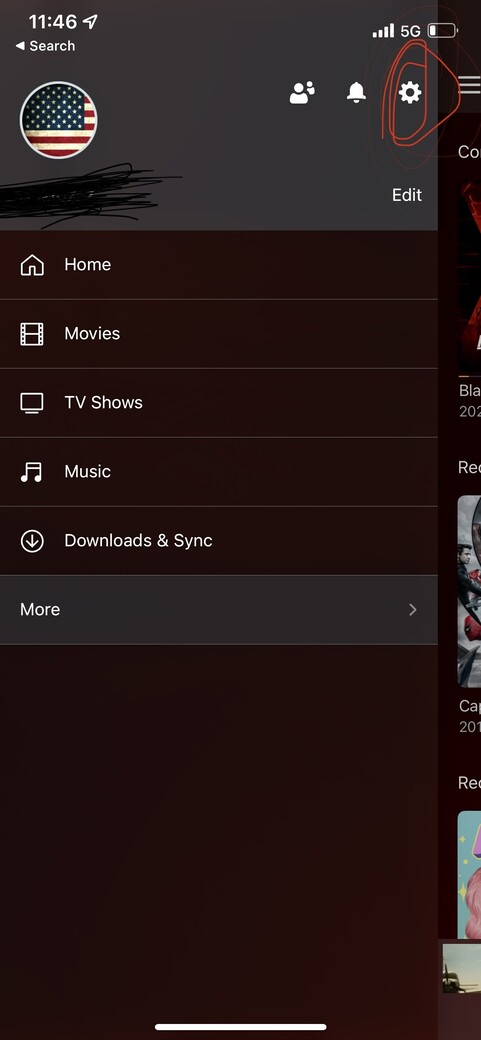
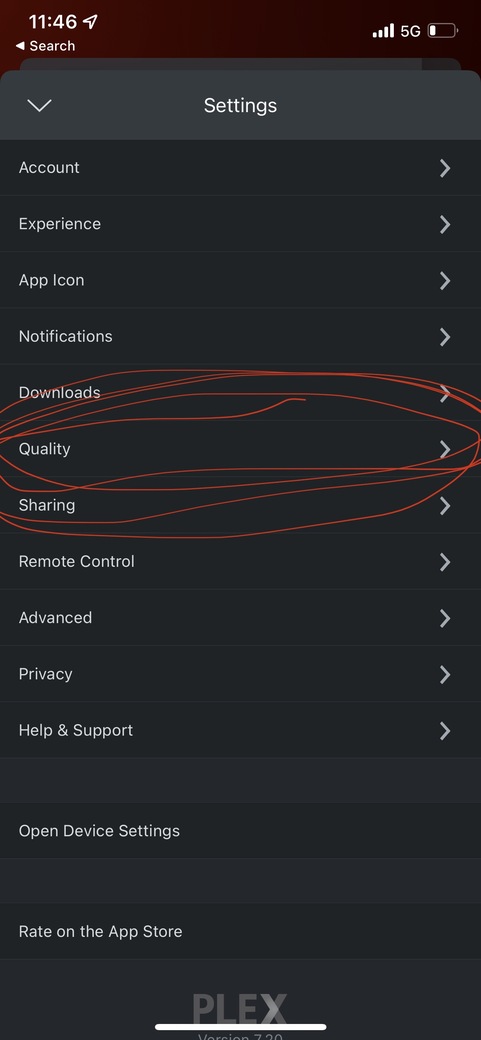
iPhone: Most Plex clients default to 2 Mbps for remote connections. Check the settings in the Plex app on the iPhone and adjust as needed (try Maximum/Original).
I had it on a different wifi (AppleTV) on purpose, I wanted to experience what people outside my home see when I share with them.
I understand the 2mb deal, but what I don’t understand is why it’s happening. My server has the green check mark on it, so in theory it should be playing at full speeds (up to what my network supports) which is pretty high.
Edit: I’ve tried every combination of quality I can both of the server and on the one.
Plex clients try to connect direct. If they cannot, then they fall back to using Plex Relay. The isolated guest network does not force a remote connection. It blocks all direct connections, so the AppleTV falls back to Plex Relay.
You could connect the AppleTV to the Internet using your phone as a hotspot. That would be a true remote connection.
If you’ve a way to create separate subnets, you could put the AppleTV on a completely separate network (ex: 192.168.2.x). The traffic would hairpin through the router and appear as a remote connection to the Plex Media Server
For the iPhone:
In the Server Remote access settings, set Limit Remote Stream Bandwidth = Original (no limit).
On the iPhone:
Auto Adjust Quality = off
Limit Cellular Data = off
Remote Streaming = Maximum / Original
Play Smaller Videos at Original Quality = On
Now, play a non-4K HDR video. Something with a lower bandwidth, H.264 video, etc. (sort the library by bitrate). Find one the direct plays when the iPhone is on your local WiFi, then try it when using the mobile network.
I’ve done all of that. I still can’t get anything to play above 720p. On my phone on 5G with speed tests of 50mbs, If I let the system pick the 720p it defaults to 720p at.3 mbps and my cpu sky rockets if I manually pick at 1080 it defaults to 720 hd at 2 mbps and the cpu drops about to about 50%
Well I feel stupid. You clearly told me what to do and instead of reading it step by step I just assumed it was what I had already done (change the quality settings once the movie was already playing) I didn’t realize on the actual app it had its own set of settings that overrode what ever choice I made. Thank you so much for all your help!