Server Version#: 1.32.2.7100
Player Version#: All
Hi @janoskk
It appears Cloudflare/Spectrum, which I believe might be Plex’s ISP, have introduced changes that affect Plex Remote Access - could be CG-NAT.
https://www.reddit.com/r/CloudFlare/comments/137zl66/cloudflare_and_spectrumcharter_communications/
My remote access does seem to be working but …
In Server\Settings\Remote Access I’ve got a red exclamation mark stating not “Not available outside your Network”
The Public IP is displayed as 72.177.107.196 which I don’t mind posting here as it’s nothing like my real fixed public IP. It Whois’s back to Charter Communications/Spectrum in the US (I’m in the UK)
Don’t believe the problem is at my end. It used to work though I’m not sure how long ago it broke. I am not double NAT’d or CG-NAT’d as my fixed public IP is detected correctly by all the normal sites e.g. https://www.whatismyip.com/
The server startup logs do contain
May 25, 2023 13:35:12.691 [13012] DEBUG - [Req#183] PublicAddressManager: Got public IP from v4.plex.tv: 72.177.107.196
So the weird behaviour is around how v4.plex.tv detects my IP address.
Is this working for anyone?
I see that plex.tv is behind Cloudflare. Have Cloudflare introduced CG-NAT which would affect everyone.
Kevin
This is Plex Relay, your home ISP is not reachable, so it’s tunneled through (US) relay servers.
Thanks certuna,
I still don’t completely understand. Nice technology - “Plex Relay” - but my fixed external IP is routeable and a direct connection should be possible
My Plex Server startup is displaying the wrong external IP address - it used to display the correct one - so if that is addess the clients try to route to then yes, Plex Relay would come into play and that’s why it does work.
But the question is why does v4.plex.tv think my external IP is not directly routable, or possibly more simply, why is it picking up the wrong address from the beginning.
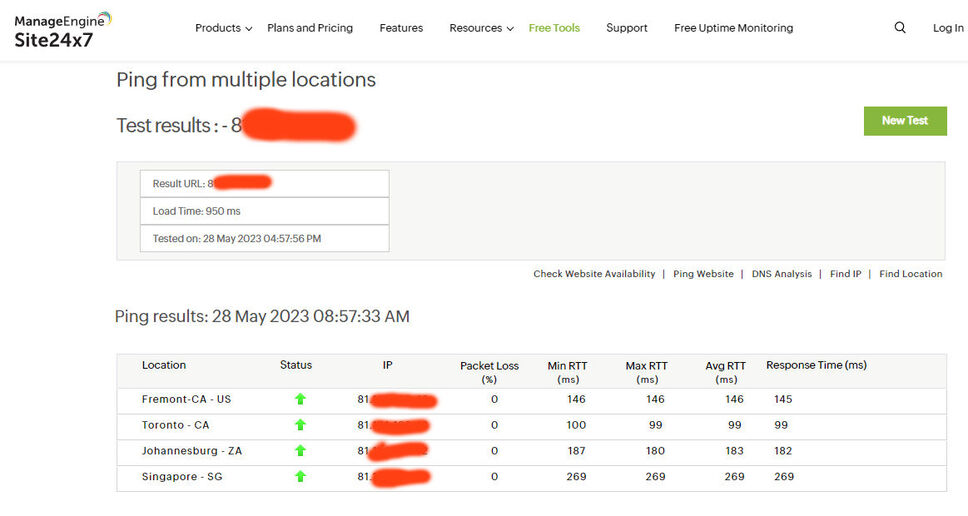
I’ve just double checked various online ping tools and my fixed externl IP is pingable (once I enable ICMP which is normally off).
Have you @janoskk got any idea ? It’s wasting bandwidth through Plex Relay when it doesn’t need to.
Most likely because your server is behind a double NAT.
If you also have an additional IP which is publicly reachable, you better tell Plex about it directly.
https://support.plex.tv/articles/200430283-network/
“Custom server access URLs”
You must create port forwarding rules in all router-type devices in between your main gateway and your Plex server machine manually. So that all TCP packets which are directed at your fixed public IP address:port get to your server.
https://support.plex.tv/articles/200931138-troubleshooting-remote-access/
Hi @OttoKerner
Thanks for the info
I’ve turned off Plex Relay for testing and the second I do this remote access does stop.
I’ve tried adding both my IP and FQDN to custom URL and neither help.
If I use Safari on my cellphone (cellular data - wifi disabled) and type the direct URL http://aaa.bbb.ccc.ddd:23617 where aaa.bbb.ccc.ddd is my external IP and 23617 is the uPnP port that Plex Server has mapped during startup, after prompting me to sign-in it all works perfectly.
I’ve also used NordVPN on my phone to connect to the USA (Buffalo) and still the direct link works.
I can VPN back to my LAN and that works which will probably be my workaround for now.
But why isn’t the Plex Server startup detecting the correct external IP when every other testing site does. Why does it work if I type the direct IP URL?
Just trying to help. Are you sure there isn’t a wider problem. Can you check my external IP if I send you a DM with it in.
I really reckon v4.Plex.tv is not working as designed in my case.
It may take a while until the info has propagated to all your clients. Don’t expect immediate results.
Try logging out and back in, or “Switch User” on the client side to force a re-download of all data about your server from plex.tv.
Unless you have a fitting cryptographic certificate for your domain (NOT self-signed), I wouldn’'t recommend using the FQDN.
Use the IP including the port number. Make sure it is the same number that is put in “Manually specify public port” under
Settings - Server - ‘Show Advanced’ - Remote Access
Also, did you create a portforwarding in your router?
You’ll have to.
Yes. Port forwarding set. Restarted the server after each change and waited a few minutes
Http://aaa.bbb.ccc.ddd:23617 works from everywhere in the world.
I see another report of remote access problems has been posted - could they be related?
You’ll see a report of Spectrum hosting problems in my first post. So Plex host with Spectrum?
Why is v4.Plex.tv not returning my correct external IP which I’ve proven works.? Every other detection site detects it correctly. Why does it think the IP address is in the USA - I’m in the UK.
Sorry, problem likely not at my end. Problem seems now to be experienced by other users?
It used to detect my external IP correctly. Now it doesn’t.
Sorry a bit terse, but is there no chance the problem might not be at my end
VPN only used for testing on client only, just to prove beyond doubt that I’m definitely not double NATted and that port forwarding set correctly.
Is it working OK for you? Correct external IP displayed in Remote Access page?
Has the bandwidth going through Plex Relay gone up over the last month - might have done if other users are affected.
If it’s just me then fine, but I can’t imagine any reason why Plex, and only Plex, doesn’t get my external IP right - unless something has happened network-wise in the Plex data center.
Hi Otto, @ottokerner
Short version
OK I figured it out and as you’ve been hinting at the problem was self-inflicted so apologies and thanks for your help.
Longer version
A while ago my ISP put in place DNS Rebind protection so I hardcoded some stuff in my dnsmasq.conf file to get Plex to work rather than simply reconfiguring everything to use e.g. Google DNS. Since then, it looks like the IP address for some of the Plex infrastructure has changed so my original fix was just getting in the way.
Now that I’ve configured it to use Google DNS for all plex.tv and plex.direct domains and allow DNS Rebind for the “direct” domain I’ve now got my Plex server picking up the correct external IP address and more importantly
https://plex.tv/pms/resources.xml?includeHttps=1&X-Plex-Token=xxxxxxxxxxx
shows the correct IP address in the remote access URI.
So problem solved.
Again, thanks for your help.