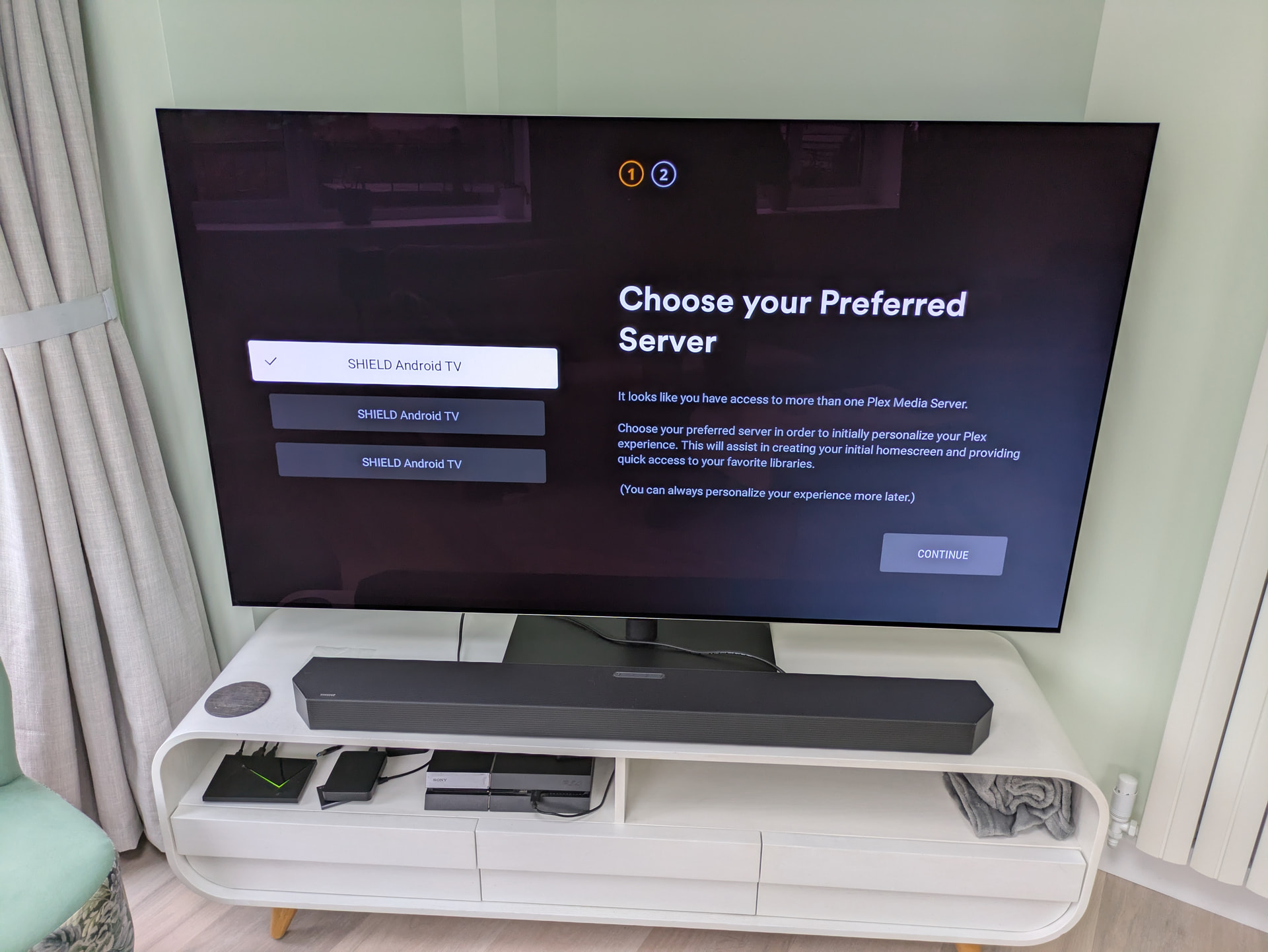
I’m trying to do a completely clean install of Plex media server. However, having uninstalled both Plex and Plex Media Server, when I reinstall Plex and go to set up the server, I’m told I have mutiple servers running.
I currently have four, because I’ve tried this process twice over and then did a factory reset, which added fourth! None of the instances actually seem to work. Here’s a photo of the point when I had three:
I’ve tried deleting the install files and folders on the file system and I’ve deleted all the server entries in my “devices” list on my Plex account. I’ve also removed all external storage from the Shield to make sure the instances aren’t on there.
But the problem persists.
How can I get rid of these ghost servers and do a completely clean install?
Your screenshot is not from installing the server, but from the first start of the Android TV Plex client app.
See if you can uninstall the Plex server from your Shield using the Google Play Store. Afterwards, reboot the Shield. This should remove all server data.
Then install the Plex server again using the Play Store.
The older server instances are still connected to your plex.tv account. You can remove them here:
https://app.plex.tv/desktop/#!/settings/devices/pms
If you already have a currently working server installation, leave the newest in place! Only remove the others by their red 
If you don’t know which is which, rename your current server first. Use the web app and go to Settings - [server name] - General - “Friendly name”
Thanks for the response, but I’m a bit confused. I don’t think I’ve mixed up the client and the server, and I’ve already taken all the steps you’ve suggested.
While the client and the server apps are listed seperately on the Shield’s “App” list, there doesn’t seem to be a separate UI for the server on the Shield. Rather, when you start the client app for the first time and sign in, it asks you if you also want to start the media server. Once installed, you can then only control your server via a web interface, not from the app.
This does seem to be confirmed by this support article:
https://support.plex.tv/articles/221099988-setting-up-and-managing-plex-media-server-on-nvidia-shield/
In trying to fix this, I have absolutely uninstalled the server instance separately, just as you’ve suggested. There is currently one instance of it running under “system apps” on the Shield, but going into the client app shows four, as the photo shows.
I have already deleted all server instances from my devices list, as you can hopefully see here:
… there’s not even an option for “servers” in the dropdown, as you can see.
I do get some kind of response when I try the IP address:32400/web in a browser. It tells me the address is “not hosted by plex” but asks me to sign in anyway, and then says I’m not authorised:
But despite all this, I’m still seeing four plex servers to choose from when I try and set up plex. Is there another course of action I can try, please?
Update:
When I go into my Plex app, and select “More” from the menu, I can now see all four instances. Only one appears to work - the other three all show orange triangles.
Editing “friendly name” alters the name of the active server.
However, I cannot connect to this instance via the web UI to setup the libraries: I get the unauthorized screen as shown above.
If I understand correctly, I may need to claim this server instance onto my account but Plex doesn’t seem to have a UI option to do this that I can see, and I cannot get at my preference file to edit it, as it’s locked in the Shield”s data folder. Is there a way I can claim it?
(Would also still like to get rid of those other instances if possible?!)
You appear to have two accounts. I noticed your last post above was with a different account. Are you signed into web app in browser and shield with the same account?
Your mattthrower742 appears to have multiple shield servers. but no Plex Pass and only created a few months ago.
Your other account that has a Plex Pass you started this forum topic with has no servers and has existed for multiple years. (forum account username is different than actual account username so not mentioning it here.)
( also just FYI the warning that says application is not hosted by Plex ( not app.plex.tv ) just means it is the web app that is built into server which is hosted by you and it shows the local IP of that server)