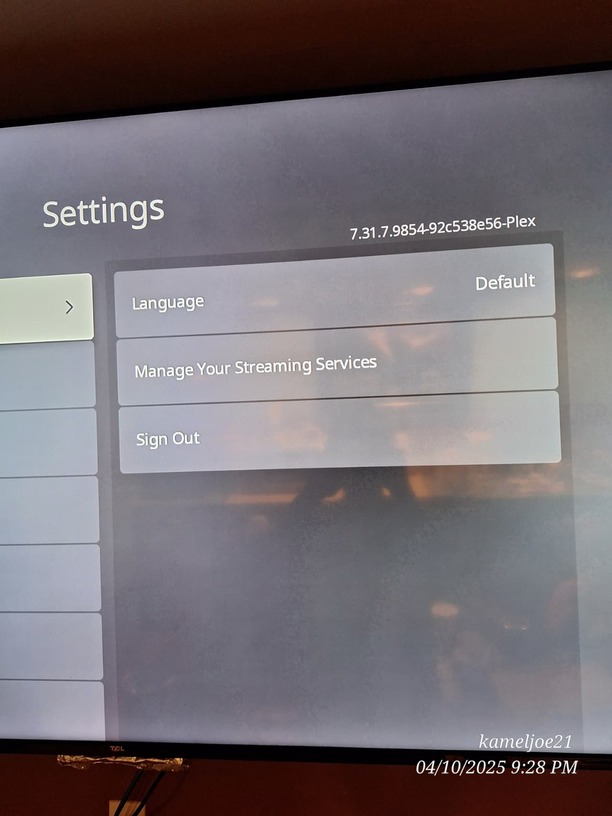
Problem: Server owner account on Roku device missing features and settings (speed watching)
Testing:
I have confirmed that this is a Server Owner account problem existing only on Roku devices.
I have tested the HTPC app, Mobile app and those both have their settings as far as I know.
I have tested other Home users accounts on the two roku tvs listed below and their accounts settings are the same as they should be.
I can not find any other settings in which could reset my (server owners ) account or to fix this. Guest accounts and the test account I made work fine. Checking the other home users accounts on both tvs also reveals their setting to be correct.
This only happened today as I watched a episode of black mirror and then left for the afternoon. I guess we can blame this on the cat. As she was the only one in said room and access to the remote.
I have tested everything I can think of to fix this, yet I have a feeling that this is an account problem that has to do with the sync and only Plex employees can fix.
Roku App on both tvs is 7.31.7.9854-92c538e56-plex
New TCL model: 55s451 Hardware ID: g136x Software Version: 14.1
Old TCL model: 55s401 Hardware ID: 7111x Software Version: 14.1
Thank you for reporting. We’re aware of the issue. While the issue is isolated to Roku only, it’s also only impacting the Admin user. On initial glance this appears to be an issue with communication with the Roku and our backend services. We’re still investigating. Thank you again for reporting.
Could you share a screenshot of what you’re seeing? Sorry to my knowledge the issue was isolated to Roku. Maybe the scope changed since last I checked. Thanks for the heads up. Regardless, the current assessment is still looking like a backend issue. An engineer is investigating now.
Yes, most likely. It may be that other clients or even the server could be affected but still looking like a backend issue as the root cause. Investigation is ongoing. Thanks for making the connection, sorry I didn’t see your post earlier.


 .
.
