Plex client on Samsung TV fails to connect to LAN Plex server running on SYNOLOGY NAS. On the same network as the other devices where Plex client is working fine with the same Plex server such as Windows PC and two iPads.
I tried to make sure like other forums suggested that on TV’s plex client settings, advanced, unsecure connections are set to Always, and on the server’s side settings, network secure connections are set to preferred.
Attached are the logs from the server.
Please investigate and let me know the solution.
Even though you say other clients are working fine, your logs indicate a server problem!
From your logs:
May 08, 2022 16:32:46.445 [0x7fa3dbb49b38] DEBUG - [EventSourceClient/pubsub/172.104.132.7:443] MyPlex: We appear to have regained Internet connectivity.
May 08, 2022 16:32:46.503 [0x7fa3dbb49b38] DEBUG - [EventSourceClient/pubsub/172.104.132.7:443] MyPlex: async reachability check - current mapped state: 'Mapped - Not Published (No server)'.
It looks like your server never marks itself as published?
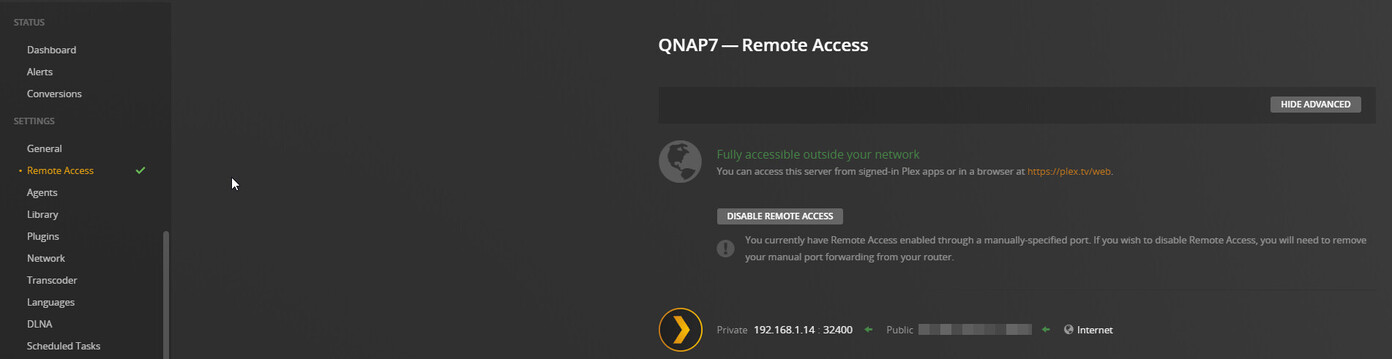
I got it to work by enabling remote access and set up port forwarding in my router. I do not understand why I had to do this since both TV and Plex server are on the same LAN.
Before It used to work without having to enable port forwarding.