hmmm very weird. I just added both shows to a library and selected the same background art for the show and it’s also showing for the season background too. The season edit page is also blank. Do you have a season background image stored alongside your files? Can you check out the XML for these impacted seasons to see if their backgrounds are locked already?
Regardless, thanks for double checking on this and reporting back.
Also, checked on Roku and the season background (the same as the show background) is shown. I even uploaded an image for season 2 of YuruYuri and only that season has the unique uploaded background.
When I removed one still bugged Show and readded it, it worked as expected - no bug anymore. I don’t think it’s related with pulling from Plex but something in the local DB holding onto something for these two titles, on my setup, even after the fix is applied. I dunno that someone else with the same shows (added before the fix is applied) would have the same issue - that’d be a way to “confirm” so maybe if MrFancyPants1999 remembers which of their shows were also stuck after the fix that might help but might be more effort than it’s worth.
What’s causing these titles to be “sticky” about it I dunno… I tried a lot of things and looked at a lot of details (xml, file names, special characters, date added, etc) and nothing really hinted why these two didn’t clean up.
I fixed one show but left one still unfixed for now (the “wrong” background on that one doesn’t bother me) in case there’s any follow up checking I can do if it’ll help. Just let me know. I figured I’d wait and see if the version that goes public (likely not this version) does anything different.
It’d be nice if a manual metadata refresh wasn’t necessary - will the scheduled tasks catch it? That’d probably be good otherwise people won’t know they’ll need to manually refresh after the update goes public with the fix. Once a beta with the fix goes public, I’ll mark it as “solved”.
It’s outside this bug, but I think it’d be nice to have that “unselect” function for season backgrounds. That way if you do pick a unique background for season (even accidentally), you can still go back to it loading the show background you pick.
Edit: Forgot to say thanks for double checking and testing it out.
@Atomatth … this bug is back or at least seems not fully fixed yet.
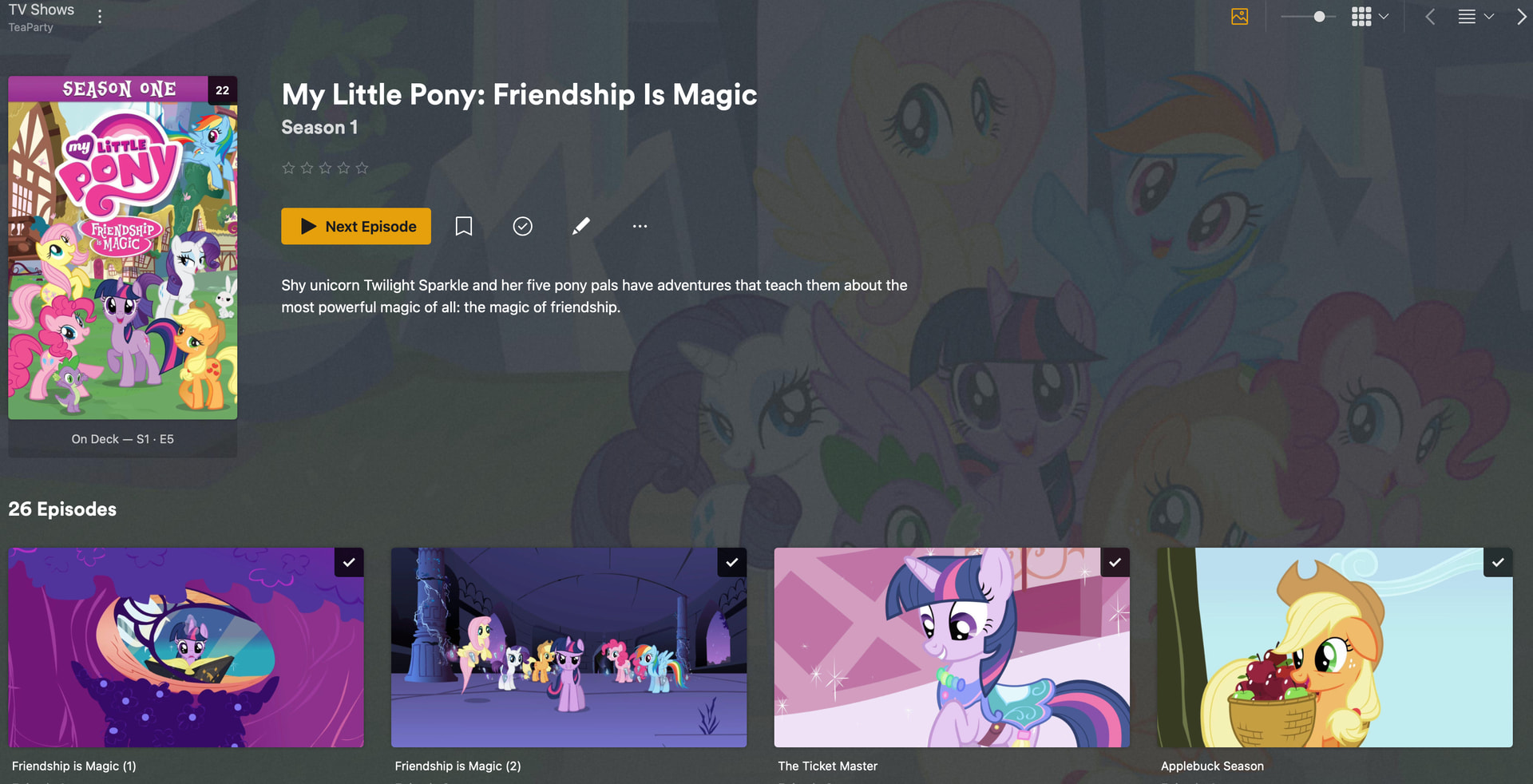
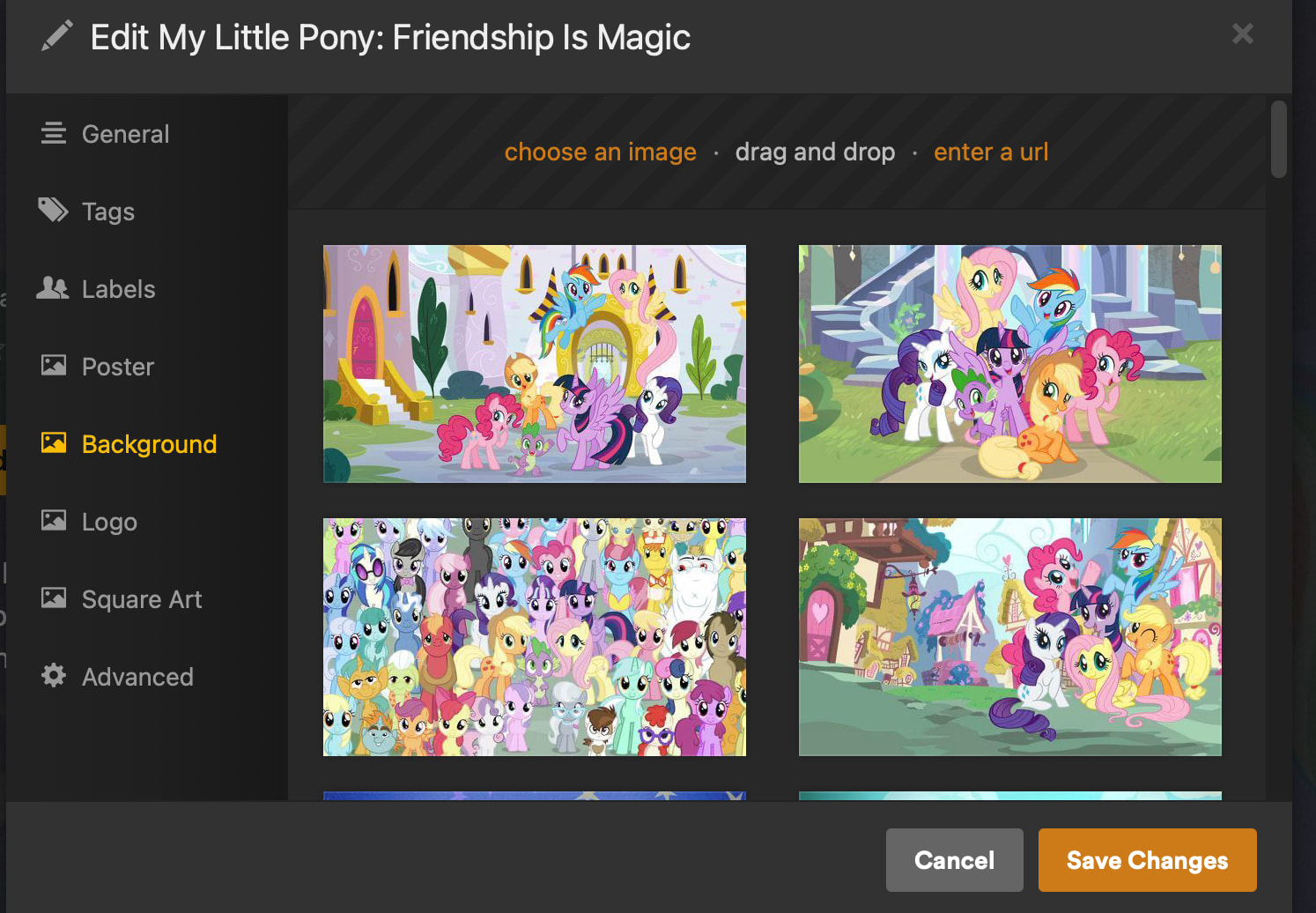
On My Little Pony example below, it’s loading a different background image for Season 1 instead of the selected image for the show despite Season 1 not having any custom background options.
The other seasons are fine though and it wasn’t a problem initially when I first setup this show a couple weeks ago so something in a meta refresh maybe triggered it? Refreshing meta for the show didn’t do anything.
It’s possible this is something else… but it fits this bug that wasn’t actually fully fixed yet (some shows had to be fully reset as new shows to fix them even after the “fix”).
Regression fixes for things like this weren’t so delayed and unreliable in the past. Is Plex vibe coding things now? Would fit this situation and some other dev oddities… so I’m feeling it’s likely. Which would be disappointing.
Server: 1.43.0.10389
Client: Both Roku 9.1.34/9.0.34 and PlexWeb 4.157.0 (I don’t think it’s client related).
All evidence presented pointed to this bug not being a show specific issue but a local DB issue. Something is throwing off Plex handling background art for TV shows and it seems to impact randomly and locally only.
I’m sorry if I ruffled some feathers by mentioning vibe coding but I don’t think that makes it okay to go with the “works for me" response which even with best of intentions only ever comes off as dismissive. What you’re missing is that your test isn’t related to the problem.
You can’t replicate it because it’s an error happening to people’s local DB not at the Plex service level for specific shows. This bug couldn’t be replicated per show from the start but we regularly showed that Plex is displaying backgrounds that aren’t selected in the show or season settings, and that it’s not show specific across users, but y’all kept “testing” it like it was a service specific issue with shows.
I know that makes it harder to track down the issue which is why we provided our DB and logs to work with to help track it down. It’s always easier to track down big issues that impact everyone instead of these odd little issues that impact a smaller set of people. I also know it’s not a huge traction of users that jumped on it or noticed it but it was noticed by folks using Plex provided artwork AND local artwork which means it is a product issue.
The original “fix” was reported as NOT working in all cases and having to Plex Dance some shows to resolve it kinda indicates again that it’s something about local DB\artwork handling, but nobody followed up on that other than to do the same “that show works for me” test. Wasn’t a valid test then or now. Again - I know that makes it harder to troubleshoot but that doesn’t make it non-existent as an error.
At the very least, Plex is still showing artwork for a Season that isn’t selected at the show or season level so that’s an error. An error that’s similar to this bug that was shown to not be fully resolved.
I realize you and others have lots of other tracks\threads to keep on and it’s easy to lose track of older issues and hard to jump back in on internally flagged “resolved” stuff so while I appreciate you took a look, please take a moment to re-review the situation and the fact that testing by adding the same show to your Plex doesn’t test the issue directly.
Will providing logs and DB files help troubleshoot this further or is this going to be a “recall calculation” and since it doesn’t impact enough people and there’s a manual fix work-around that means Plex won’t put any further bandwidth towards this issue? I already said I figured this was as far as Plex was going to go with this and the remaining issues would have to be manually fixed so I just wanted to confirm the situation so I can settle my own expectations on this bug one way or another.
Edit: I’m not mad or upset or expecting an actual solution from Plex, just a bit frustrated and still wanting to try and resolve it since I started this bug report so mostly just want to set my expectations appropriately is all.
Sure…. it’s too big to attach so here’s URL to download it: Dropbox
At the moment only the My Little Pony show seems to be impacted and my previous test series I left “broken” for follow up has since been deleted so don’t have it anymore for testing\comparison unfortunately.
It does seem even more esoteric of a bug this time; initially it would impact all seasons and use the “default” show image but now it’s just one season and a random artwork (unless it was previously a default and got changed\removed).
Edit: Hazbin Hotel has wrong background for Specials season. I’m checking others.
Based on the above I should still be able to reproduce the issue though. I’d just need better steps . It sounds like if I can reproduce the original issue of the Show background not updating the Season background (1.42.2) then update to the patched version (1.43.0) and change the Show background, then Season 1 should show the issue.
What else was done with this Show and it’s Season background art between now and when you setup this show a couple weeks ago? Just change the Show background art?
Just changing the background art when I first added it into my library. Same with Hazbin Hotel. Just changed the default background for the show at some point. I never pick season specific backgrounds.
Personally I don’t think it’s a title\show specific issue which is why I don’t think you can replicate it by using the same show as me or other users. Earlier tests showed same server version and same show didn’t have the same problem between users. Titles getting stuck still broken after the “fix” also didn’t relate to the specific title. I don’t think “title X” has a problem. My theory is that something happens in the DB getting hung-up somewhere in an artwork update\verification process and when it fails it picks\defaults to different artwork as failsafe to not having it be blank. It happens as a programatic process bug unrelated to the specific title involved. Once it does that it gets “locked” which is why it took manual metadata refresh to fix it after the fix was released OR resetting the problematic show entirely (removing and re-adding it essentially starting over). That’s why it’s hard to replicate it and why I appreciate it may be hard to fix without more example DBs and logs and such so hopefully folks with other examples can notice and provide those.
Edit: I checked several other shows and seasons and My Little Pony Season 1 and Hazbin Hotel Specials are the only two I noticed (I didn’t check every season for every show though). Hopefully having 2 examples of the error is better than one. And I’ve tagged that other topic in case someone there can provide more resources.
I’m keeping with the shows more or less for continuity at this point. So regardless if it’s not specific to a show, if you’re seeing it on a show I’m going to try to reproduce with said show so we’re not questioning other variables (as best as we can).
Running 1.42.2
Adding the show (MLP)
Update Show background art
Confirm bug - season backgrounds are not updated to match show background
++Clean Bundles++
++Optimize DB++
Update to 1.43.0
Refresh metadata for show
Check season backgrounds - Season 1 is the only one not updated
Update Show background art
Check season backgrounds - Season 1 is the only one not updated
In the XML for season 1, the background image is not locked.
If I drop back from 1.43.0 to 1.42.2 and refresh metadata on the show all seasons revert back to the fallback season background (provider’s show background). Kind of expected.
Running this again and I’m no longer able to reproduce it unless I run the Clean Bundles and Optimize DB steps. Which makes sense as they would have likely ran during maintenance between when you added the show and found the follow up issue.
With your DB loaded I can “fix” the busted season 1 for MLP and likely other shows with the following steps.
Install 1.42.2
Refresh metadata for affected Show
Install 1.43.0
Refresh metadata for affected Show
Check affected Season background
If I had to guess the art was soft locked or not properly mapped or remapped after cleaning bundles and optimizing DB during maintenance for some shows where the Show background was updated but seasons were not touched. Regardless I have solid repro steps and relatively simple “fix” should you choose to use it.
Don’t feel like you need to, just offering as a suggestion. If it were only 1 or 2 I would probably do it but anymore would be super annoying. A new issue has been created with the reproduction steps. Thank @Insomnic_1 for the extra details and sticking with it.
That’s awesome set of testing and investigation. I very much appreciate the effort and doggedness you put into helping here… apologies for impugning on your reputation in my frustration. You definitely went the extra mile. Sorry. I’d given you benefit of the doubt in the past and should have here without being snippy… I’ll be sure to work on remembering that, and show better restraint, when frustrated (at least with you if not “Plex” sometimes ).
The soft lock or bad mapping after a mismatched maintenance routine fits the situation well.
If the problem is associated to maintenance routines, I wanted to mention that I do run DBRepair from ChuckPa occasionally … in case that’s impacted or related as well depending on what you find.
There’s probably more than just those 1 or two I found and digging through all seasons of all shows seems like a pain so I’ll just leave them for now or fix them manually if it really bugs me (MLP just came to attention because noticed the artwork flip while watching). It’s just a niggling issue I can’t fully let go since I reported it but can wait for the full fix.
Again, thanks for the effort and getting it properly identified and reported.
Still not fixed in today’s update for 1.43.0.10467… Crazy
EDIT: Actually, there’s a new issue… After refreshing a show’s metadata (just the example I’ve encountered so far), it’ll show a different background, which is not the selected or first one in the gallery)
@Atomatth I believe the issue here is that the random season background art is still being shown per season and when the main series background is set it is not trickling down to the individual seasons still.
@Atomatth@Agent-Z330 No, I don’t think this is that issue, the one I’m describing is on the show, not season
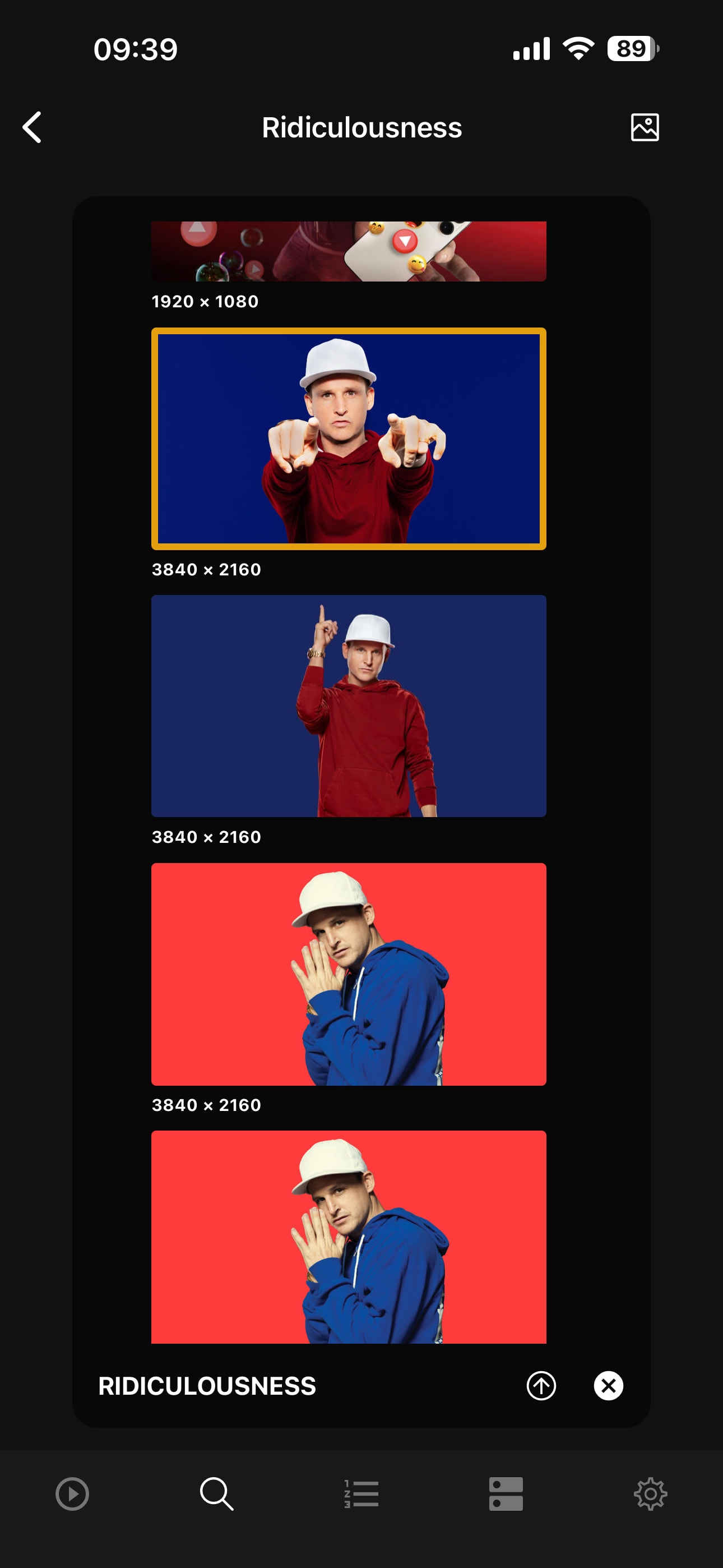
For example, after refreshing the metadata for Ridiculousness after last night’s update, the show background changed to one that isn’t selected and none of the seasons have their own background:
Similarly, I just added a new movie and noticed that its background is not the one I selected/uploaded (it’s very similar, but look at the helicopter’s position) and I can’t even see it in the gallery to choose from:
This thread topic is related to Web and not our Mobile app. The mobile app does not use the background art asset and instead using the squareArt asset. With this update to PMS users will now be able to select this newly used squareArt asset.
Please check out these titles on app.plex.tv and check out the Square Art options to see if they match (what is shown vs what is selected in the art picker).
Dash does not have the ability to change Square Art or Logos.
I understand the purpose of the thread, I just wasn’t familiar with the introduction of the Square Art option being used for mobile. The background looks as expected on my TV, so it seems to be working as intended



 . It sounds like if I can reproduce the original issue of the Show background not updating the Season background (1.42.2) then update to the patched version (1.43.0) and change the Show background, then Season 1 should show the issue.
 ).
).