Hi, I have disturbing situation after upgrading to the version 1.40.0.7998 64-bit.
(I’m a plex pass member since 2013 and a plex user since 2010 or 2011 if I remember correctly, so I think and I hope I’m not a beginner anymore, but you never know
My server is not accessible anymore from local loop 127.0.0.1 or from local IP after this update, but (I’m going crazy) it is accessible from the public address https://app.plex.tv
I’ve closed the plex server program on the machine (I thought maybe I got dizzy and I’m working with a wrong hardware machine) but of course, the access was also stopped from the public address (so I’m not drunk :).
If I’m trying to access the server from local IP or local loop, I receive a “404 Not found” screen so that means there is a web server there but no index file.
What was my mistake: I’ve installed the 1.40.0.7998 version by downloading it from the plex site not from the normal update (because “check for update” did not show the available this new version on my server, but on another windows plex server this version appeared as available).
For awhile it was accessible outside of the network, via, phone or computers not on my local network.
I did notice that when it had auto updated to 1.40.0.7997, in the plex under the General tab, it listed 1.40.7997, but said installation error try manual install. Which started me tinkering with it in the first place.
But I fully broke it, after trying to reset my credentials, (via deleting registry entries) and get a new token. Now I’m stuck at the circle of death as it won’t fully load so I can reclaim my server…
I’ve attached my logs as well, this is before I started trying to roll back the server version and previously mentioned credentials reset.
Intel(R) Xeon(R) CPU E3-1225 v3 @ 3.20GHz 3.20 GHz
You don’t need remote access to use the hosted web app. The question from pshanew was primarily aiming at the exact URL you were using when attempting to access the bundled version of Plex Web.
Yes, I’ve appended the port in the URL (32400) of course.
I think the debugging must start from a different issue: the web server at 32400 local port as it is defined by plex, is answering to all requests, but the index.htm (or html or php or whatever) is missing (the web answer is “404 Not Found” not “ERR_CONNECTION_REFUSED”)
@costinr can you confirm the existence of a Plug-ins* folder in C:\Program Files\Plex\Plex Media Server\Resources or where ever you have Plex Media Server installed. If there is not Plug-ins* folder there you may just need to reinstall PMS. Just run the installer again.
I woke up to my server being inaccessible. I didn’t try connecting via the web app, but my Apple TV, iPhone app, and direct connection (http://LAN_IP:32400/web/index.html#!/) via web did not work.
Hi, ok, this could be a good observation/starting point for debugging !!
No, there is no Plug-ins folder inside C:\Program Files\Plex\Plex Media Server\Resources BUT !!! this is because my registry setting for LocalAppDataPath is set to different path (G:!!PLEX!!PLEX FYI).
I’ve set this path a very long time ago (probably around 2015 or so) and I had no issues with this setting.
I do have G:!!PLEX!!PLEX\Plex Media Server\Plug-ins folder (no “Resources” folder this time).
I’m not in a hurry to reinstall it as long as it is working ok via android client, windows app client and via public URL (https://app.plex.tv) so I prefer to identify the issue.
For the moment all pieces are there, and I would not want to rescan my huge libraries, (not only for long duration, but because I don’t want some pieces to be erased from database just because a HDD is not inserted).
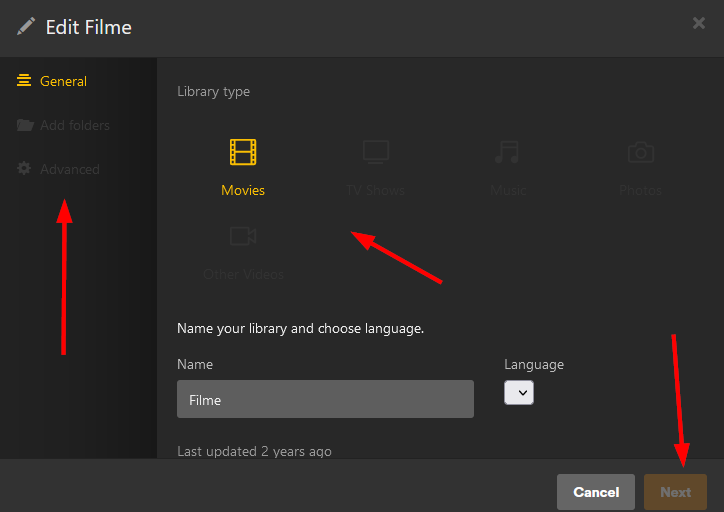
Absolutely all libraries of this server are not editable anymore, please help.
Just saying post update to latest version, people are seeing issues with server not coming back up, or maybe they are not waiting long enough. I’m on a version behind. Was more a ? if it’s worth waiting as maybe Dev sees something, code wise, and re-posts update to make it smoother. I got the sense from threads they were OOB updates, not complicated setups. I’m just running Plex on a synology NAS
Ok, this was one of my questions above: is it “dangerous” to manually install the previous version over the actual one, in order to fall back to the previous version? It’s a windows server.
@anon5074910 What do you mean by “embedded client”?
“Plex web” I know, it means accessing the server via web browser, and I also know about the dedicated windows app client (it looks very similar with the web browser access, but it’s an executable) but I do not know what is “embedded client”.
Thank you,
But, accessing via app.plex.tv or via windows app client, I’m able to see all libraries and the contents, I’m able to play everything, but I’m not able to edit libraries anymore.
I have that unusual setting of a different LocalAppDataPath value in registry (but I’ve used it without issues for years). I’ve made this because of the big size of my library, and I needed more space on HDD, so I’ve placed the library on a different HDD than the one with the system.