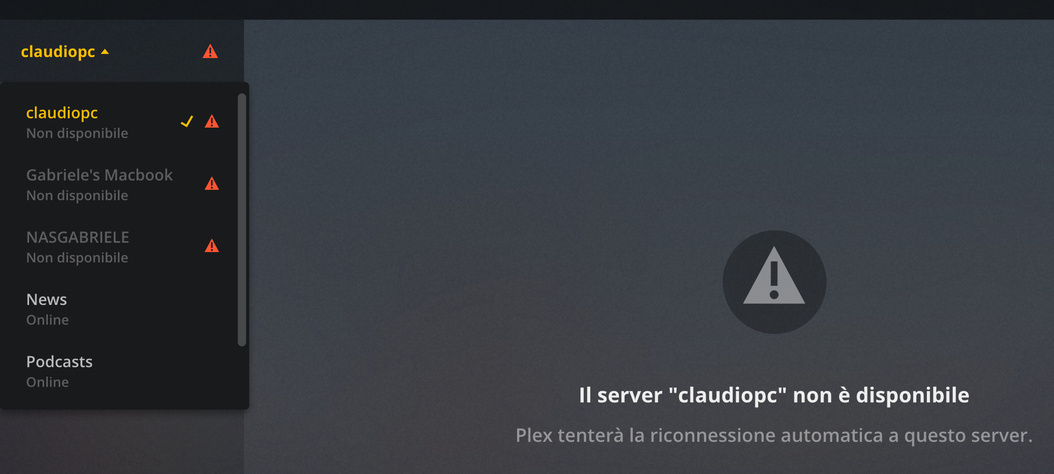
had a look at your logs and current state of your servers
So you have 4 machines, one that is with you in paris and runs server as well as Plex Media Player and the other 3 remote at home
The currently held plex.tv information for the server is as follows
The servers that are at home
NASGABRIELE
NAS
1.13.5.5291-6fa5e50a8
192.168.1.100, 10.0.5.1, 10.0.3.1

Gabriele's Macbook
Mac
1.14.1.5488-cc260c476
192.168.1.72

claudiopc
Win
1.14.1.5488-cc260c476
192.168.1.31
and the server from which you provided logs here is with you and has Plex Media Player as well as server MacBook Pro di gabriele
It is a Mac on 1.14.1.5488-cc260c476 and at this moment in time it is on a local network that is not your network 192.168.43.185
The logs i had a look at from the 21st December shows that machine on 192.168.0.46 and that it was attempting to connect to the other servers locally
I do not know if you were in paris with that machine or at home - but the network subnet was different 192.168.0.xx whereas the 3 at home servers on 192.168.1.xxx
For servers to be accessed remotely then need to have a working remote access state. At this moment in time none of your servers are showing as successfully setup for remote access.
For servers with multiple network interfaces, there is no guarantee that Plex Media Server would setup the port mapping for the interface you want - I do see in the case of your MacBook Pro di gabriele machine that Plex Media Server did correctly identify that 192.168.0.46 was the interface to use.
So to start with we need to establish why each of servers at home are not setup for remote access. First thing to do is to update your QNAP from 1.13.5.5291 to 1.14.1.5488
Then need to be on your home network to setup remote access for each of the 3 servers NASGABRIELE, Gabriele’s Macbook, claudiopc
We always say that setting it up with port forward and manually specified port is the most reliable way - so long as your router does not lose its settings periodically due to ISP action
So to use port forward, first ensure the IP addresses do not change so make sure each of 192.168.1.100 for the NAS, 192.168.1.72 for Gabriele’s Macbook
Mac and 192.168.1.31 for claudiopc are all set as DHCP Reservations in your router
Then decide on what public tcp ports to use for the servers. I am going to give you examples below
NASGABRIELE Public TCP Port 32410
- Setup port forward in the router to forward tcp port 32410 to local port 32400 forwarding to 192.168.1.100
- In remote access server settings with show advanced for the NAS, tick manually specify port and enter 32410 in the box and retry and disable/enable remote access
Gabriele’s Macbook Public TCP Port 32420
- Setup port forward in the router to forward tcp port 32420 to local port 32400 and forwarding to 192.168.1.72
- In remote access server settings with show advanced for Gabriele’s Macbook, tick manually specify port and enter 32420 in the box and retry and disable/enable remote access
claudiopc Public TCP Port 32430
- Setup port forward in the router to forward tcp port 32430 to local port 32400 and forwarding to 192.168.1.31
- In remote access server settings with show advanced for claudiopc, tick manually specify port and enter 32430 in the box and retry and disable/enable remote access
If you have any issues with remote access being established on a specific machine, get logs from that machine with debug logging enabled
See
https://support.plex.tv/articles/201643703-reporting-issues-with-plex-media-server/
https://support.plex.tv/articles/200250417-plex-media-server-log-files/
https://support.plex.tv/articles/200289506-remote-access/
https://support.plex.tv/articles/200931138-troubleshooting-remote-access/