Server Version#: 1.29.0.6244
Player Version#: 4.87.2
I have been using Plex Media Server without any issues for a while now. Couple of days ago, out of the blue my Plex account doesn’t seem to recognize my Plex Media Server library. I can see the device under the authorized devices. But the library folders are not listed. I tried restarting everything and still the same issue. I was accessing my Plex Web in local network so it’s not any external issue either and I have no firewall internally in my NAS.
So I uninstalled the Plex Media Server from my Synology and reinstalled it. I didn’t erase the config files and just did a sign out and uninstall only. When I installed, my Plex Web was able to setup the server information properly. But it was informing that I need to claim the server to be able to use it. So I go to General and try to claim the server. Nothing happens. I click on the button and it still remains as is.
Then I tried uninstalling again. When I’m reinstalling, I select to claim lost server using Plex Token. I click on Get a Claim Token to generate a token from Plex.tv. I use that token during installation. It reports that it can’t communicate with Plex.tv to authenticate the token. I had to install normally without claiming and I’m end up with the button where I can’t claim the server. Following was the error I saw.
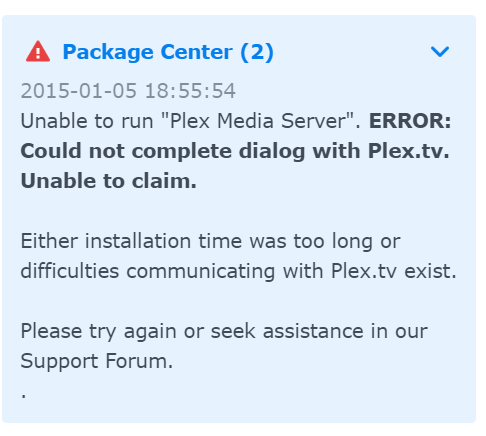
Anyone know why it’s happening? I tried to download the logs but that’s also not showing anything. Please advise.
