I have a WD PR4100. I recently updated to the new OS5 after several months not using it. After the update I was having issues to claim the server. I had no luck and accidentally changed a setting in the Plex web network tab and after that change I can no longer see the server when I hit the WD configure button. Configure just opens Plex web and no server is visible. I have deleted the app from the WD and reinstalled but still have had no luck. How can I see my server again when I hit configure or reset the Plex settings?
I’m not very knowledgable about the WD NASs. You can try this which is a common cause of not being able to access server settings. Why am I locked out of Server Settings and how do I get in? | Plex Support
Looks like You need to install the version fo the server for OS5 which you can download here. https://www.plex.tv/media-server-downloads/#plex-media-server

afaik you need to just install manually. not uninstall the other one.
I have the latest server installed as well. The server settings you sent didn’t work. Do you have instructions on how to delete the settings for plex so I can just start from scratch?
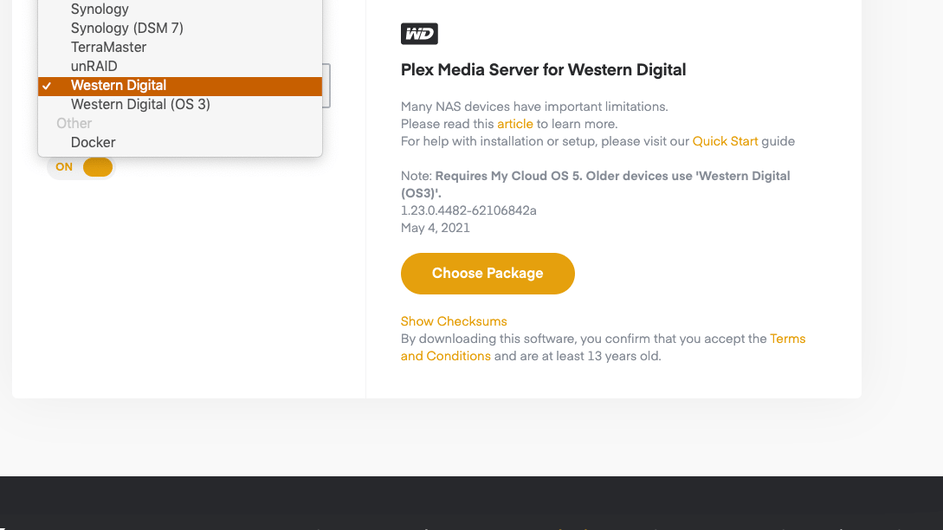
Yes, when I updated to OS5 that is what I installed. When I run the commands referred in the Why am I locked out of Server, Terminal command return “not found” but I do see the file “com.plexapp.plexmediaserver.plist” file in my preferences.
This topic was automatically closed 90 days after the last reply. New replies are no longer allowed.
