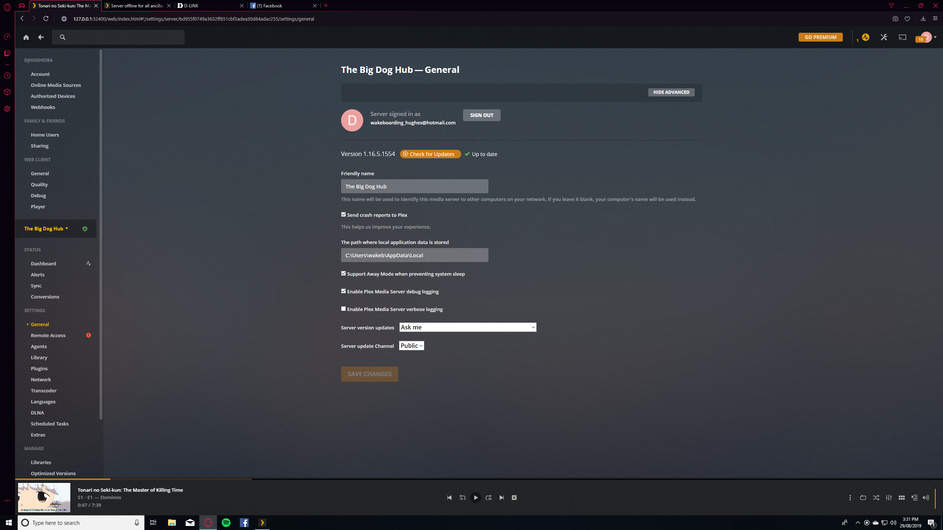
I’ve set up my new PC as the media server hub. It’s connected to my router via ethernet, and I’m trying to connect to the server on my laptop/ps4 via wifi.
For some reason I am able to find the server on my iPhone but not on my laptop, or my ps4. I’ve got the software updated on both server and device I want to play it through but no luck.
If anyone can help me out that would be fantastic. I’ve read a bunch of solutions but none have worked so far.
Server Version#: 1.16.5.1554
Player Version#: 1.2.0.875-b7362913
I’ve attached the player info, server info and my router settings
Okay to clarify, incase anyone is able to help me at any point.
I have my desktop computer with an 8TB hard-drive which is the base for my server. I have my desktop connected to my router via ethernet and all my other devices are connected by wifi.
At first I was able to connect to the server on my iPhone but no other device, and now I can’t connect to any device via wifi. I had one instance where it allowed relay connection but since has disappeared. I really don’t know what to do and am struggling.
I have UPnP enabled, Dynamic DHCP and all my devices have an IP assigned to them. The default IP gateway is 192.168.0.1, server desktop IP is 192.168.0.101 but the plex server is 172.0.0.1 and not sure if that means anything.
Please help me
The Internet Assigned Numbers Authority (IANA) reserves the following IP address blocks for use as private IP addresses :
10.0.0.0 to 10.255.255.255.
172.16.0.0 to 172.31.255.255.
192.168.0.0 to 192.168.255.255
Plex and/or your router will not support internal routing of 172.0.0.1 and unless you want your devices to think they are remote they should be on the same address range as your server.
How did you give the Server it’s original IP address?
If you manually set it you would just update the interface, if you did DHCP reservation, change it to an unused address in th 192.168.0.x range on the router and reboot.
@pl_5309 I didn’t set the server’s original IP address, it just automatically set to 127.0.0.1 and I have no idea how to change it lol. I’ve looked up guides and nothing answered my question
Go back to the server and open http://127.0.0.1:32400/web in a browser, go to settings -> network , you can get the IP address and check the security settings.
For the wireless devices, they should have a similar IP range of 192.168.0.XXX and the only other thing I can think of is some wireless access points do AP isolation where they won’t let wireless device access wired devices.
I’ve updated my settings to have the router IP as 192.168.1.1 and all subsequent clients .1.2 and on.
Server is on .1.2 and now there is no connection to any of my other devices
I’m having the same problem - can access Plex server from my laptop but not from an app on my Ipad. However I found that I can access it the iPad’s browser using this URL https://plex.tv/web. Does this work for you?
Now, I’m a newbie too, so I can’t help you but maybe this helps someone wiser diagnose our problem.
Cheers mate
Edited to add: I’ve got it working on my Android device so my issue is limited to the iPad app.