I have a Synology DS920+ and for some reason my server is not accessible any longer. I’m able to get to the Synology server with no problems and the plex service is running. I’ve tried to stop/start the service. I’ve also rebooted the Synology device. I’ve rebooted my router as well.
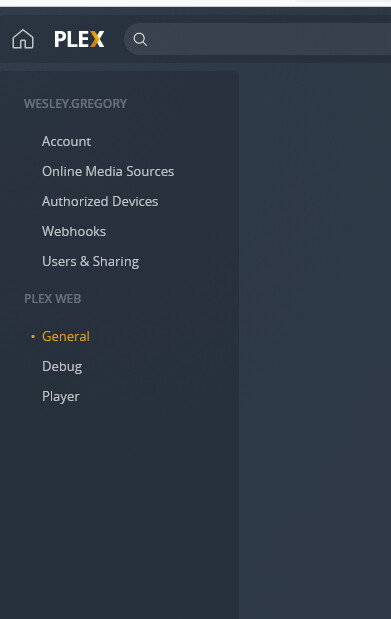
When I login to plex, I don’t even see the option to add back the server. I don’t have the server menu item under settings.
Point your browser directly at the NAS IP address. Do not use quick connect, app.plex.tv, click Open in Package Center, a domain name, etc. See if that will let you access the server. You must be on the same network as the NAS. No remote access, VPNs, etc.
http://syno_ip_address:32400/web
yes, that is the screenshot from trying to connect directly to the NAS.
i tried stopping plex service, renaming preferences.xml file to preferences.xml.old and then restarting plex service.
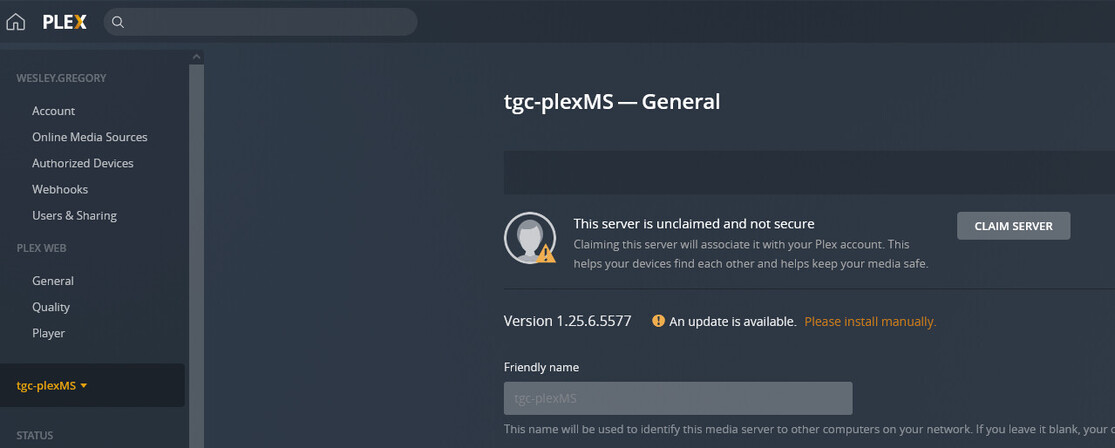
now when I login, under settings → general I have option to claim server but it keeps giving error. Says the server is unclaimed and not secure.
yes - my ip is 10.10.10.86
I have not tried plex claim token package? What is the process for that?
I have Synology DS920+
DSM 6.2.4-25556 Update 5
I’m sorry, I misread. I thought you were on DSM 7 which has an installation assist capability built into the package.
For DSM 6, have you tried:
- Sign out of Plex/web (upper right corner)
- Open a new incognito browser window (not a tab)
- Open the Syno by its IP address in that new window?
yes I have tried that multiple times as well…
actually just tried opening from incognito browser again and this time getting message saying XML file does not appear to have any style information associated with it.
earlier when I was trying incognito mode, it would pull up plex as normal.
update 1017pm
so tried again in incognito browser using :32400/web and got the screen to ‘finish setup’ so I clicked that. Then I clicked claim server again, it asked me to login which I did and then it gave me an error ‘there was a problem logging in’ and now back to the same screen as before…
not sure if logs are helpful for this issue but attaching…
Plex Media Server Logs_2022-03-14_22-17-34.zip (838.0 KB)
Check the networking settings on the Synology NAS - the default gateway and the DNS settings.
Plex Media Server is having trouble communicating with plex.tv If it cannot, you cannot claim the server.
From Plex Media Server.log. There are 60 entries with “Could not resolve host: plex.tv.”
Mar 14, 2022 21:14:21.441 [0x7f84e9398b38] WARN - [HttpClient] HTTP error requesting GET https://plex.tv/api/v2/features?X-Plex-Token=xxxxxxxxxxxxxxxxxxxxe host name) (Could not resolve host: plex.tv)
...
Mar 14, 2022 21:14:21.888 [0x7f84e9398b38] WARN - [HttpClient] HTTP error requesting GET http://plex.tv/pms/:/ip (6, Couldn't resolve host name) (Could not resolve host: plex.tv)

DNS same as before. DNS is set to the router ip.
i’m able to ping www.plex.tv with no issues
switch it to google dns and retest … Syno + ISP’s sometimes are fickle
That looks like a Windows ping.
Can you perform the ping from the Synology?
Login via ssh
sudo ping www.plex.tv ← ping requires sudo for some reason on my DS918+
i’ve tried 8.8.8.8 and 4.2.2.2 with no luck. still same results…
when trying to ping from the synology get this:

here are the setting on the Synology

like I mentioned before, I’ve tried my router (way it’s always been) and I’ve tried with 8.8.8.8 and 4.2.2.2
update 1117pm:
issue resolved.
on the general tab there was a setting to manually configure DNS server and it was checked with a different ip which is strange as I didn’t modify that setting. anyway, I’ve removed that and changed the DNS ip under the ‘network’ tab back to my router and all is working now.