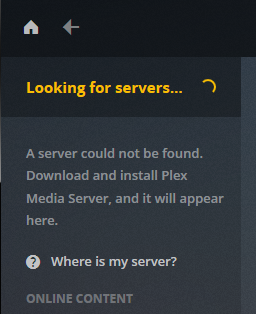
Server Version#: 1.14.0.5470
Player Version#: 3.69.1
I recently started using Plex and have been really enjoying it. However, I wanted to share the library with other users in the house. I can not get shared users to be able to connect to the server on LAN or remotely, even on devices where the primary account was able to see the server. Even if you go to the server’s local IP:32400 and log in, it will not find the server. Any suggestions on how to fix this?
I’m running Plex Server through Docker on Ubuntu Server 18.04, with host networking.
you’ll need to share some more details…
the users you’re talking about… do they have a Plex account of their own and have you added/configured them as “friends”, sharing this server’s content with them?
They should be able to open/access your server using Plex Web (via https://app.plex.tv/desktop). When logging in for the first time, there’s no need to create a server of their own – instead they should be able to select your server from the server selection in the top-left corner (below the Home button and the search).
I suspect you ran into some conflict where you were already logged in from that browser with your own account.