There is still no fix from nVidia, at least not on my nVidia Shield TV Pro (2019). The only “fix” is to sign up for a HotFix which breaks other features. It’s a complete mess!
For me the Hotfix enabled me to access my Shield from the PC again so at the very least I can access the media on my SSD from my PC & copy my Plex database backup.
What is weird is that BiglyBT app has access to read & write on my external drive… but other apps such as Plex, VLC or Kodi cannot access all content on the external drive.
VLC says: “Your input can’t be opened: VLC is unable to open the MRL 'file:///storage/ABC/Android/data. Check the log for details.”
I haven’t updated yet (waiting for this to get sorted first), but your comment on BiglyBT is intriguing. Under the last release, BiglyBT REFUSE to write to external hard drives. But under 11.0 it can? I’ve always wondered why, and I think the answer is Bigly was meant to work under the permission Rules of Android 11 and not Android 9.
Same here. I have external SSD and HDD, not adopted storage, and the same deal – the server doesn’t run, the client doesn’t seem to believe the server exists. I never lost SMB access to the drives – read and write are still dandy.
Is it broken? Since when and how do I tell? I’m pretty sure it’s working for me (but I may be wrong) would like to test as i now have a working system (not installed any hot fixes or rollbacks).
@simonhepworth_gmail_com If you see your media and you can play it you’re still good. Another way to check is to open the Plex client app, go to Settings > Plex Media Server and there you should have 2 items - one for the server status (say “running” or “stopped”) and another for the user storage type. If it’s broken those will be gone and the section would be empty.
It’s pretty basic: you don’t have a server. Connect via any client, and your server is not visible. Broken. Dead. Is no more. Has ceased to be. Bereft of life. An ex-server.
So there was no knowledge of the server on Plex, either via web or Shield client. I can still find the server in the list of system tasks, but presumably it’s crashed or waiting for something, definitely not responding. There was no issue prior to the nVidia Experience 9/Android 11 update, the failed state immediately afterwards and through numerous resets.
So, I just installed the test APK from yesterday, and resuscitated my Plex Server again. I just don’t have high hope it’ll stay resuscitated. My repeated experience has been that installing any new APK tends to bring the server back, but the server then randomly disappears either when the Shield goes to sleep or is rebooted, and can’t be restarted until I install another APK.
I’m also still seeing the same things broken that I’ve seen since I tried downgrading to October’s 1.24 release by the advice of Nvidia.
Can only play media locally on the Shield. Any other device just gives me network errors.
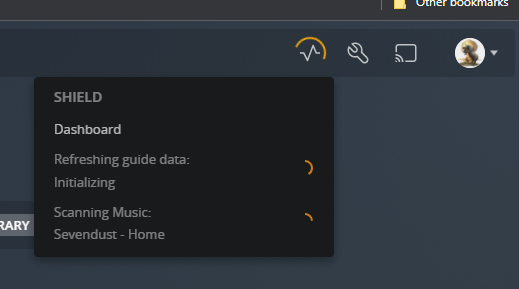
Cannot rebuild music library. After scanning, it’s empty no matter what I do, despite the scanner seemingly “seeing” my music as it scans. The log file (attached) is full of XML parsing errors.
Cannot watch live TV or record anything with my HDHomeruns
My user-selected art for TV/Movies got wiped out, and my Collections all come up empty now