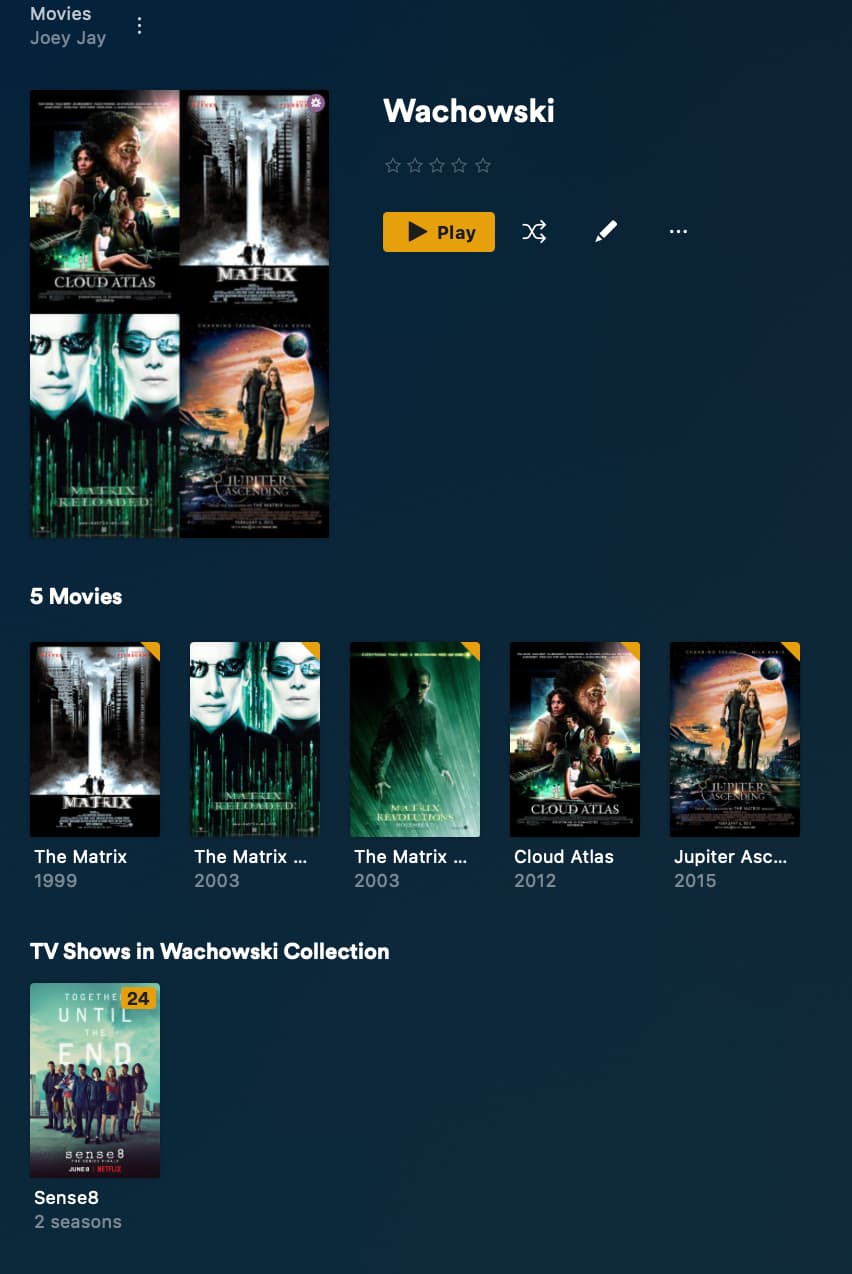
Why is it that Smart Collections of the same name are not linked between libraries the same way standard collections are?
For example, if I have a standard collection of the same name in both TV Shows and Movies, each of them will reference the other at the bottom of the page: “Movies In Kevin Bacon Collection” can be seen in the TV Shows collection for Kevin Bacon. A standard collection to maintain is very cumbersome of course, requiring manually entering the collection name in every title.
But if I set up Smart Collections in TV Shows and in Movies for Kevin Bacon, neither will refer to the other at the bottom of the collection page.
Is this a particularly difficult programming task to implement, or am I missing something?
My apologies if I wasn’t clear, but would appreciate it if you would read my query more carefully. I am referring to the section in the web interface at the bottom of a collection that refers to a collection of the same name in another type.
Explain this then. Attached is a screenshot of a SMART COLLECTION in the MOVIES LIBRARY referencing a NON-SMART COLLECTION in the TV SHOWS LIBRARY at the bottom of the page. I am asking why this doesn’t happen in reverse, namely why a a NON-SMART COLLECTION doesn’t reference (at the bottom of its page) a SMART COLLECTION of the same name from another library.
I am looking into the issue. It is not something I personally ever tried til you asked. I am just waiting to hear back from someone who knows the spec to get an official answer as far as what is expected but does sound like a bug
From what I can tell Smart collection are not being used as a “related” collection.
Yes, I also noticed this problem that non-smart collections with the same name will appear in each other’s related collections. If a collection with the same name contains both smart and non-smart collections, only the smart collections will show the related non-smart collections, while the non-smart collections will not show the related smart collections.
I found that plex has a lot of features that their own staff are not sure exactly how they work, because there are a lot of features they don’t use themselves. And there are also many features that have not changed at all over the past many years, with many flaws and no one to deal with them.