Edit - I have removed the logs file as I’ve just gone through it and it posts my public plex endpoint URL which I don’t want made public. If a plex support person can provide me with a secure place to upload these so I can send them to you that would be appreciated.
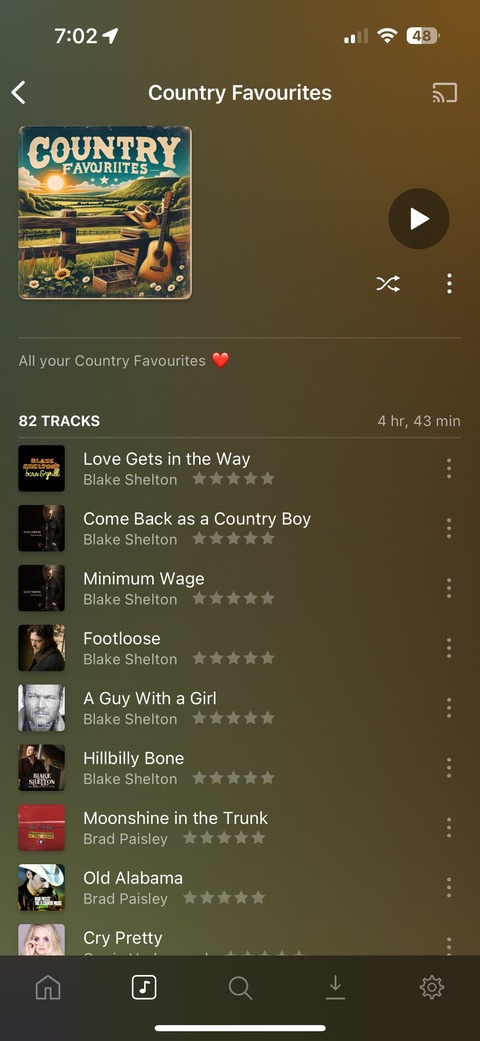
Seem to have an issue with one particular smart playlist that just won’t download all the songs in the playlist.
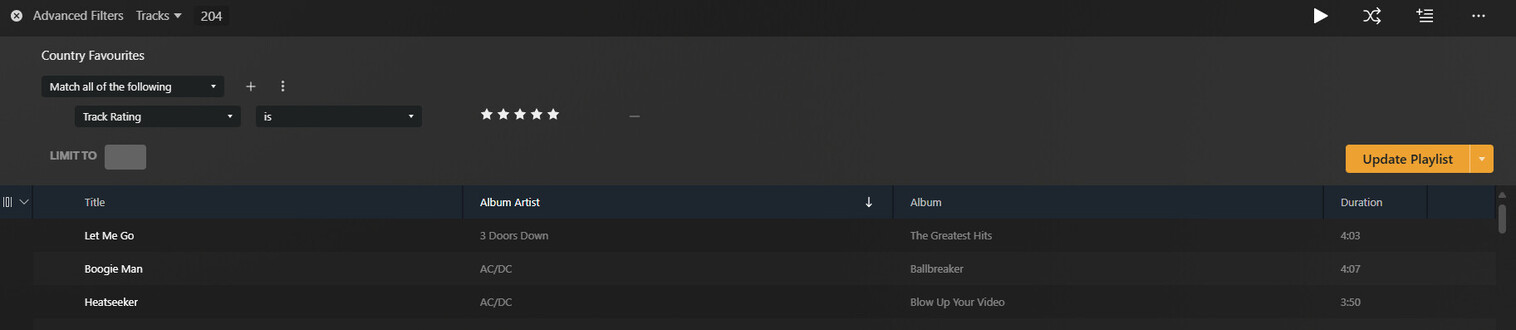
It’s a smart playlist with a list of all my country favourite songs which are marked 5 stars with the genre of country.
I select maximum on the playlist when downloading it to my iPhone but it only ever downloads the same 18 songs when it’s a 4hr playlist with 82 songs in it.
I have other much larger smart playlists with 100s of songs in and when I try and download those all songs download as expected when set on maximum.
So it’s not a storage issue on my phone. I have plenty of free space
Any ideas why this particular playlist won’t download any more than 18 of the 82 songs in the playlist but others download just fine.
Just to note, it works fine and downloads the entire playlist on my Mac so these seems to only affect my mobile just on this playlist only
OK, looking at your logs, I think this one is the playlist?
Jun 06, 2025 09:38:30.849 [Javascript] INFO - Sync: Refreshing 'Country Favourites', computing items.
When it looks at the items to sync, it finds:
Jun 06, 2025 09:38:31.004 [Javascript] INFO - Sync: Using playlist content key /library/sections/16/all?sourceType=10&track.userRating=10&and=1&push=1&track.genre=129561&or=1&album.genre=129561&or=1&artist.genre=129561&pop=1&type=10&sort=random
Jun 06, 2025 09:38:31.093 [Javascript] INFO - Sync: Adding 17 items with total duration 61 min.
So the smart playlist rules you’ve save seem to only return 17 tracks (5 in a few possible genres).
Everything seems to be correct here as far as I can see?
@elan would Plex be willing to implement a more secure default log posting solution. I’d love to always provide logs at the time of an event occurring, however really don’t want to post logs publicly (for valid reasons like the above).
Something like been able to upload logs in the app to a Plex server, getting a reference code, then we can use that reference code in any posts without a security risk.
I deleted the downloaded playlist on my Mac so that I could download it again fresh so it showed up more recently in the logs for you as I last downloaded it a few days ago.
Tried to download it this morning and it’s only downloading the same 17 tracks again when a couple days ago it downloaded all 82 tracks! So whatever is going on is also affecting my Mac now too.
Here’s some further screenshots from the Plex Web interface showing the playlist does in fact have 82 tracks in it.
You’re worried about posting network connection information. In reality there are thousands (millions?) of network scanners constantly probing all ports of the whole Internet.
Well this at least makes more sense!
Have you tried long-pressing the playlist and making sure the limit is set correctly?
But as you can see it’s on max and the playlist is only 1hr 1min long and only has 17 tracks when the full playlist is 82 tracks and just over 4 hours long
I’ll DM you with my more specific concerns, appreciate the chance to raise the issue with you (hint, consider the broader information in the client generated log archives).
If I take all those same songs in the Smart playlist and add them to a manual playlist then try and download that manual playlist, all songs download successfully!
I had an inkling that it might have been a few songs in the playlist causing the issue so was trying to rule that out. But that seems to not be the case as those same songs in a manual playlist download successfully.
It seems to be an issue with this smart playlist in particular, but I have no idea what. All the songs show up in the smart playlist so why they wont all download I don’t know.

 in a few possible genres).