[SOLVED] My Plex Media Server refuses to add a TV show to library

HW:
OptiPlex 3040, Core 5, 16GB DDR3, 256GB SSD

OS:
Ubuntu 24.04.2 LTS - Ubuntu Server (headless)

PLEX:
Server Version#: 1.40.4.8679
Player Version#: 4.145.1

I noticed that PMS occasionally refuses to add TV Shows to the library. A show does not appear in the player lineup even after I forced library scan a few times.
I follow this naming convention for all my TV shows, yet few are not added automatically:

/TV Shows/<TV Show Name>/<TV Show Name Snn>/<TV Show Name SnnEnn>.mkv

EX:
TV Shows/Prime Target/
└── Prime Target S01
β”œβ”€β”€ Prime Target S01E01.kmv
β”œβ”€β”€ Prime Target S01E02.kmv
β”œβ”€β”€ Prime Target S01E03.kmv
β”œβ”€β”€ Prime Target S01E04.kmv
β”œβ”€β”€ Prime Target S01E05.kmv
β”œβ”€β”€ Prime Target S01E06.kmv
β”œβ”€β”€ Prime Target S01E07.kmv
└── Prime Target S01E08.kmv

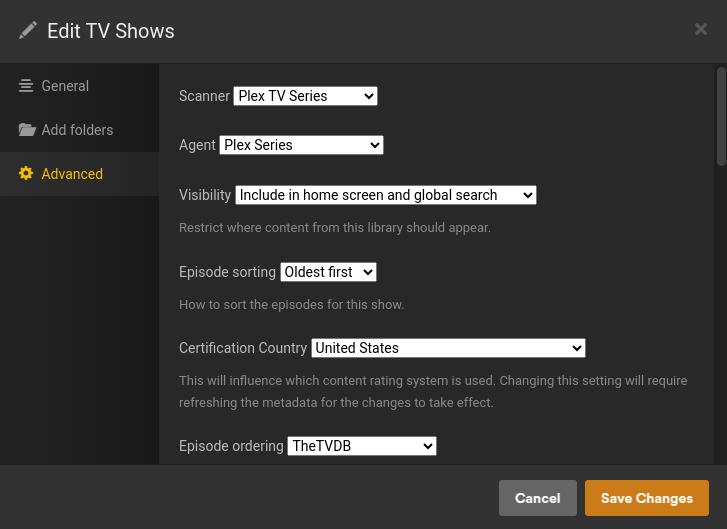
TV Shows library configuration:


Please confirm you’ve named your files with kmv extension.

If you have, and you’re referring to matroska video files, the proper extension is mkv

PMS will not recognize a kmv file as valid video.

2 Likes

Oof, yes. There was a stupid typo in the mkvmerge script, apparently, Fixed and re-ran the script. All is well now.
Thank you for pointing this out to me.

Glad you sorted your issue. I would recommend going forward following Naming more closely. Different naming works till it doesn’t. :wink:

TV Shows
Prime Target (2025) {tvdb - 446144} should be Prime Target (2025) {tvdb-446144}
Season 01
Prime Target - s01e01.mkv

https://support.plex.tv/articles/naming-and-organizing-your-tv-show-files/

no spaces around the dash!

1 Like

Ok, thanks for the correction Otto, I stand corrected my bad. I will own that one with no hestitation :grinning_face:

Prime Target (2025) {tvdb-446144}

This topic was automatically closed 90 days after the last reply. New replies are no longer allowed.