Hello alltogether.
I have a BIG problem and i hope you can help me.
I own a Synology DS2415+ which i have used as a NAS with Plex for about 2 years.
Plex was running fine so far. I had my libraries (Mediatheken) set up and enjoyed life.
A week ago Plex told me there was a new uodate.
Obediently i downloaded and installed it. (There are 5 versions for Synology)
Now we encounter the problem.
I started Plex and wanted to stream an episode to my TV. But Plex told me something like “No hard drve found”. I was astounded, as everything worked fine so far. But all the other libraries had the same problem.
“Let’s let Plex analyze the libraries!” i thought. Well Plex didn’t even take a minute for the task.
Then i thought. “Mmh, maybe i installed the wrong version.” So i uninstalled Plex and reinstalled it. Same problem.
Then i deleted all the libraries and wanted to create them again.
The thing that is curious to me is the following.
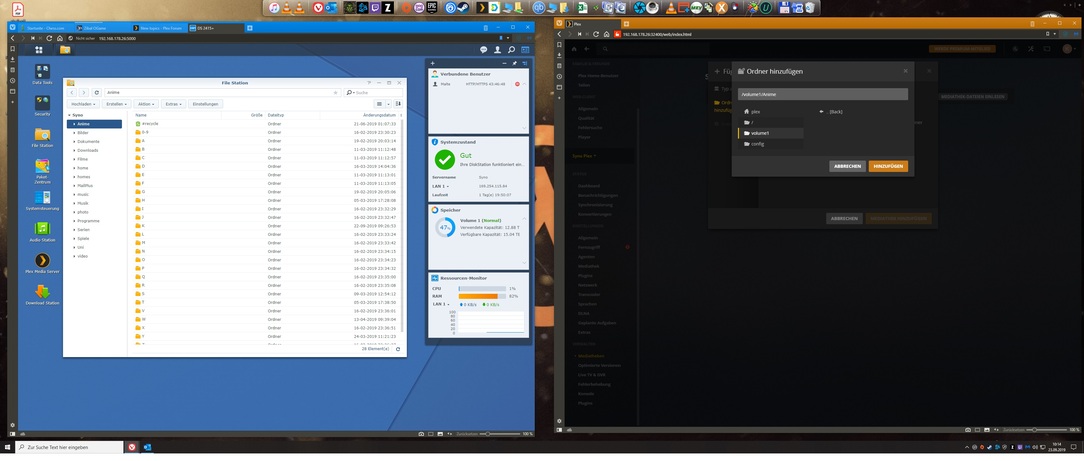
In the screenshot down below you see 2 windows.
The left shows the File Station view of my Anime hard drive. You can see many folders.
On the right you see the library creating screen, where i am supposed to choose a folder.
My problem ist, that plex doesn’t list one of the many folders.
Could you help me please?
If you know could you tell me which update i should choose too?
