Server, and PlexConnect set up, and working. However, certain media files are failing with “An error has occured loading this content.”
ATV Model: ATV3, Software Version 7.5 (8097), Model A1496
DNS on ATV: 192.168.1.50
IP address where PlexConnect is installed: 192.168.1.50
PlexConnect, and Server both on Windows 10.
Settings file (cannot upload .cfg, so renamed to .txt)
Settings.cfg.txt (533 Bytes)
PlexConnect.log (2.1 MB)
Movie info of movie that is not working:
I would suggest you set your cpu that is running the Plex server to a dedicated ip. Mine is dedicated and also is running Plexconnect. I also have my ip dnsmaster set to my router.
Here is my cfg file, note: I disable all the automatic look ups instead telling it exactly where to locate things.
[PlexConnect]
enable_plexgdm = False
ip_pms = 192.168.1.131
port_pms = 32400
enable_dnsserver = True
port_dnsserver = 53
ip_dnsmaster = 192.168.1.1
prevent_atv_update = True
intercept_atv_icon = True
enable_plexconnect_autodetect = False
ip_plexconnect = 192.168.1.131
use_custom_dns_bind_ip = False
custom_dns_bind_ip = 0.0.0.0
hosttointercept = trailers.apple.com
icon = movie-trailers
certfile = ./assets/certificates/trailers.pem
port_webserver = 80
enable_webserver_ssl = True
port_ssl = 443
allow_gzip_atv = False
allow_gzip_pmslocal = False
allow_gzip_pmsremote = True
fanart_quality = High
loglevel = Off
logpath = .
Hello, thank you for you response.
The ip address of the Plex Server is already static, and locked to 192.168.1.50.
I have changed ip_dnsmaster to the ip address of my router (192.168.1.1), and I am still getting the same result.
Most media play just fine, just certain movies (like the one I provided the mediainfo for) are unable to stream to the ATV.
Before I have to dig in the logs, just a small question. I’ve noticed that this particular movie has the audio part coded as AC3. Do you have the ATV connected with fiber cable to a dolby amplifier ? If not, pls assure that Dolby is not enabled, neither in the ATV Apple menus, nor in PlexConnect settings.
But if you have a dolby amplifier you should set Dolby ON (cannot be auto) in both settings.
Thank you for your time and effort, I really appreciate it.
I think we are making some progress.
I managed to locate the Dolby setting in the ATV settings, and switched it to ON (it was set to Auto).
The movie is now playing, but there is no sound, it is just silent. So at least the error message is no longer showing up.
I could not locate the setting for switch on Dolby in PlexConnect though. I checked this page: Settings for advanced use and troubleshooting · iBaa/PlexConnect Wiki · GitHub, but I could not find anything about Dolby there. Could you maybe tell me what line I should add to the Setting.cfg file, to set Dolby to ON in PlexConnect?
EDIT: I also checked the PlexConnect settings in the ATV menu, but there is no Dolby setting there either.
EDIT: I cannot read properly apparently. You said that if I DONT have an aplifier, it should be set to OFF. I set it to OFF, and now it is working. However, I also had to force it to use Transcoder, or else I was getting the error again.
I guess the problem is solved. If I find more media that fails, I will create another thread.

Thank you.
PlexConnect can force the transcoder (just for audio) if you disable Dolby in the online PlexConnect settings (not in the Settings.cfg file).
The same panel where you specify transcoder options has another line to enable/disable dolby.
That is interesting, because I don’t have that option.
I really don’t know why.
My original problem has been solved, but if you are interested we can try to figure out why it would be missing.
My server version is Version 4.47.3,
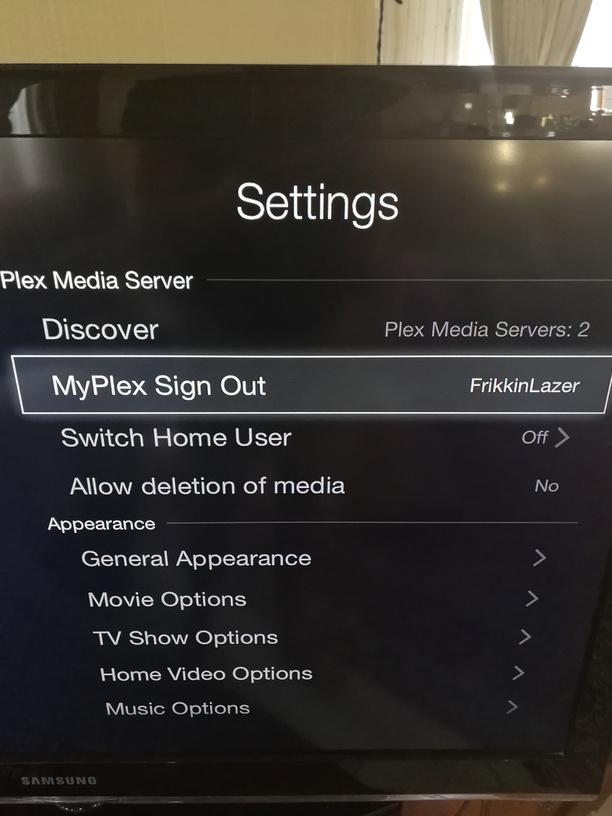
and PlexConnect version can be seen in the photos below:
Where specifically should the option show up?
You are using PlexConnect 0.5-dev-110616 and it’s too old. Pls upgrade to latest version, otherwise you will have problems with newly created music / movie libraries.
I was running git pull to update plex connect, and the problem was that I was still on this repo: https://github.com/sjlouw/PlexConnect.git. I found the correct one, and now I am up to date.