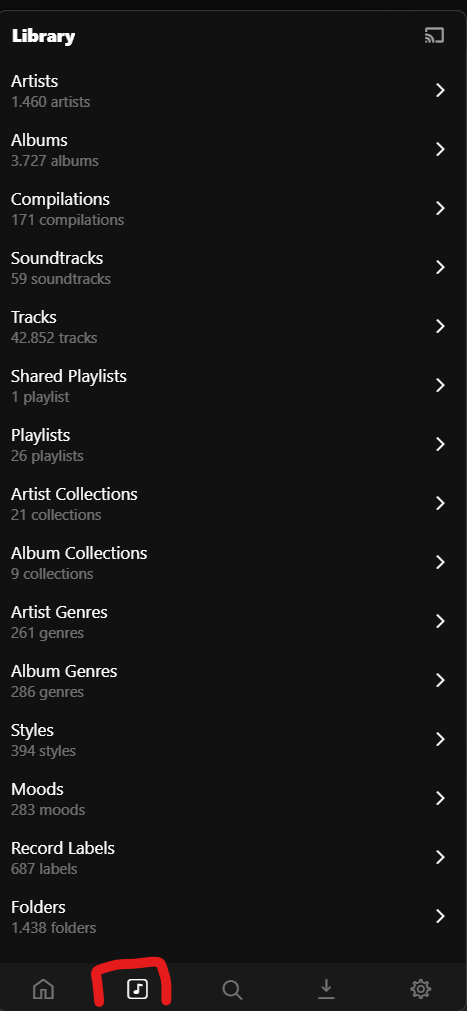
I was trying and trying to sort my music in the Library/Folders view by name of Artist name A-Z and it’s not doable. The default sorting doesn’t make any sense for me and I don’t fully understand how it sorts the music - whether by title A-Z, or artist A-Z, or combining both? It makes a lot of chaos because seems there is no simple answer on that.
Could someone explain how it works by default?
Dear Plexamp team - can you add that simple sorting feature?
Without that, organizing my music library is not doable at all (more than 15k tracks).
I’m just now diving into Plexamp so someone else probably knows better but I would imagine it would depend on how you’ve organized and tagged your files (e.g. assuming mp3 tags). In my case once I drill down:
—foldername / artist name / album name
the tracks are then ordered by track number in that album folder.
If you’re in the “Folders” view then the sorting is performed alphabetically by folder name. For libraries organized per Plex’s guidelines, that should be equivalent to sorting alphabetically by album artist. When you descend into a particular album artist you’ll see the album folders, sorted alphabetically, and so on.
However, if you don’t follow the guidelines linked above, it will likely look a bit unorganized. If your music is matched properly, it would be better to browse the library artists, albums, or tracks, which do provide sorting options.
The default view for albums sorts them by album artist. If you view by tracks, you have to change the sort (ellipsis menu at the top-right) to album artist.
But viewing by folders is never going to provide a great experience, in my opinion.
every track must be a member of a release (i.e. Album)
each release must be attributed to one certain AlbumArtist (which means no albums by collaboration. You’ll have to decide on one artist and put that name into the AlbumArtist meta tag.)
If you are conforming to the above, you can look at your collection in various ways.
What you were asking first in this thread is done by entering the Library view mode in Plexamp by tapping the marked icon at the bottom.
Thanks guys for your replies, however I thinks still something does not works as you describe.
I am a DJ so mostly all of my music contains all necessary ID3 Tags (tracks purchased from Beatport) and here is how I use my music library:
I am creating folders on my Mac / NAS with a specific date naming (i.e. 2025.05.05)
In that kind of folders I collect a music that I bought / get in that specific time
All music put in the folders are sorted by A-Z file names (i.e. artistname-title.mp3)
In the same way I store folders / music on my NAS
So considering all above, in the same way I try to navigate my music on Plexamp - through the folders but… the sorting is still weird (even though I have AlbumArtist ID3 Tags), look at the screen below:
Seems like Plexamp tries to sort by title A-Z but… it sorts with kind of groups. First group o 45 tracks are sorted by title A-Z, then another group of 40 track are A-Z correctly sorted (the second group starts after “Words Of Zeus” track. So in total in this folder I can see 3 groups of 40-45 tracks sorted A-Z. No clue why entire folder can’t be A-Z.
darcilicious What are the track numbers of those MP3 files?
True hit Plex prioritize track number first, then sort by title A-Z. On the screenshoot, all tracks above “Words of Zeus” have empty track number, and below, tracks with track number 1 starts. And seems it does not take into consideration Album Artist name at all.
OttoKerner - For me the format that Plex use and it’s explained in the guideline shared by you does not make any sense unfortunately. As a DJ I don’t collect all albums with all tracks, I buy one or two track from albums and EPs. So segregating hundreds of tracks by separate folders per album / artists would take ages for me. That’s why I gather all tracks just in 1 folder. So what I would only expect from Plex is sorting options like Artist A-Z, nothing else Of course I could do it by creating Playlists, but it’s not user friendly at all. I can’t import ready playlists in xml, I can’t drag & drop tracks into a playlist via webapp. Or is there a way other than adding one by one track?