Server Version#: 1.12.0.4829
Player Version#: 8.1.0.17967
It appears that I no longer have the ability in the current Android app to change the sort order? I had been alternating between Title and Date Added for one of my libraries, but I can’t find any way to do this now.
For a given library, make sure you’re in the Library view, not Recommended or Collections.
Tap the three-bar triangle in upper right.
Scroll down past all the filters to see sort options.
I don’t see that button anymore. I’m in the library view, and on the top right corner I have: the search icon, the cast to another device icon, and the three vertical dots icon. The latter allows me to Select, Unpin from sidebar, and Scan Library Files. I know the upside down triangle made of 3 lines that you refer to; that’s how I used to sort before, but that’s not showing anymore. Attaching a cropped screenshot of that area.
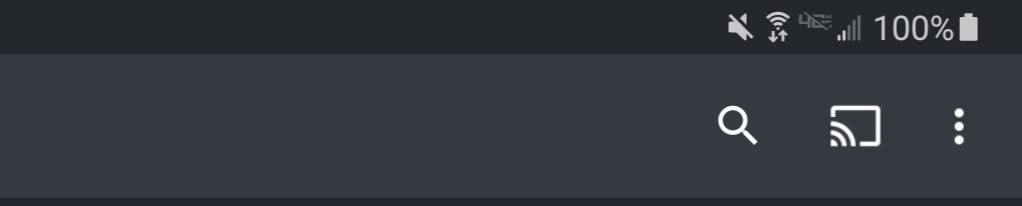
This library is the “Other Videos” type, though I can’t see that that should make any difference. I used to have other libraries for TV and movie DVDs that I personally ripped, but my Drobo NAS has died, and I’m in the process of recovering the data as we speak. So I only have the one library at the moment for purchased downloadable content.
Strange.
I see it for movie, TV, and other video libraries.
I’m running v8.1.2.1835, but that shouldn’t make a difference.
Are you running PMS 1.12?
Maybe that?
Current non-beta version is 1.19.3
1 Like
Strange, the “check for updates” button isn’t clickable.
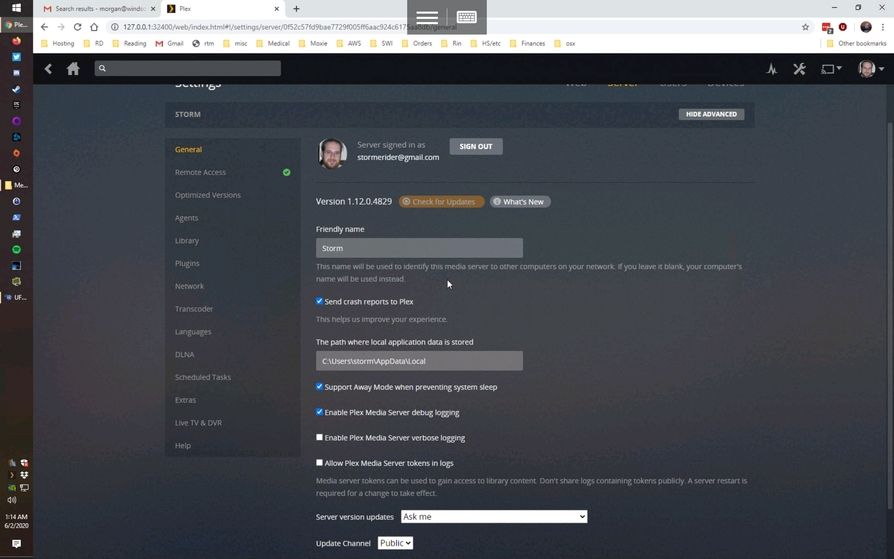
And if I right-click on the system tray icon and do check for updates from there, I get dumped at the same page. I guess I’ll upgrade it manually.
Yep, that did the trick, thanks! I enabled push notifications, so moving forward, I should get a note that there’s a new version to apply.
This topic was automatically closed 90 days after the last reply. New replies are no longer allowed.
