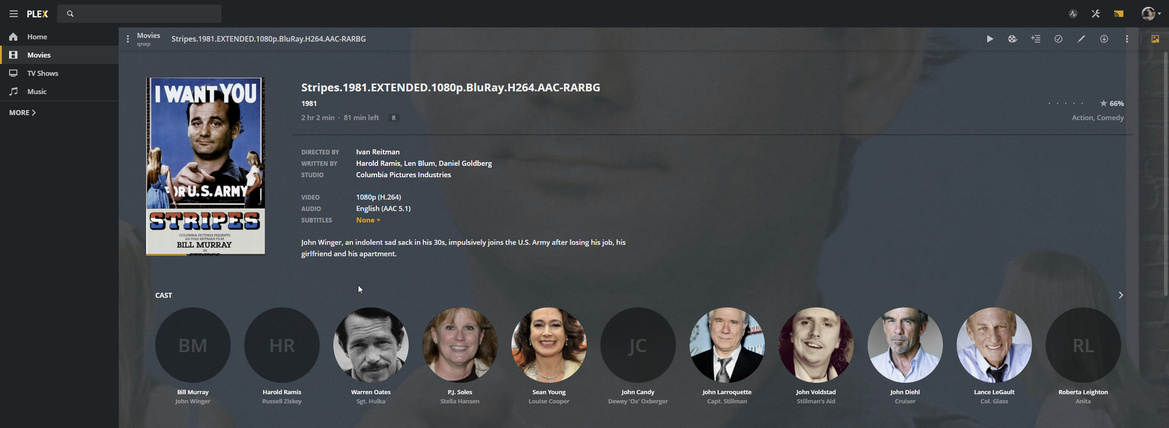
Start from beginning video playback option never works

Server Version#: 1.18.8.2527
Player Version#:chromecast

100% repro, has been for a long time. Moved to a qnap from Windows Server, same thing. I’ve never had a video start from beginning when it’s already progressed, as I recall it always starts where it left off and I’ve had to force it back to 0:00. Repros on my tv with a Stadia Chromecast, also on ipad.

seems others have the issue too https://www.reddit.com/r/PleX/comments/fg5otn/why_does_plex_never_start_from_the_beginning_like/

What do you need? Or is there a JIRA I can file a bug at?

Right here with us is the best way.
The server logs (Settings - Server - Troubleshooting - Download Logs) which are captured just after recreating are the best.

I am using server 1.18.8 on iPad app version 6.8 and cannot reproduce. Please observe my iPad screenshots below.

  1. It is showing where playback was halted
  2. Next is the image presented mid-movie.

ipad-6.8-save-position

ipad-6.8-restart-point

Which app version do you have?

Its installed in the chromecast ultra, no idea. Can’t find a way to get that info honestly.

Plex Media Server Logs_2020-03-12_11-40-28.zip (1.5 MB)

I note your experience is the same as mine. I select “start from beginning” and it instead plays from the middle/where it left off.

To be clear what I’m doing.

On a PC, using Chrome pointed to my plex server (https://app.plex.tv/desktop#!/server/aREDACTED0/details?key=%2Flibrary%2Fmetadata%2F63&context=library%3Acontent.library), I try to play a video and restart it from beginning instead of resuming.

It 100% fails to start from beginning. I am casting the view to a chromecast ultra (Stadia edition) via ethernet.

Moderator Edit: personal data redacted

First, let me share what I see with Chrome / PlexWeb and with the iPad.

  1. Chrome/PlexWeb - I am given the choice

  1. iPad app -
    a. If I press the large PLAY button, it resumes.
    b. On the right , I click the Ellipsis - I am given the choice.

I will next address the ChromeCast.

Upon activating the ChromeCast,

  1. Pressing PLAY - immediate resume
  2. Pressing the Ellipsis - I am given the choice whether to play from the beginning or resume as shown above.

Yeah what happens there? If you say Beginning?

If i click “Start from beginning” ?

It does exactly what I want and starts from the beginning.

See, mine never does. It always resumes, it’s like the “Start at Beginnging” option is just a redirect to play.

I wonder if a network trace/fiddler capture would help?

If I play locally in my Chrome browser, it does start from beginning, but if I am sending to Chromecast, it does not, it resumes…the plot thickens.

We have reached the point where I do need to see the logs.

There are two sets. The easiest to get are those through your browser.

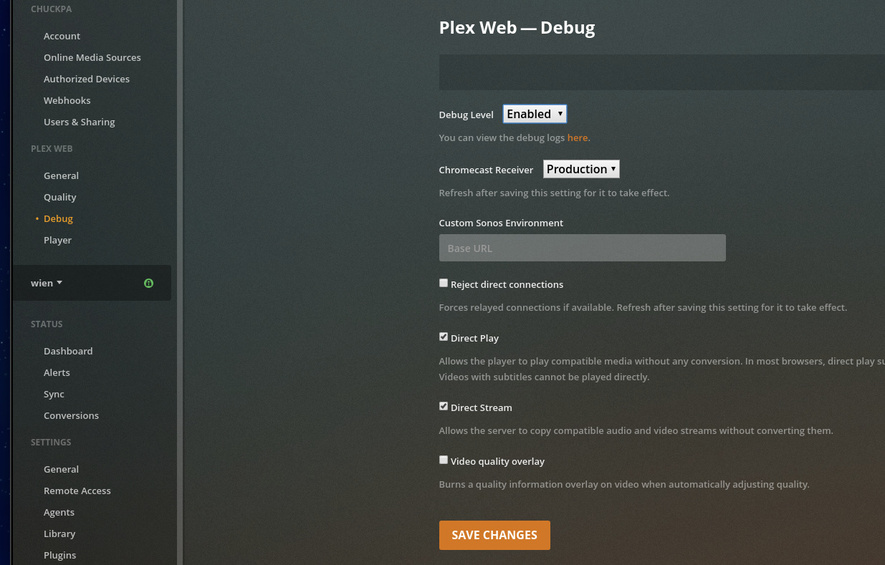
You want to enable the Plex/web debug logging

Now go and play the video just enough to recreate the problem in Plex web.

Then stop the playback

Go to the debug settings click the HERE button,

You can see them. Please Copy/Paste them here or attach in a separate text file.

Details on how to do this are here:
https://support.plex.tv/articles/201611836-plex-web-app-logs/

When you include the player logs, Also please include the server logs

(Settings - Server - Troubleshooting - Download Logs) .
It will give you a ZIP file.

Cool will do thanks. Got Strep, will grab the logs in a bit.

Its something to do specifically with the chromecast. I was playing a video, did “start from beginning” playing locally in the browser, and it did start from the beginning. Then I did the 'cast to chromecast" and it reverted to middle of the movie.

This topic was automatically closed 90 days after the last reply. New replies are no longer allowed.