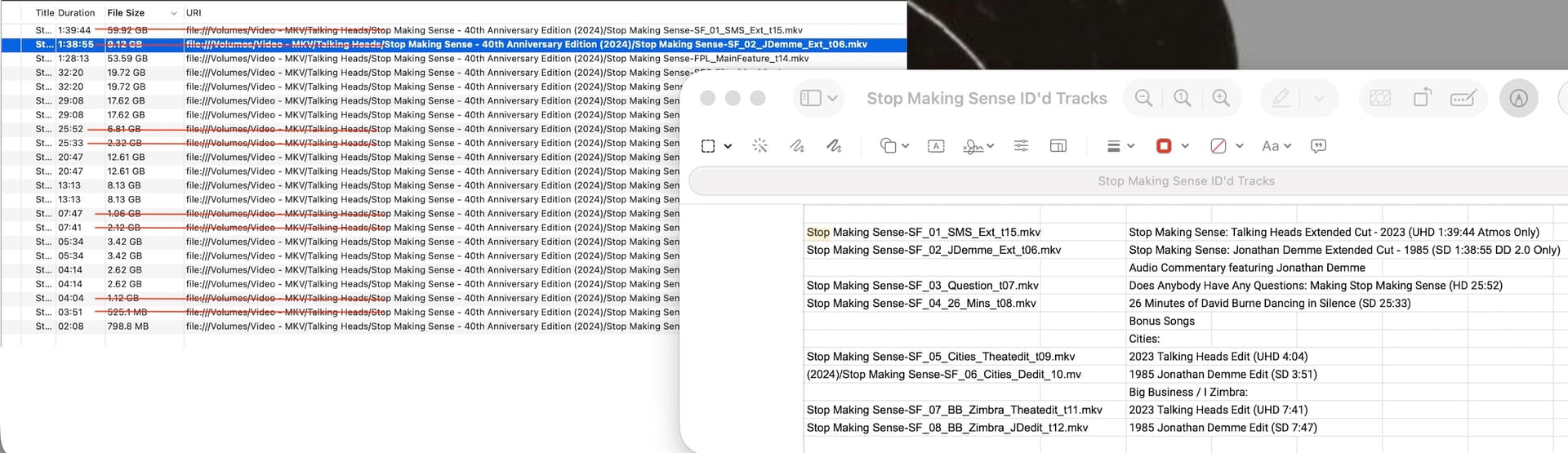
I recently bought the 4K edition of Stop Making Sense, ripped the disc as MKV files, and loaded all on my Synology DS920+ NAS. Before doing so, I attempted to identify all the ripped files. There are two main files (as I could tell by matching the timing from this source: the 2023 UHD Extended Cut and the 1985 Extended Cut. All others that I could identify are labeled as “-featurette” or “-interview” and those I could not as “-other” as per these guidelines.
When I attempt to play the Talking Heads Extended Cut - 2023 UHD (52.92GB), Plex continually spins and never fully loads the film:
Stop Making Sense was restored and released in 2024. This is the complete film with lots of other versions and outtakes that I have yet to identify (and welcome any help in doing so : )
@dbirch- I thought that the size of the film might be jamming things (I don’t know how to check the transcoding issue). But when Plex jammed on “Does Anybody Have Any Questions” after the NAS reboot, I thought something else might be going on.
I wanted to check in to see if you might have been able to uncover anything from my logs. I did find a work around- I loaded the film on a USB drive and connect it to my TV, bypassing Plex altogether. I’d rather not do it that way, but it is a the best way at the moment.
I have two versions of this film. I added it to my “Home Movies/Music” folder (In Plex its a “Music Videos” folder). As this is “outside” the Movies. Tv-Show, Music folders Plex dont care and just use what ever meta data you use or what ever name(s) the files have.
Its not as streamlined as having it as a “movie”, but saved me for meta-bs-traps
(Oh, both movies are single files also, but i have several live albums with tracks in the same “Music Videos” folder as Plex wouldn’t recognize any of them)
If you want to get the files playing in Plex, then run them through HandBrake or similar. That should correct the codec parameters that are currently preventing playback in Plex.
This is often an issue when using MakeMKV or similar to rip from disc.
I recommend re-encoding the files to H.264/AAC in an MP4 container, but you may use an MKV container with H.265/AC3 if you wish.
If your PC has dedicated graphics or CPU embedded graphics then you may use the accelerated codecs in HandBrake to speed up the process somewhat.