Hello…
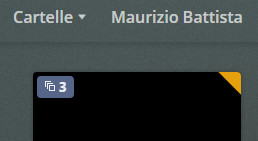
I can’t find an explanation for the icon at the top left of the poster … (screenshot 1). What would that mean?
Maybe it refers to the information in the edit tab (screenshot 2)? How can I tell him that the video is the second and not to consider the others? All agents are on “Local Media Assets (Movie)”. It is part of 8 videos, six recognizes them and two gives me this problem …
the version is in Italian …
Thanks
Thanks for the answer … but I followed the guide to organize the contents, so much so that, in the same folder of eight videos, six recognize them as perfect, while two are not …
You certainly did not follow the guide. The file names in your above screen shot are definitely wrong.
These are all TV shows. They must follow the naming guide for tv shows, which they do not. https://support.plex.tv/articles/naming-and-organizing-your-tv-show-files/
And they must be added to a Plex library of the type “TV Shows”.
They won’t work in a library of the type Movies or Other Videos.
/mnt/md0/Video/Telefilm <-- Plex TV Library points here
../The Mandalorian  <-- TV Show Name
..../Season 01  <-- You must use "Season" in English
....../The Mandalorian - s01e01.mkv  <-- Plex required naming format for TV shows
Yes, I tried this too … (only I didn’t put “Season” in English but in Italian …), but even putting it in English it didn’t change …
The screenshots were related to one of the many tests I did …
Since the problem only occurs in two titles, I don’t waste much time on it anymore …everything else in the library is ok …
Thank you so much for the replies …
Try Plex Dancing the files after you rename them according to the Plex documentation. It will remove any bad metadata, file associations, etc. from your Plex server database.