Subtitles corrupts videos

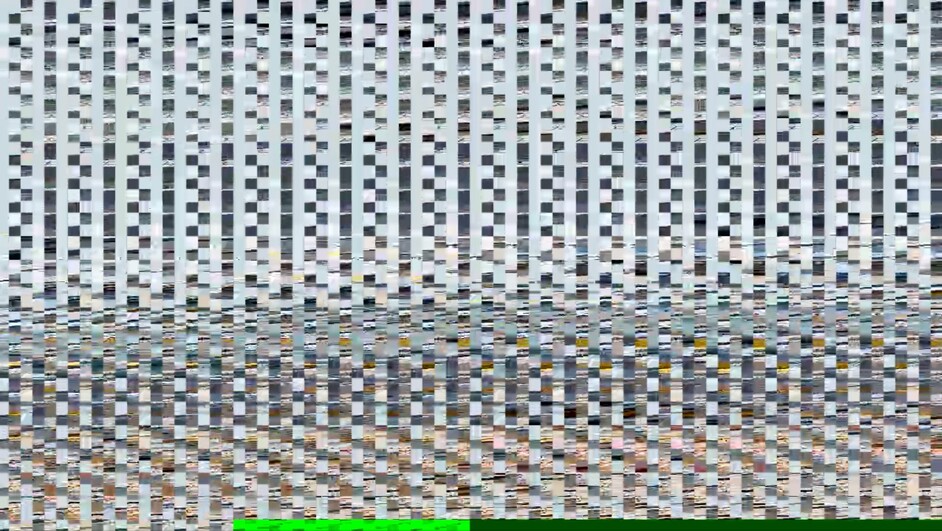
Hi, I’m getting some weird behavior from Plex when I turn ON any subtitles on any movies or TV shows. Subtitles corrupt video like this:


My Hero Academia worked before as I’ve seen the complete season 01 on Plex with the subtitles and same settings before. (2nd Picture)
The Orville (1st Picture) wasn’t played before on my Plex but is also corrupted.
Both and many mores can be played on Windows and work perfectly.
How could I fix this ?

1 Like

Answer has been found.
In order to fix this, you can try to change the Burn Subtitles Setting from Automatic to Only Image Formats. There might be an issue with the Automatic algorithm.
You can also try to disable Hardware Encoding (if enabled) as it could be another factor for this issue.

More info on this error here: https://www.reddit.com/r/PleX/comments/domz2o/plex_corrupts_any_videos_with_subtitles/

This is still broken even after changing the setting. Disabling the subs does fix it but defeats the purpose. Btw this only happens when transcoding the video. Without transcoding its fine.

The problem is with the Intel-provided iHD_drv_video.so file.

We are fixing it. We’ve fixed some.
This problem is most apparent on ApolloLake CPUs.

  1. Stop Plex
  2. Delete the file from under lib/dri (location depends on platform)
  3. Start Plex

This is the workaround until the team releases an update.

Should you update PMS, repeat the deletion step above.

Cheers that worked!
And yes i’m running it on a Apollolake CPU.

I’m running it in a Docker container so the path for me was

/usr/lib/plexmediaserver/lib/dri/iHD_drv_video.so

Only thing is that when the container updates I’ve to redo this.

Thanks!

Hi
This is still an issue on the latest release Version 1.18.4.2171
Running the Plex on my Synology DS918+ and noticed this issue yesterday on a movie that I didn’t had burned in the subtitles.
When can we expect this to be solved?
-Tim

Yes, It is still a known issue. Remove the iHD_drv_video.so file.

If it is of help, I will give the comands you can paste into a Synology “Schedule Tasks” and “run” to remove it.

Hi

I have already tried to rename the iHD_drv_vidoes.so in the /lib/dri directory.
Stopping and starting the service in between of course.
I didn’t remove it, just renamed it to .so.orig to avoid getting loaded.
When doing that I wasn’t able to play any files afterwards at all.

  • Tim

May I see the log files (ZIP) which includes a playback attempt? (Keep DEBUG turned on, and VERBOSE turned off please.)

I am having this issue on my 918+. I can not seem to find where that file is located. I can find /lib but not /dri.

Can you let me know where I can find this file and/or let me know the commands to run it as a scheduled task?

The full path on Synology:

rm -f "/var/packages/Plex Media Server/target/lib/dri/iHD_drv_video.so"

Thanks for your reply. I am getting “permission denied”. I even tried stopping the Plex add on the NAS.

Brandon@DS918:/$ rm -f “/var/packages/Plex Media Server/target/lib/dri/iHD_drv_video.so”
rm: cannot remove ‘/var/packages/Plex Media Server/target/lib/dri/iHD_drv_video.so’: Permission denied

I fixed the permissions issue with allowing read/write under my user permissions. The command you listed above complete without error now but the file does not delete,

I then learned I need to enable Root user access with the “sudo -i” command. You command now works and the file is gone. The video now plays with subtitles with the CPU only at 30% but only for 5-20 seconds before it buffers or errors out saying I do not have enough CPU to play the video. The Video plays just fine if I turn off hardware acceleration but the CPU will run at 98% without dropping.

I’m having the same issue as well. I’m not terribly familiar with linux so I’m hesitant to poke around under the hood.

Is there any timetable for this getting fixed in a new version?

If you are using a native package install ( .RPM or .DEB), the exact command is:

sudo rm -f /usr/lib/plexmediaserver/lib/dri/iHD_drv_video.so

Then resrtart PMS.

hi,
Yes me too.
Player Solution > from Automatic to Only Image Formats .
not working to me…
Only solution is to disable HW trancode, so I quit for now with subscription, cause no benefit for me.
I have PMS Version 1.18.7.2318
A.

I just updated to the latest sever today (2/19/2020) it looks like the issue was fixed in 1.18.7.2415 version. Thank you for your help ChuckPa.

This topic was automatically closed 90 days after the last reply. New replies are no longer allowed.
