Hi all
I’m streaming my movies to my android phone but there is one issue with the subtitles, they are to small. When I change the size in settings nothing happen.
There is a way to make them bigger?
Thank you!
You can only change the size of subtitles which are in a text-based format, like SRT, ASS, or SMI.
If your subtitles are in a pixel-based format like VOBSUB or PGS, they are actually pictures.
And pictures don’t support changing the line-wrapping, which would be needed if you change the size of a line of text (Because otherwise the line would become too wide for the screen, and letters would be cut off at the screen margins.
These subtitle formats were never designed for small screen sizes, as they originate on the disc-based storage mediums DVD and Blu ray.
If you regularly use small screen devices and are reliant on subtitles, you better get the subtitles in a text-based format (or convert them yourself).
Thank you for your answer
I forgot to mention, I’m using srt. based subtitles.
Does the same file also have pixel-based subtitles in it?
Nope, mkv with a sound track and the srt. separate file
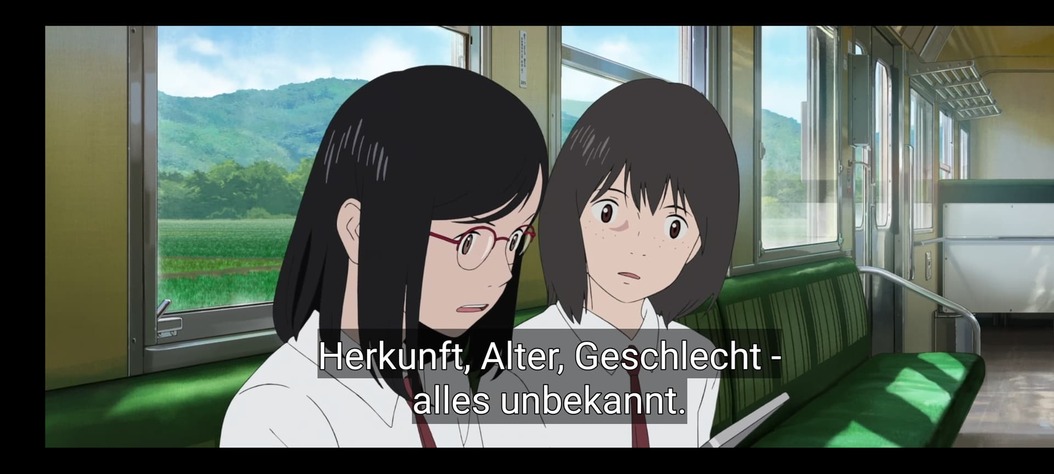

What does that mean?
Are you casting from your phone to the TV? i.e. are you not watching the movie on the phone’s screen?
No, I did the capture on my phone and send it to PC and then uploaded here
Please send me the srt file.
There is no option to upload the srt. file in here
As I wrote above: zip it up, then drag the zip file into the message editor.
Doctor.Strange.ro.zip (22.2 KB)
OK, the file does not contain any size-related formatting instructions. This was my first suspicion, but the file confirms this is not the case.
Could you take a look at the Dashboard in the web app, to see if the file is transcoded while played on your phone?
Because if the subtitles are “burned” into the picture during transcoding, it is the server which is responsible for their size, not the mobile app.

OK, this means the subtiles are not burned in.
What is the resolution/number of pixels of your phone screen?
2400x1080
395 ppi
Does it make any difference if you change the text size in the general settings of the phone (as opposed to the Plex app)?
No, I try that
Sorry, I’m not understanding.
Are you saying that you already did try that
or
are you saying that you will be trying this now?
