Server Version#: DSM 7.1-42661 Update 4
Player Version#: PlexMediaServer-1.28.2.6151-914ddd2b3-x86_64_DSM7.spk
Hello team! I was forced to reinstall Plex, did it for the first time in many years. At the time of deletion, I selected the option to delete all settings.
After I installed Plex again. At the time of installation, I chose the Claim option, generated a key and successfully installed Plex.
At the moment, the problem is that I don’t see my media server in my account and Plex recommends that I install it… which is strange, since it is already installed on Synology.
I’ve done this many times, with complete deletion of settings, reboots, incognito mode, and so on.
In mobile app I see my server but it marked as OFFLINE
Open the server by its LAN IP this one time only so Plex/web and server can sync.
I did so. Step by step. When I enter a local address, it asks me to log in, I enter the plex account details and still can’t see my local media server.
my friend, I don’t want to annoy you, but of course I tried all this before I wrote. I haven’t been able to solve this issue for more than 4 hours, which I just haven’t tried. The anonymous tab also forces me to log in to the plex account first.
By the way: I just tried to install Plex Server on an old Mac, everything went without problems. Installation, authorization, basic setup, everything is fine. But after 2-5 min server is lost from my account… I don’t know can this help for us.
what do you mean? When I log in, plex.tv asked every time for a login + password + and a temporary code of 6 digits, which changes every 30 seconds. (2FA or OTP)
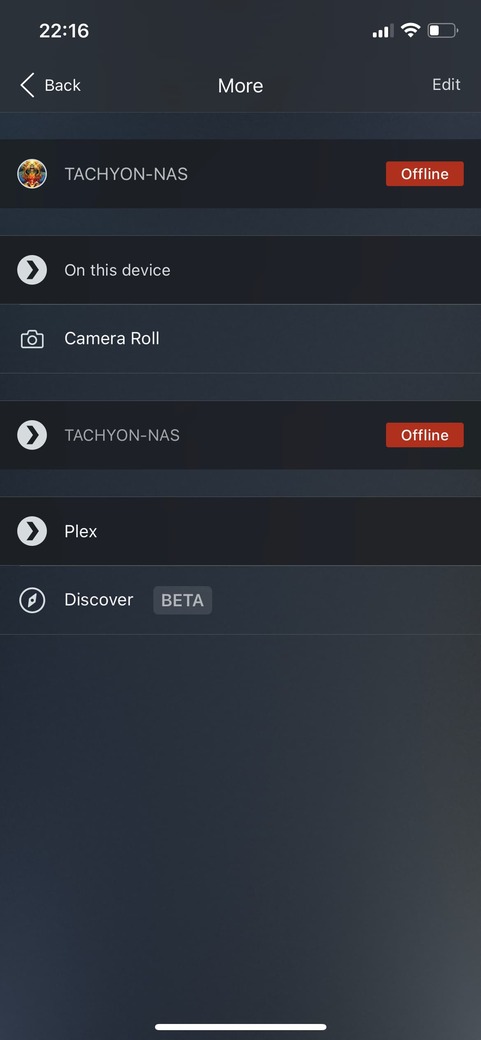

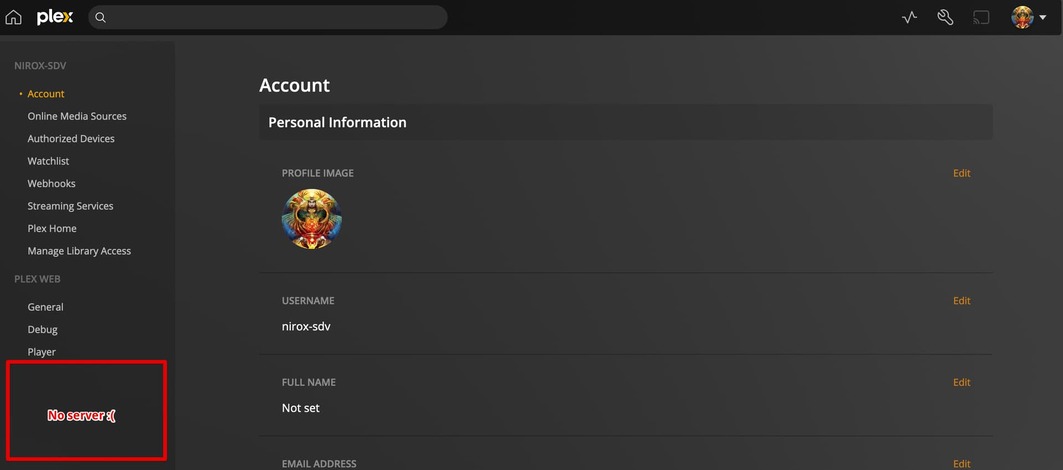
 wizard for new server not started.