Server Version#: 1.33.0.2444-a220eae4
Player Version#:
I cannot access anything on my Synology NAS, including the server logs. DSM notified me the other day that there was some sort of corruption with my copy of Plex on the server, and suggested that it rebuild it (which I allowed), although I am unable to find a record of what that was for some reason (I checked my DSM notifications.)
If I could access them, I assume that more detail might be forthcoming from the logs. Any advice on how I can proceed is much appreciated.
In DSM, Plex/Library/ is empty! I imagine that can’t be right… All my media is present and correct luckily. Is a restore of my NAS the best way forward? As you probably know, DSM has very recently been updated, which is when my problems started.
Method 1. you suggested doesn’t work as I get a ‘server unresponsive’ error in my browser. (I have tried it in Safari, Chrome and Firefox but the same error persists.
I recall that around the time of being asked to update Plex on DSM, DSM said that for some reason a shared element of Plex on DSM couldn’t be accessed, and asked me to change permissions (I think.) I am sure this will mean more to you.
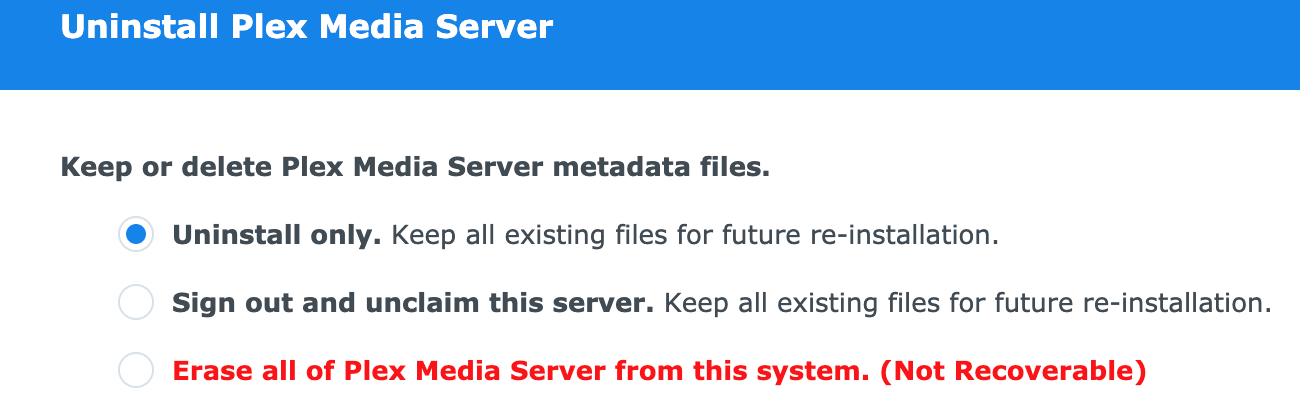
Many thanks for this. It seems like indeed I can uninstall Plex from DSM, but there are a couple of options that I wanted to check here before I proceed (see attached). Which should I select?