Server Version#: 1.22.0.4163
Player Version#: 8.14.1.23548
I stopped the plex server and forced closed it and now when I open the app the server is not visible anymore and I can’t access it. I already tried reboots, clearing cache but nothing helped.
I checked the Plex Media Server.log and it has no entries after I shut down the server.
Turning on the client app does not start PMS. That is suppose to happen when the device boots up. If that isn’t happening, then there is something wrong. Have you tried starting the Plex Media Server app manually?
My suggestion was to go to the Shield’s main settings, the gear at the top right of the home page. Then down to apps. Plex Media Server comes installed with the Shield so it may appear under the system apps at the very bottom. Click on it, then click open. Then go open the Plex client and see if the server is shown as running.
I had the same issue , here is what worked for me after trying for hours.
go to the Shield’s main settings, the gear at the top right of the home page. Then down to under the system apps at the very bottom. Find the plex media server,
Force stop it , you will get a warning, it might misbehave, just ignore it.
Restart your shield.
That should work, if not do the same steps again
I tried exactly that but it didn’t help. I now reinstalled the plex server and I backed up all the files in the data folder but I tried to overwrite the two db files in the Plug-in Support/Databases location, but Plex has lost my watchlist, has anybody an idea what I did wrong.
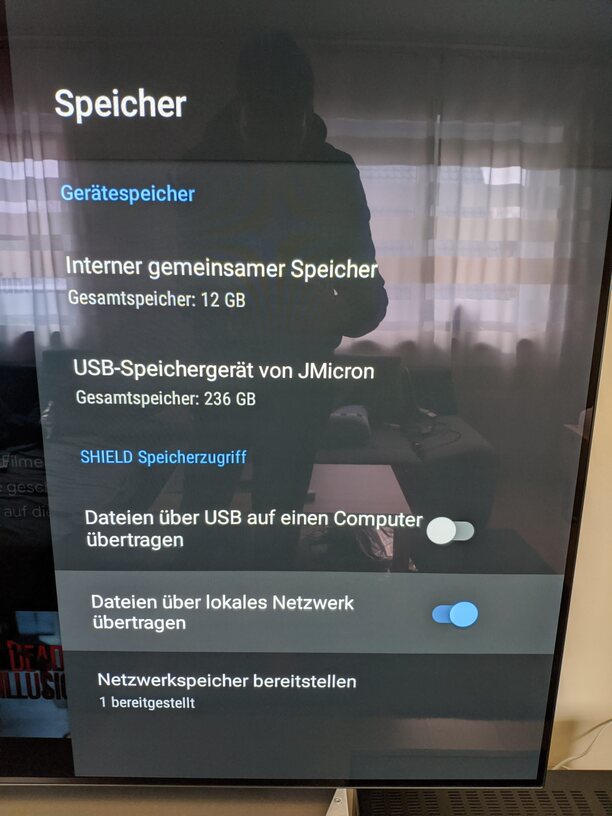
How did you backup the data folder? That location is inaccessible. Did you move the data folder to another location? When you uninstalled PMS, the location you moved the data folder to is not remembered, so reinstalling will reset that back to the original location. You need to move the data folder again before you can restore the backup.
I zipped the whole Plex Media Server folder in Android/data/com.plexapp.mediaserver.smb. Then I deleted pms, copied all the data back in that folder and installed pms again. Sadly that didn’t restore it, so I stopped the server moved the two files in Plug-in Support/Databases to another location and restored the two files from my previous server. But it didn’t restore my old watchlist. BTW the 2 files I restored were com.plexapp.plugins.library and com.plexapp.plugins.library.blobs.
How did you access that? As I said, this areas is normally inaccessible to users. Is your Shield rooted? We don’t know how PMs will run on a rooted system.
That’s correct, but that shouldn’t give you access to the database files, unless you moved the data folder to the internal user accessible area. if so, then you need to do that step again after reinstalling PMS before you restore the backup files.