To be clear: Filebot can optionally remove characters from filenames and folder names which are not allowed on the operating system where Filebot is running.
On Windows, you cannot use \ / : * ? " < > |
On Linux you can use many of those, so if
your Plex server is running on Linux, and
all media files are stored on Linux systems and
the network shares are not mounted per SMB,
then you are free to include e.g. a colon or question mark in your file and folder names.
AFAIR, Filebot knows about these rules and if it detects that it is running on Windows, it will apply the Windows restrictions for file names.
Thanks OttoKerner, I use linux, and don’t access files on an SMB mount.
Are you able to confirm why Plex doesn’t auto match TV Shows with symbols in their names? Whether I include the symbol or not, Plex fails to auto match.
However when selecting “Fix Match”, it finds a match immediately- without me having to change the title.
It’s the same issue as when including (2020) in a file name. Won’t auto match, but “Fix Match” finds a result immediately.
It seems, like year in the title, Plex has suddenly stopped being able to handle these types of situations in its parser for shows that aired from 2020 and beyond. It seems like Plex wants you to remove illegal characters (specifically those identified by Windows such as : which may not be illegal in other file systems.)
In Sonarr, if you use CleanTitle, it strips out all characters, including those like ' and , that are required for matching still, so you can’t remove ALL the special characters. I would recommend turning off the replacement of Illegal Characters, i.e. Sonarr will just remove them instead, and then use something like SeriesTitle.
Of course, this is another example of a regression in the switch to the new TVDB API, and I think it’s not a particularly sane naming convention at all. Unless you were using an automation tool, these random quirks for a natural naming match are not easily understood (or documented). What makes it even worse is that if you mess up the new special characters rules, it may fall flat on its face and not even allow a manual match without a TVDB ID (e.g. replace : with -), which again was never the case before.
@ChuckPa can shine more light on these regressions in the TVDB agent’s matching algorithm, and if we can expect a fix to those regressions, or we just have to deal with the new, limited matching system
Came here searching for the reason this very show (Penny Dreadful City of Angels) wouldn’t match for the last 2 days since adding. I’m on Windows and use Filebot as well, to no avail with this show. But as soon as I added the colon in the Fix Match prompt it instantly found the show. I can’t recall the last time I’ve had to do a Fix Match for a TV Show. A few movies from time to time, sure, but not this. Regardless, thanks for the solution even if the scrapper should have picked this up on its own.
Hi, I just found this thread, and wish to contribute some. I was having an issue with new shows (2020) as well, and fixed the match with the show Penny Dreadful: City of Angels by adding the colon when matching, and it worked for me.
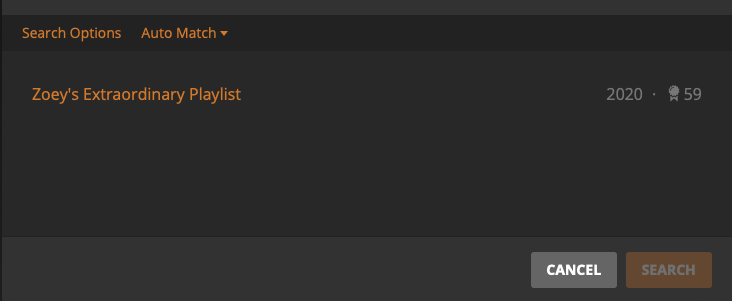
I am still having an issue with the show: Zoe’s Extraordinary Playlist. This one does not match at all. I have tried it all, changing the folder name, adding and removing the year from the title, adding the apostrophe and removing it, and I cannot get it to match.
I have also played with the agent, adding and removing options, but no luck there either.
Why can’t plex just add an optional showid box so that we can “help” it along with the matches? wouldn’t this be a much simpler way to fix the issue?
You can already do this, no optional box is required. It was pointed out somewhere above, I think. You can place TheTVDB id for the show in the Title field of the Match/Fix Match dialog after clicking Search Options:
@Antigravity_83 I’m currently having the same issue as you. TheTVDB Auto Match is failing, but once you search by the show name exactly how TheTVDB has it, it detects it. So this makes me have to manually match shows (that have special characters in it) as they come in. It’s as if the search now is dumber, as it doesn’t match off keywords but only exactness.
(i.e. search 90 Day Fiance Pillow Talk doesn’t find, but once changed to 90 Day Fiancé: Pillow Talk it finds it with no issue)
As @pshanew said, using the TVDB ID already exists, just put it in the title field.
Also, you have the name of the show incorrect, it’s Zoey’s not Zoe’s.
However, I will add that I found it right away when I added the show after the first episode added back in February I believe. To add to that, I put the year in the folder for every show.
So for Zoey, try the correct spelling out of curiosity if you haven’t fixed it already and if that doesn’t work, follow @pshanew’s screenshot.
Thanks you guys… worked like a charm. It should be something Plex should publish in their WIKI because it is something that can help others when matching is problematic.
And I never said that it was, so your response to my post was not necessary.
I know what the issue is as I have experienced it.
If they named the show as they did in their post, then it isn’t named as it is on TheTVDB.
Like I said, I matched the show when it first came out with no issue and I suggested they rename the show if they had it named like they posted and see if they get a different result.
My response to that poster was because they suggested adding that as another option when it is already there. If you meant to reply to them that the “Fix Match” shouldn’t have to be used when named as they are on The TVDB, fine. But don’t make it seem like I said that is a solution.
Just because my success rate at matching shows automatically had been in the high 90’s, doesn’t mean I don’t agree with the rest of this thread and think that there were some people that posted in here just to stir the pot.
Sorry my intention wasn’t to attack your response. It was a perfect response to the specific question being asked by @S4NBAT
What I was meaning to do, was clarify for readers of this thread that the particular fix you recommended (using TVDB in Fix Match) isn’t a solution for the wider issue - which is Plex not auto matching content with symbols or 2020 in the title - which I understand you’re also aware of
Hey @ChuckPa, any chance you can let us know the way that the Plex team is going to approach this? As in, should we just accept that the TV parser got dumber and have to deal with removing the year + the specific illegal characters that Plex does not want while keeping others?
Or is there a plan to sort of fix the regression, and in the meantime, rather than changing up our entire naming convention, we should just wait it out?
For the past few months, they’ve been working on removing all the old python-based parse & match logic. The new is coded in C++ and integral to the scanner.
If you’re familiar with Python, I’m sure you’ve seen the try: statements.
Those non-deterministic behaviors will be gone.
From what I know of their effort, it’s pretty close to being done.
I will make a note to ask at this week’s staff meeting.
In the Interim, we need to “Match” manually (click the button).
That primes the local python elements to be more sensitive to 2020.
Over time, it will favor it.
Yes, this is a kludge but it kinda-sorta-standing-on-one-toe-works
I really appreciate the detailed and insightful reply! Thanks for peeling back the curtains a bit.
There’s no problem in doing the manual matches, just wanted to make sure that it was only a temporary issue and not something long term.
It seems like year is close to being solved, do you know if it will also fix some of the other issues revolving around symbols, namely : that were highlighted in this thread?