http://127.0.0.1:32400/livetv/dvrs/2/reloadGuide?X-Plex-Token=xxx
INFO sending POST request to refresh EPG
200
text/html
INFO Done
Just wondering now, how I can tell if it actually does do the refresh. I did a manual refresh from the Web UI earlier today so the guide is currently fully populated. Probably have to wait until I see the “To be announced” entries getting closer to today and then run the script.
Yeah, I couldn’t work out how to track progress in code, simply way is to run this while on the admin page to get confidence, you’ll see the refresh start and progress.
I’ve now got mine set up to run at 1am each night and I’ve always got at least a week in the EPG for all channels
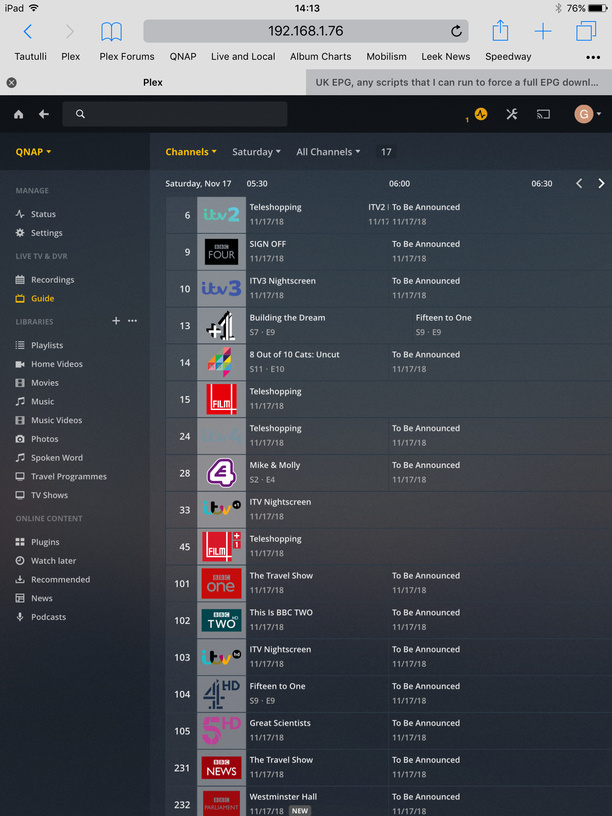
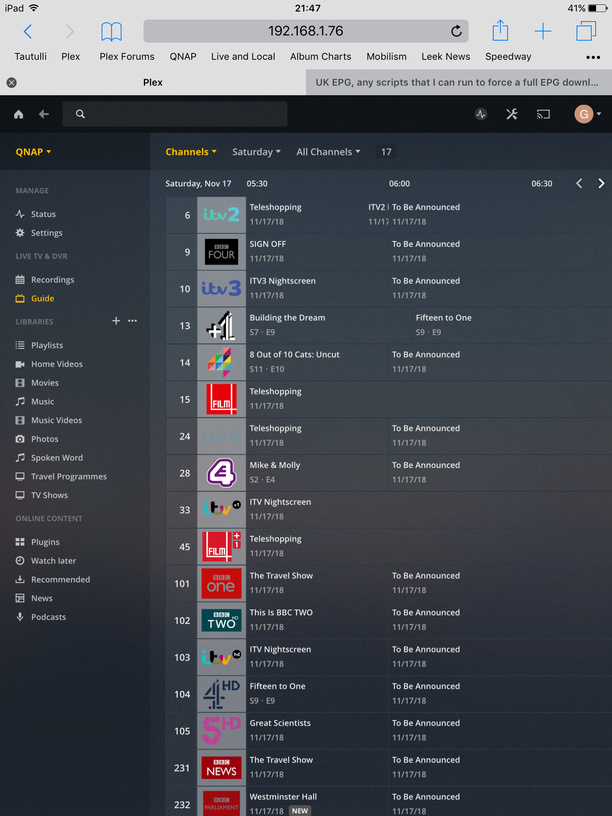
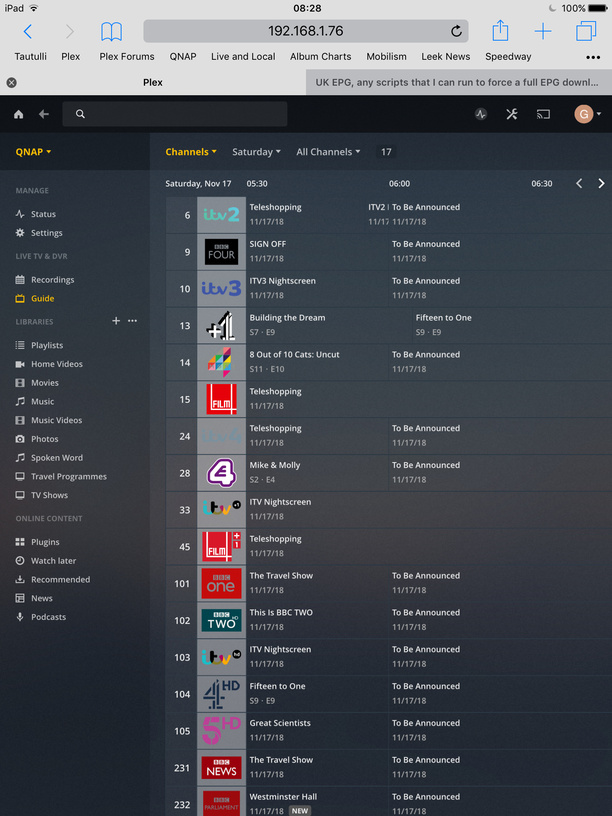
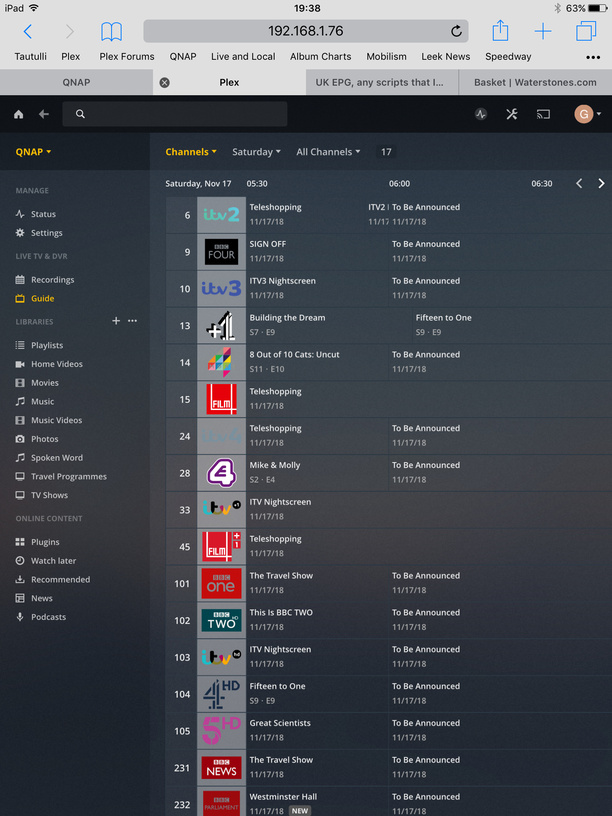
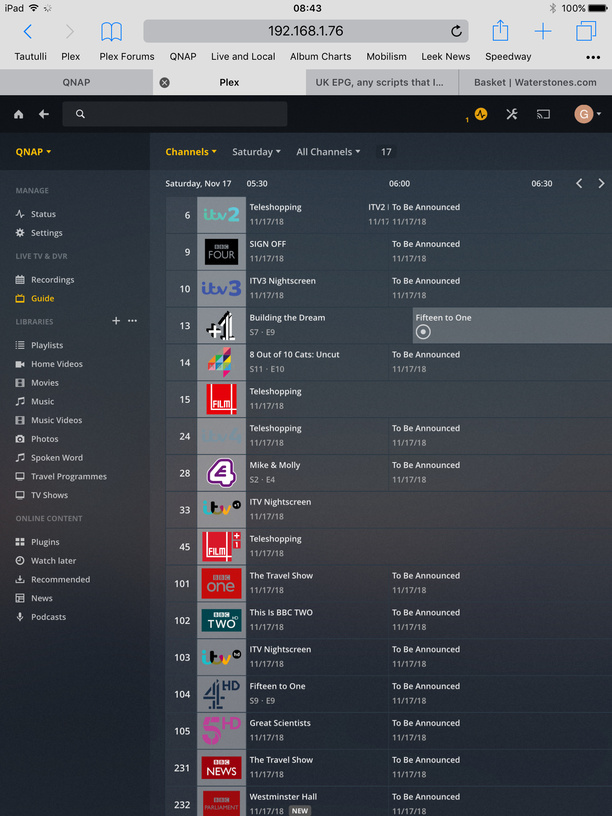
@sa2000. Logs/screenshot from this morning. No updates to EPG showing. Without a manual reload of the entire EPG this will continue until the EPG is empty - Saturday 17 Nov.
Clearly there is a bug somewhere that is preventing successful updates.
I am happy to send further logs if they are useful but at some point this week I will need to initiate a full reload.
I checked today and can now see programme data for BBC channels up to THU 22 NOV 06:00 and other channels (ITV, 4, 5) up to SAT 24 NOV 06:00.
Not sure if this is because the scheduled EPG update now works as it used to be or because I ran my script to update the EPG manually a few times yesterday.
I have downloaded logs and can share them if needed.
Thanks for the logs - useful.
I can see that we ran 4 x 4-hourly incremental EPG updates for which each would have added 4-hours EPG data at the end moving the guide data up by 4 hours each time. These updates which were at these times Nov 09 at 18:12:39, 22:12:39, and Nov 10 at 02:12:39 and 06:12:39 completed without any errors.
There was also a scheduled refresh (from Scheduled Tasks) that would have run at Nov 10, 2018 14:03:27
I would be interested to see the logs for that and screenshot of the Guide Grid after this completed - to see if the scheduled task action filled any of the gaps
@sa2000 Thanks for the reply, but as a customer I don’t understand the logic of what Plex is doing with the EPG.
The model as I would like it is for my Server to download all the EPG data and then every four hours download any additional EPG data that may be available.
Why are Plex just downloading an additional 4 hours of EPG data every 4 Hours, instead of all EPG data that is available from the supplier?
And at the moment the only way to get all the EPG data from the supplier is to force a full download everyday
Updated - further investigation showed the following not to be true
Evidence seen from the logs provided by @Geoff555here indicates that the incremental updates are not retrieving all data but just moving the existing guide data forward by 4 hours. The assumption is that there is a full guide to start with~
I need to see if the overnight scheduled task of guide refresh does a full refresh or not - hence my earlier request to @Geoff555 for logs and screenshot after that action completes
Thank you very much. We appear to just leave it for the incremental updates. Will raise this with the development team.
I noticed your server crashed at 19:04 - whilst dealing with a request for items that appear to have got removed from the library database just before the crash. Relates to Faith Evans / The First Lady
I will be referring the crash to the development team. Suggest you raise a separate forum topic for it and attach the above logs. Post a link here when done
Having discussed this with the development team, it appears that the intended action is for the incremental updates to fill in gaps as well as moving the end of the guide data forward
If the Guide data is still showing missing periods, could i have fresh logs and a copy of the databases. Please exit Plex Media Server and get me copies of the EPG database and main database and zip and upload to dropbox or similar service and send me a link by private message. Together with the logs as before and screenshot of the grid to show what is missing and you could see also where it ends at
The screenshot to be taken before shutting down Plex Media Server to get the database files.
The databases are these files - the EPG database filename starts with tv.plex.providers.epg.onconnect-xxxxxxxxxxxxx
/share/CACHEDEV1_DATA/.qpkg/PlexMediaServer/Library/Plex Media Server/Plug-in Support/Databases/tv.plex.providers.epg.onconnect-ff152edd-ecc2-442f-a072-76aef2cc4f92.db
/share/CACHEDEV1_DATA/.qpkg/PlexMediaServer/Library/Plex Media Server/Plug-in Support/Databases/com.plexapp.plugins.library.db
/share/CACHEDEV1_DATA/.qpkg/PlexMediaServer/Library/Plex Media Server/Plug-in Support/Databases/com.plexapp.plugins.library.blobs.db
Include also any .shm and .db-wal files for these database files
sorry - could you also please include zip of /share/CACHEDEV1_DATA/.qpkg/PlexMediaServer/Library/Plex Media Server/Cache/Http/tv.plex.providers.epg.onconnect
with the zipped databases - collected whilst the server is shutdown
@sa2000. Logs and screenshots attached. No change in EPG. The EPG appears to run until 2.00am on Tuesday 13th November. No further “To be Announced” occurs after this time.
Thank you for the database copies and logs. I have checked the database and the incremental updates do make corrections and add missing items - provided there is no issue with the requests that get sent to the metadata provider.
The evidence does show what at this stage appears to be an edge case where a few entries - at around the same time each day, remain to show a title of To Be Announced - There are 8 entries that begin at 2am for each of 18th to 25th November that are sticking to having title of To Be Announced - i do not know at this stage if this is due to an error in the EPG data provided or a bug
@Geoff555 Thank you for continuing to provide diagnostics
I have looked at the databases from the weekend and monday morning and all is working as it should be. In your case, you are not getting the JSON Parse errors now and the EPG incremental refreshes are working as designed gradually filling in gaps with missing data from the earlier
With regards to the number of items that are for 2am and show up as To Be Announced - this is coming from Gracenote and it is showing for airings for 17th November onwards