Server Version#: DSM 7.1.1-42962 Update 3
Player Version#: 1.31.0.6654-7000
Some time ago, my Plex installation lost access to see any of the local files. I confirmed the permission was set correctly, but I cannot get the option to add the media back. At the time, I was running DSM 6, so I decided to upgrade to DSM 7 and wipe the NAS, thinking that may help.
When I started the Plex installation, under “Your Media,” I only got the above. 
I provided the created “PlexMediaServer” user access read/write access to the media folder.
Any help would be greatly appreciated.
in DSM7 you need to give plexmediaserver access to shared folders. But that looks like no server is installed or is claimed by another account.
suggest reading through Synology - DSM 7.0 Release - Plex Installation (Not Operational) Issues DSM 7 had major changes
When I did the installation, I used a claim token, and it said my account claimed it.
I ran the Find Plex script attached and saw:

Okay, I am kind of confused now… So I returned to the Plex page and tried Control+F5; the screen reloaded, and the name of the NAS appeared.
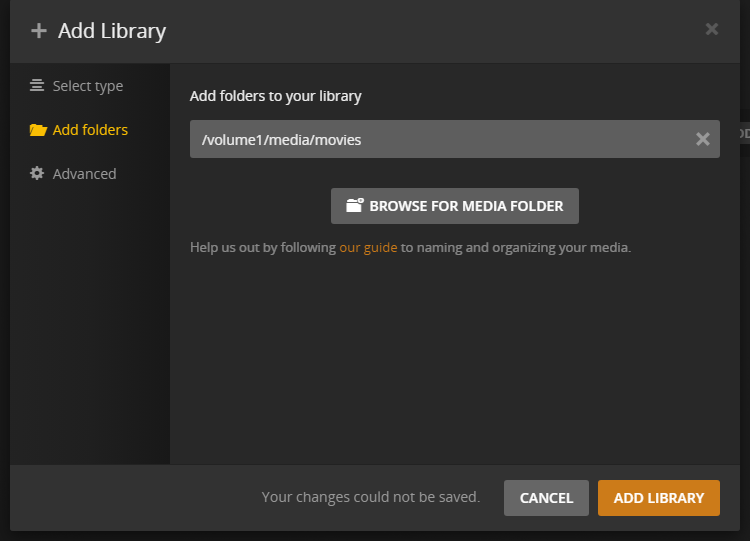
When I try to add the library, it’s saying I can’t save the changes:
That is an error we are looking into, we think for some a process is not starting up correctly. For some folks restarting server on machine has worked.
Gotcha, I’ll give the reboot a try real quick.
The reboot did the trick; now to see if the media could be picked up.