I am having the same issue for a few weeks now as others, I am not able to claim my server.
I have a Synology NAS 218+ server on my network.
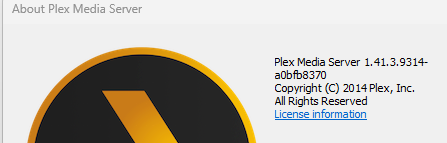
- I have unistalled Plex Server and reinstalled the new 1.41.3.9314 version
- Open plex from Plex taskbar http://127.0.0.1:32400/web/index.html#!/ and I am in a loop by adding media library takes me to get plex server after choosing my account.
By clicking on settings, I only have the user name account submenus and plex web. No option to add my libraries at app plex.tv.
It was working fine for years up to a few weeks ago after a server update.
- Plex.html file thing does work
- Tried the registry entering .reg file creation and windows said not valid .reg file
- Claiming by the click that puts me to endless loop, as others.
What am I doing wrong?
Can somebody help me out?
Moderator Edit: Moved to new thread (versus 18 mo. old thread). @FordGuy61
Which version of Windows? 10/11, home/pro/server, etc.
If Home or Pro:
-
Is the server listed in Authorized Devices? If so, remove it.
-
Follow You need to reclaim your server, but don’t dare to touch the Windows Registry .
Are you sure that the server is running on your Windows computer, and not directly on your Synology NAS?
Are you sure that what you installed was named PlexMediaServer-1.41.3.9314-a0bfb8370-x86_64.exe
and not Plex-1.105.2.269-12a32491-x86_64.exe?
Looking at your user account, it says that your Windows Plex server was last seen ~21 days ago.
Did you mean it does work or it does not work?
Then you did either not copy it completely, or you pasted it into a fully-fledged word processor, instead of notepad.exe
I have used Notepad++
[-HKEY_CURRENT_USER\SOFTWARE\Plex, Inc.\Plex Media Server\PlexOnlineHome]
[-HKEY_CURRENT_USER\SOFTWARE\Plex, Inc.\Plex Media Server\PlexOnlineMail]
[-HKEY_CURRENT_USER\SOFTWARE\Plex, Inc.\Plex Media Server\PlexOnlineUsername]
[-HKEY_CURRENT_USER\SOFTWARE\Plex, Inc.\Plex Media Server\PlexOnlineToken]
[-HKEY_CURRENT_USER\SOFTWARE\Plex, Inc.\Plex Media Server\PreferredNetworkInterface]
[HKEY_CURRENT_USER\SOFTWARE\Plex, Inc.\Plex Media Server]
“PublishServerOnPlexOnlineKey”=dword:00000001
“ManualPortMappingMode”=dword:00000000
“LogVerbose”=dword:00000000
“secureConnections”=dword:00000001
saved it as registry file .reg
If that was all that you copied into the file, then you have missed the top line – which is actually required. i.e.
Windows Registry Editor Version 5.00
Plex html did not work.
21 days seems to be correct since this server claim issue started.
I have windows 11 pro installed on computer and Synology DS218+ has the content. NAS local ip is different from my computer IP of course.
Local IP http://192.168.1.XXX:32400/ has the add library function but it takes me back to claim the server. Clicking on button makes nothing happen.
I did corrected it by adding your top line like this:
Windows Registry Editor Version 5.00
[-HKEY_CURRENT_USER\SOFTWARE\Plex, Inc.\Plex Media Server\PlexOnlineHome]
[-HKEY_CURRENT_USER\SOFTWARE\Plex, Inc.\Plex Media Server\PlexOnlineMail]
[-HKEY_CURRENT_USER\SOFTWARE\Plex, Inc.\Plex Media Server\PlexOnlineUsername]
[-HKEY_CURRENT_USER\SOFTWARE\Plex, Inc.\Plex Media Server\PlexOnlineToken]
[-HKEY_CURRENT_USER\SOFTWARE\Plex, Inc.\Plex Media Server\PreferredNetworkInterface]
[HKEY_CURRENT_USER\SOFTWARE\Plex, Inc.\Plex Media Server]
“PublishServerOnPlexOnlineKey”=dword:00000001
“ManualPortMappingMode”=dword:00000000
“LogVerbose”=dword:00000000
“secureConnections”=dword:00000001
Got no error by clicking it and adding to registry but claiming the server still not working.
Also, when I click on the server icon - bottom right next to the clock - right click → open plex … it takes me here, where clicking on “Get media plex server” takes me to the download page, where I just installed the program. How does it make a since when I opened it up from the file I supposed to install?
If claiming the server still fails, it often has to do with the inability to contact plex.tv. which in turn is usually caused by the DNS server of your provider.
Edit the network configuration of your router and put 8.8.8.8 as “DNS Server” into it.
If you cannot edit the configuration of your router, edit the configuration of your server’s network connection instead. Put the 8.8.8.8 as DNS server into there.
Then reboot your server and repeat the claiming attempt again.
Do also use a regular web browser without any blocking/privacy/filtering add-ins.
I have psiphon3 VPN running. Would that be the reason of this situation now?
Please avoid anything even remotely similar to a VPN when trying to diagnose network issues.
I have turned it off and without computer restart tried the claim process from plex web, no change here.
I haven’t setup your 8.8.8.8. DNS on the router yet. Need to learn how to do it 
Thank you for helping me out
How supposed to change this on my Asus router → LAN-> DHCP Settings ?
This screenshot has nothing to do with a DNS server. Leave it as it is.
Then I don’t know what to do. Why is it so hard to claim my server with this new plex update?
This setting got my local ip disconnected from router:
Leave all WAN settings on default/automatic.
You only need to change the DNS for the LAN.
I dont know what that is. But this is what happened.
- I have changed the WAN DNS settings and restarted the router.
- Restarted computer
- No internet on computer, thus changed WAN DNS settings back to original and rebooted it.
- Rebooted computer
- Voila! Plex server was updated on plex account and I was able to claim my server and add Libraries.
Everything looks like back to normal.