Server Version#: says installed version 1.20.3.3483-211702a9f
Player Version#: 1.21.0.1410-50a34597
Forum Noob, please forgive, recently moved and brought the PC/NAS with me to new provider/IP.
I do not have router config access and am a little lost with the set-up.
I’m able to download the latest PMS to Synology DS918+, but once downloaded there is no option to claim my server.
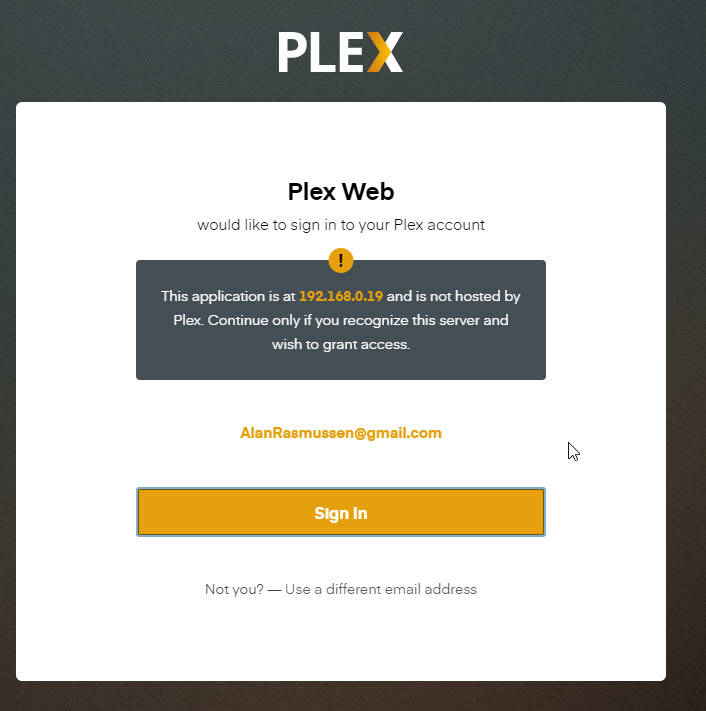
When I try to run from the NAS, it opens the web UI and I get message "this application is at and is not hosted by Plex.
Continue only if you recognize this server and wish to grant access" which I do but then am unable to see the server.
I read through some forums, My file share permissions look to be set and my network > general has a DNS server equal to the IP of my LAN1 default gateway.
I don’t know what i’m doing wrong and would welcome any help. Logs.zip (2.6 MB)
Hello Trumpy81 thx for the response, I will perform these steps (rebooting model/router and all connections plus disabling IPv6 in the PMS settings) and chime back with results.
Update - I turned all devices off, unplugged router, waited, plugged router back in, turned back on all devices.
I’m able to enter the IP of the NAS and get into the DSM UI - but when click on the Plex package to ‘open’ I get time-out error (site can’t be reached took too long to respond).
I run the troubleshooter and it says "your computer appears to be correctly configured, but the device detected is not responding.
I go into the control panel of the DS918+ and nothing opens. I can open the Plex app and log in that way, but when I look to ‘my media’ it informs me to add a media server (not recognizing the media server I already have installed).
I can’t see the server settings in Plex so I can’t yet disable IPv6 in Plex settings > Server > Network.
Is it that my NAS can’t get online? It is on the same LAN as my computer and the computer works fine.
I’ve added PreferredNetworkInterface=“eth0” with a space at the end to the .xml string and saved as Preferences.xml in the Plex/Library/Application Support/Plex Media Server.
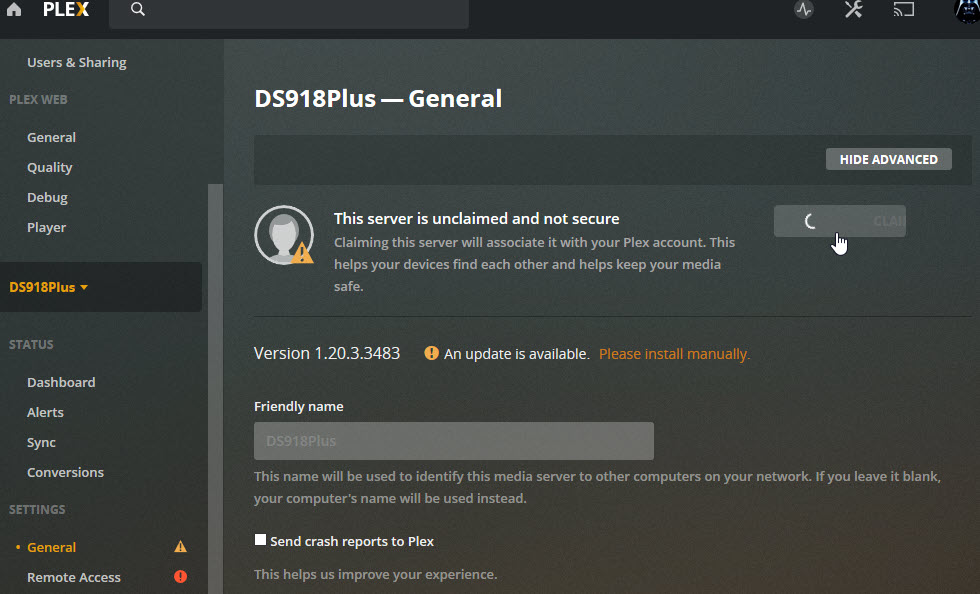
While logged out of Plex, I entered http://192.168.0.19:32400/web and am able to log in but still have same issue. I attached a screenshot of what I see in Plex.
If I forgot to confirm before, I am confirming default gateway is 192.168.0.1.
While I’m waiting a couple minutes to before posting the fresh set of logs, I’ll share a couple more screenshots.
The first screenshot is of my DSM interface, I’m sharing this one because it isn’t what I was used to seeing with the Plex Server in the package center. It looks to provide the option to open and upon hover looks to be for the Web UI access. It is more of a hyperlink than the server I could ‘stop’ and ‘run’ (I think I remember those options).
Thank you so much for looking into this Trumpy81, I really appreciate your time and help. I will contact the ISP. I don’t even know what to ask them do I just say that I’m having DNS issues I need their assistance so that my plex media server recognizes my NAS?
I’m guessing they will know what to do from there (hope hope). Anyway, thank you again for helping me!!!
I was wondering if me being able to see it but not claim it changes any troubleshoot steps and you may have any advice on what I could to next to make progress?
Sorry to bother you again. I just wanted to update you that i did make ‘some’ progress but still can’t quite get there.