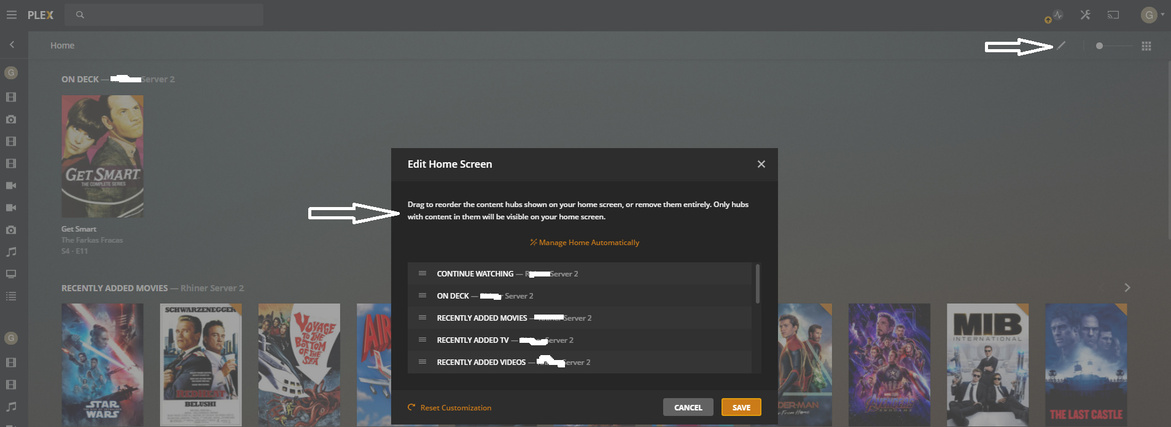
Hi, I can’t seems to be able to order the side bar
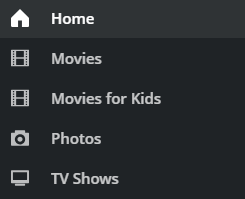
sorry if this has been asked and answered before. I’m posting because I couldn’t find the answer to this issue. Cheers
Server Version#:1.18.9.2571
Player Version#:1.6.2.994-e05b79d6
Hi, I can’t seems to be able to order the side bar
sorry if this has been asked and answered before. I’m posting because I couldn’t find the answer to this issue. Cheers
Server Version#:1.18.9.2571
Player Version#:1.6.2.994-e05b79d6
Hover over the menu items and click on ... > Reorder. That will change the icons of each library to 3 horizontal lines that can be dragged/dropped to adjust the order.
I don’t have a mobile Android at hand to verify. For Android TV it’s pretty much the same as for the desktop player (described above) – except that the ... menu is showing when you navigate to a menu item.
Thanks @tom80H, something so obvious I missed it completely. Thanks
Your screenshot shows how you re-order the hubs on the home screen – not the order of the libraries in your pinned navigation.
When you click ... > Reorder, you can not only re-order that particular item but all of the pinned libraries.
Thanks @tom80H, I missed the target - your right.
This topic was automatically closed 90 days after the last reply. New replies are no longer allowed.