Server Version#: 1.20.3.3483-211702a9f on Synology DS1813+ running DSM 6.2.2-24922 Update 4
Player Version#: 8.8.0.21200 beta on Pixel Slate running Chrome OS 86.0.4240.112 / Android 9 R86-13421.73.0
After a recent update (of either the Android app or PMS…I didn’t note which triggered it), the Android app on my Pixel Slate would crash shortly after launching. Seems like maybe there was a race condition of sorts. Not really the point. After a few app and PMS updates, the behavior continued, so I decided to do my own troubleshooting: Goodbye 10s of gigabytes of synced content that my server had to transcode before the Android app could download them…sigh. I cleared the app data and had to sign in again.
After reconfiguring all my settings to things just how I like them, I went to start setting content to sync to the device…except I noticed that the Pixel Slate wasn’t coming up in the list of sync targets from the Plex Web UI. Weird. On the device, I couldn’t find any options for syncing content, either. And the device appeared in the list of “Authorized Devices” in settings…and I have Plex Pass. Weird.
I’ve now tried really doing things from scratch and avoiding anything getting in the way:
- cleared app cache
- cleared app data
- uninstalled app
- restarted Pixel Slate
- removed “Google Pixel Slate” from “Authorized Devices”
- installed Plex
a. signed in (using Google)
b. chose my server as the “preferred server”
c. did not customize navigation
d. noted that the device came up in the list of “Authorized Devices” (as “Google Pixel Slate”)
- on the Pixel Slate, opened a media item (a TV show episode), found no button (including in the kabob overflow menu) to sync content
By contrast, my Pixel 4 XL shows a “Download” option in the kabob overflow menu for the same media item.
- opened a media item in Plex Web, selected “Sync…” from the overflow menu, and noted that “Google Pixel Slate” does not come up alongside the other devices I have (including the Pixel 4 XL) in the “Choose Destination…” modal
Sync is working just fine on my other devices.
I have the app debugging log from the above and can also grab the PMS logs, if that would be helpful, but I’m not certain what the logs contain in terms of personal/private data.
Please recreate the steps and then grab the logs from the Plex for Android app.
Yes, I grabbed the logs immediately after attempting. Is it relatively safe to just post them publicly here?
Yes. Or you are concerned, PM the logs to me.
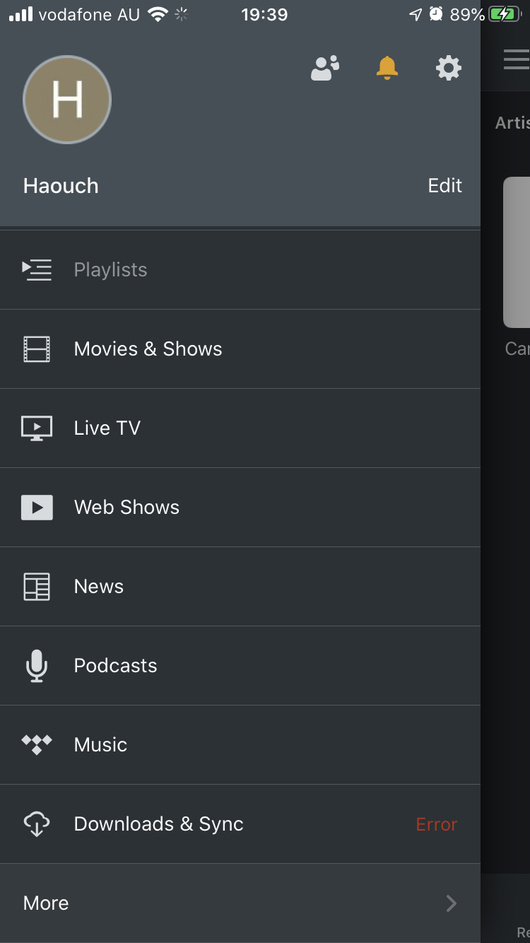
Hi, @Haouch: Can you please start your own post or find a more appropriate one for your issue? The screenshot you posted is not related to my post. Thank you!
Any updates on this yet? I’m having the same issue in the Android app on my Pixelbook Go. Walked through the same steps that @ArthurZey has listed, and experiencing the same results as OP.
At one point I was able to sync on the device, running the Android app, and was also able to see the device in the “Choose Destination” dialog box in Plex Web.
I can start my own thread if that makes more sense, but since the issue is substantially similar I felt it better to start by posting here.
So sorry, @anon18523487–I missed your comment. I just PMed you the logs, but from 8.9.0.21426, since I took the opportunity to see if the latest version resolved the issue. (No such luck.)
After I provided @anon18523487 with freshly created app logs, we had the following discussion over DM, which I’m copying here, so that we can continue the correspondence in public, on the off chance that it’s helpful to others or helps us to gather more information:
From @anon18523487:
The app isn’t loading the parts needed to handle the sync feature. I haven’t seen this error before so it might be specific to the device you have. What is the exact model you have? I know there are 4 different ones.
From @ArthurZey:
Here’s a bunch of diagnostic information that might be helpful:
From chrome://version/:
| Property |
Value |
| Google Chrome |
86.0.4240.112 (Official Build) (64-bit) |
| Revision |
427c00d3874b6abcf4c4c2719768835fc3ef26d6-refs/branch-heads/4240@{#1291} |
| Platform |
13421.73.0 (Official Build) stable-channel nocturne |
| Firmware Version |
Google_Nocturne.10984.90.0 |
| Customization ID |
nocturne |
| ARC |
6912093 |
| JavaScript |
V8 8.6.395.17 |
| Flash |
32.0.0.445 /opt/google/chrome/pepper/libpepflashplayer.so |
| User Agent |
Mozilla/5.0 (X11; CrOS x86_64 13421.73.0) AppleWebKit/537.36 (KHTML, like Gecko) Chrome/86.0.4240.112 Safari/537.36 |
From Google Store:
Google Pixel Slate (8th Gen Intel® Core™ i7 Processor 16GB RAM 256GB Storage) Midnight Blue
From Android Preferences (About device):
- Android version: 9
- Build number: R86-13421.73.0 release-keys
Thanks @ArthurZey! I’ll keep following this thread to see what else you and @anon18523487 are able to unearth for your issue.
The Pixel Slate runs Chrome OS, which emulate and can run Android apps. We don’t specifically test for functionality on Chrome OS outside of making sure the app doesn’t crash.
Well, this broken behavior is relatively recent. I used to be able to sync content to my Pixel Slate all the time.
Indeed, it’s the entire reason that I got a Pixel Slate at all: I wanted to be able to sync content to the device for no-connectivity scenarios like plane flights, which I can’t do on my MacBook and other non-Android devices.
Since it worked before, and this seems like an unintended regression, do you think it’s likely to be investigated further?
Exactly. The error you had in your logs is something I’ve never seen. I’ve reported the issue to the team so they will decide what to do. If the error is easily identifiable, there should be a quick fix. If it takes more investigation, it may be a while since we don’t have a Slate to test with.
There are also changes coming to Sync so those changes may automagically fix the issue too. I’ll update here if I hear anything back.
Awesome; thank you so much!
Do you have a sense for what version of the Android app will incorporate these Sync changes you mentioned? That’ll help me to keep an eye out and test appropriately.
I don’t have an ETA but should be soon-ish.
Very interested in the resolution if there is one. I am having the same issue with my Pixel Slate. About a month ago all synced media became inaccessible even though my device showed that the content was still installed when I looked in my app settings to see data usage of the Plex app. I cleared and reinstalled all synced issues. However, just yesterday the same happened again and now I can’t sync content to the Pixel Slate. I did notice this notification message. “sync capability has been replaced by downloads. these items will be removed from this device in a future version of the app. use the downloads action on media server library items to replace them.” I have tried all the steps that the original poster had tried. My Pixel Slate is gone from the sync option in server. It is showing up in the authorized devices. Any help would be greatly appreciated.
Kind of a side note from the main issue here…
Yeah, I found the whole “Downloads” versus “Sync” thing super confusing earlier this year, but then it disappeared.
Recently, on my Pixel 4 XL, I started using the podcast functionality of Plex, thinking I would transition from Spotify. Aside from some inscrutable behavior around what episode in a podcast is listed as “On Deck” and bugs around which episodes it’s downloading to the device based on my specified settings, I did notice that podcasts are listed as “Downloaded Items”, whereas TV shows are listed as “Synced Items”.
I haven’t tried the podcast functionality on Pixel Slate yet, but so far, I’m feeling a bit disappointed in Plex’s ability to keep podcast progress synced (or maybe I should say “consistent” to avoid terminological confusion!) between devices. I’m looking forward to the improvements that @anon18523487 suggested are coming, hoping that will resolve the podcast UX as well!
My plex app also crashes when I try to go to “Manage” in the “Downloads and Sync” section. What makes me believe this is a Plex issue as oppose to a Chrome OS issue is that prior to the issues beginning from the Plex app on the Pixel Slate I could go to a movie or TV show and click the three vertical dots that brings up options for said media and select “sync” which would prompt me to choose a quality I wanted to download. This option is no longer available on my Pixel Slate. However, on My Google Pixel 3 XL phone the option to sync from my device is still there. I did just recently download an update for the Pixel Slate, but after the syncing issues arose for the second time. I’m not able to post my versions I have installed currently as my wife has the tablet with her currently to keep the kids happy in the car. I quickly downloaded some Netflix movies this morning to avoid unhappy kids and mom. I’ll post with this info when I have it available.