Greetings!
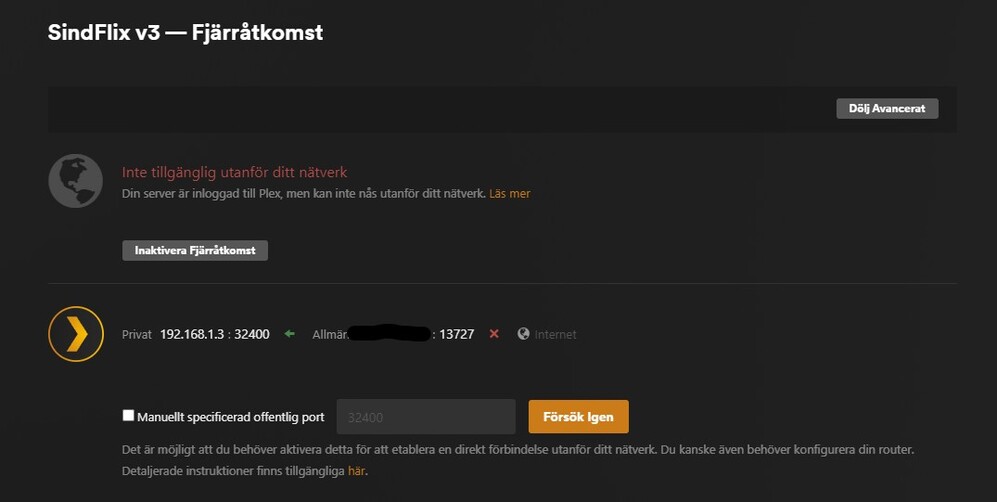
I have been running a Plex server off my Shield since 2017, I’ve never had any issues with it until Remote Access went down some days ago. It seems the problem was on Plex’s side but after it was fixed I still couldn’t get Remote Access to work. I had done zero changes on any configuration during it’s downtime.
After it was supposed to we working again I’ve done everything I could think of but it just won’t remain activated, I’m not really that skilled when it comes to networks but it really never seemed that you would have to be, atleast not when running the server on the nvidia shield.
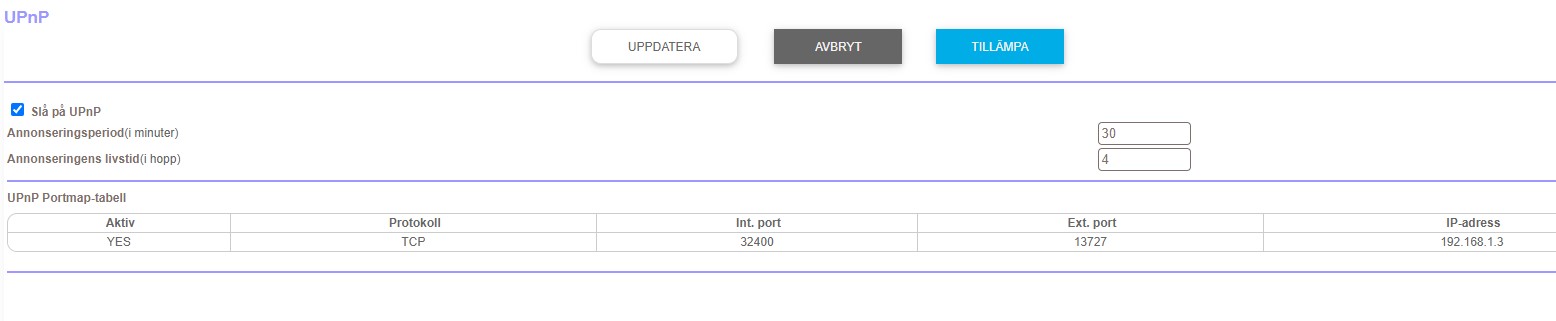
I’ve tried with port forwarding (which I didn’t need before):
And I am using a static IP on the Shield, with port forward activated.
Can also add that I have never had to use static IP or port forwarding before, but since nothing will work all of a sudden I thought I would try to see if it would make a difference but it didn’t.
It’s generally good practice to assign an IP reservation for the server inside your home network (static local IP). In my experience, manual port forwards are also more reliable than UPnP.
That being said…
Can you verify the DNS settings in your network or on the SHIELD?
It seems the server is generally failing to resolve the domain plex.tv – which should cause a number of issues… incl. a failure to establish remote access.
Thank you so much for trying to help me!
As I said I’m really not networking savvy, and I’m not 100% sure what you are asking me, but when I changed to static IP on the shield I used these DNS numbers:
Changed DNS to above mentioned on the shield, rebooted Shield and router, tried to activate Remote Access without luck. Here are the logs: Plex Media Server Logs_2023-03-27_23-14-06.zip (1.1 MB)
Well… this has fixed the issue that your server couldn’t even talk to the Plex backend.
Based on some of the IP addresses flying around in your logs, it seems your ISP might have put you into a CGNAT setup.
Can you verify the public IP address showing in Plex is the same as the one showing as the WAN address of your router?
If the router’s WAN address is an actual routable IPv4 address… can you see/access the public port from your port forward on that IPv4 address from outside your home network (e.g. using a service like canyouseeme.org)?
You could try using a different public port – this might help if your ISP is filtering certain port ranges. Otherwise you might need to contact your ISP to identify if there’s any filtering on their end.