Hi,
Suddenly I’m unable to play any shows in my library.
Nothing was changed. Thought it may have been a file issue, so downloaded an alternative but that as well as any others fail to play.
Updated the server but still nothing.
Any suggestions?
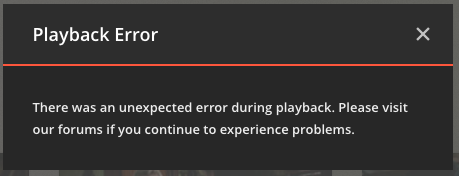
Ok, that’s weird.
After many many failed attempts and restarts it now works having made no changes.
I’ve had no problems in the several years of using Plex until this time.
Fingers crossed.
Is it possible that it could be related to your internet connection?
I don’t know, I’ve never experienced the problem, just throwing
out an idea that could be completely the wrong place to look.
Thanks damtor,
No, I had a good fibre connection the whole time. My wife was also accessing the library on her iPad (wirelessly) with no problem, just unable to play content.
Still working fine this morning, so until it happens again . . .
Cheers,
Pete
Same thing happened to me. My movies and TV library gave Playback error.
Not sure if its a system wide issue.
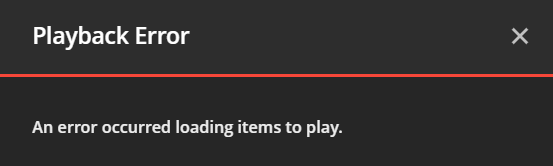
I tried playback from chrome web broswer and it did not work. But Plex Player on my TV and mobile app was able to play. Not sure if it’s a web browser issue.
Ah, could be.
My issues were on Chrome too.
That’s a little reassuring . . . maybe.
Cheers.
I had to uninstall the recent upgrade 1.19.1.2645 and downgrade to 1.18.9.2571. That fixed my problem.
I guess Plex need to QA their release better.
David
I’ve never had any real luck playing videos thru the Plex webapp.
For Mac and Windows, I think Plex provides some kind of “desktop”
that they recommend for playing videos. As I run Linux exclusively,
I’m kind of SOL because Plex does not provide a native player for
Linux users. So my suggestion is to try out the “desktop” for your
OS and see if it works for you. Good Luck.
I run Plex Server on my Mac desktop and cast to TV as a rule via Android phone, iPad or just the Mac.
I also just upgraded to PlexMediaServer-1.19.3.2764-ef515a800-x86_64.qpkg and saw the same error (Unexpected error during playback)when using chrome on win7 to browse previously played items on my local QNAP server - so it isn’t a network issue (all gigabit wired network and gigabit switches). Immediately downgraded back to PlexMediaServer-1.18.4.2171-ac2afe5f8-x86_64.qpkg and was able to play the same videos.
Same problem here. Just installed latest update - an immediately I have the playback problem. Not cool the Plex does not test good enough on Chrome.
I am having the same issue running version 1.19.3.2843, yet the server can be accessed via other means (AppleTV etc) just can not launch anything from the PC (using Edge) without encountering that error.
Besides rolling back, are there any other options?
Just updated to Version 1.19.3.2852, receiving the error when attempting to watch locally on the server using Chrome.
Same here. Just upgraded server to 1.19.4.2935 and PC app to 1.15.0. Error is on PC App. Works fine on iOS app.
Upgrade your pc app to 1.15.1 that problem has been fixed
Thanks. That fixed it.
