No settings changed, still as a scheduled task and when media is added.
Version 1.29.1.6260
Do not see thumbnails in either Roku or the web client
No settings changed, still as a scheduled task and when media is added.
Version 1.29.1.6260
Do not see thumbnails in either Roku or the web client
I am also having this problem since I upgraded to the same version. It’ll generate the thumbnails if I force it with Analyze and also overnight during maintenance but it won’t generate them as soon as it’s added to library automatically anymore.
Edit: Just wanted to confirm this is only for recorded TV. I tried adding new media to a different folder and it generated thumbnails right away.
Agreed @avalonzero. If left overnight, the thumbnails are generated.
Totally agree. I’ve started to notice this over the last few weeks.
I’ve gone through this before with other issues. Is there actually any method to get this on a bug list that anyone knows of, vs. just hoping Plex sees this out of a million daily complaints? Just curious.
Because I have another open issue that remains unresolved, and I have no idea how to move it further along.
My DVR recording thumbnails were not generated. I had to have plex analyze the files. Again, just the OTA recorded shows have that issue. Self created MP4’s are good.
I too am seeing this behaviour, OTA recordings no longer automatically generating thumbnails. The thumbnails are being generated during the overnight maintenance.
Has any Plex techies taken a look at this (DVR recording thumbnails not generated) yet?
This continues to be my biggest gripe about Plex and these forums. There’s no official way to log a bug. We apparently need to rely on this to stay alive long enough for someone to see and address it.
If I am wrong, please let me know!
If there’s a list of bugs and priorities, also, would love to see it and how one gets enough traction to have it added
I work for a tech company with similar, but not as many customer generated bugs, so the system has to exist for Plex.
Just updated to 1.29.1.6316
Issue still is not fixed.
OTA recordings still don’t get thumbnails until overnight processing.
I also updated and I concur… Issue still is not fixed.
OTA recordings still don’t get thumbnails until overnight processing
Same here. Others complaining about the same issue in other posts:
Just another comment keeping this open because it is still an issue.
Updated to Version 1.29.2.6334
Issue still not fixed.
OTA recordings still don’t get thumbnails until overnight processing.
For rolling back, I see the main method states:
–Stop server
–Uninstall normally
–Install older version
Should be good to go with just those steps?
So after doing this does the server update available list the next one in sequence to the one rolled back to, or the latest current one?
Also, any idea other than looking at the release notes for each new update on how to determine when this thumbnail bug is fixed? Not that there’s even any way to determine it’s been acknowledged?
Hi Cortopassi, I so appreciate your enhanced workaround. I may indeed do that but not now. Even the remote possibility mucking up the system as is, is a bit stressful. Thanks again. I sure hope PLEX techies are looking into this. How about a sign, guys… any sign.
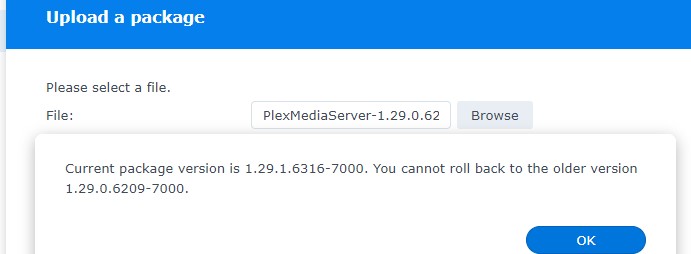
I did downgrade, and can confirm that thumbnails ARE generated again, and that downgrading did not mess up anything in my libraries (phew).
Unfortunately, it seems like this may have brought back another bug for me (Roku Recorded Shows Lacking Description)
Can’t win!
@BigWheel sorry, I saw your handle and Plex Employee on another topic.
I don’t necessarily expect you to answer the thumbnail bug issue in this thread, but I would like some idea of how Plex logs bugs that are reported here? Is it by mass of replies to particular bugs?
So how would I get this, or any, particular bug logged and noticed? If there is a link as to how to do this, it is appreciated.
I understand you are inundated daily with bugs. But each one is important to each reporter, and some indication of making sure they have at least gotten on a list, that someone at Plex will at some time in the future look at it would go a long way.
Thanks.