I have at least 1 video that shows “+13” by it. There’s no option to split it like if it had merged two items. And if I look under “Get Info,” there’s only 1 file listed. I’m confused as to what’s going on here. I’ve attached censored screenshots to illustrate it, as it’s a NSFW library, so I didn’t want to post the unedited versions.
that means search is saying there are 13 sources where it is available plus the main one “plex on…”. if you click on the +13 it should show you all the sources. When typing in the search bar on the right side of it there is a settings where you can select which sources the search includes
But if I select a different source from that list, the metadata is the same, while the filename and preview poster are not. It’s somehow tying them together, but i can’t tell how. If I refresh the metadata on one where the title doesn’t match the filename, it disappears from the original searvh and shows up if I search for the new title.
Someone could have two copies of Batman Begins in different libraries for whatever reason like a 4k version and a 1080p versoin. there is no rule that says those copies need the same poster.
Different libraries can have different settings for collecting metadata. One could be set to use embedded local art in the file and the other not. but still be the same movie.
I’m not clear if you are saying these are actually the same movie or if one is mismatched and is some other movie.
have you tried doing a refresh all for the entire library?
There are all different videos, stored in different folders with different filenames, all in the same library. I don’t have different resolutions of the same videos in this library, nor different versions between libraries. These are all standalone videos or scenes from a DVD, while full DVDs are a different library.
These all show as 4K videos, but that’s all I see as being the same/similar. For example, the first file is: /data/NSFW Scenes/Kelly Collins/Kelly Collins - Quality Work.mp4
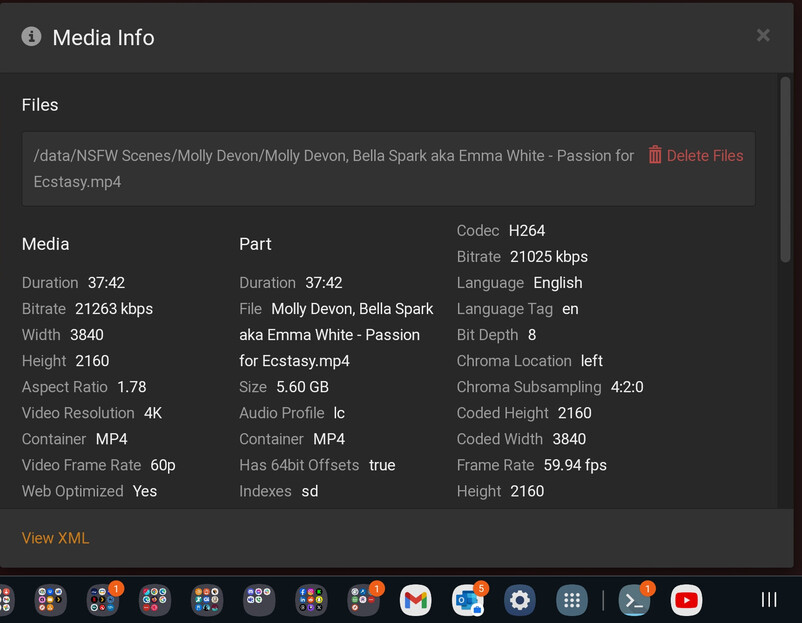
The last file is: /data/NSFW Scenes/Molly Devon/Molly Devon, Bella Spark aka Emma White - Passion for Ecstasy.mp4
Completely unrelated videos, they’re not even scenes from the same studio or the same DVD. (If they were, it would be named like /data/NSFW Scenes/Actress 1/Actress 1 - DVD Name (Scene #X).mp4.)
Are you using a custom scanner/agent, or one of Plex’s built-in ones? Whatever the case, it sounds like the agent gave all of them the same underlying guid, so Plex thinks they’re different versions of the same item. You can confirm by going to Get Info > View XML on items that are being combined, and comparing the guid="XYZ". If they’re the same, what guid is being used?
There should be an identifier between ...none:// and ?lang=xn, but it’s missing, so Plex thinks they’re all the same thing. No idea why that’s happening though. The only related thing I could find on these forums is this post, which points to Plex not being able to read the file when it’s initially scanned in.
Hm, yes, that seems exactly like what I was running into. I did notice some problems after I migrated PMS to TrueNAS and was scp’ing files into the library. I had to run Analyze on several after the upload completed for it to generate the thumbnails. Which it did, so I thought things were fine. This seems like maybe not so much. I did update my upload script to copy them over as filename.mp4.tmp and then rename them afterwards, which stopped the problem from happening again for subsequent uploads.
I guess I should just identify the affected files, move them out of the library, rescan it, confirm the trash is emptied, and then re-add them. Probably the fastest solution.
I agree this might be the fastest or only solution, just know that for content that isn’t managed by the built-in Plex Agents, you will lose the watched status of these videos (they will show as unwatched).
I know, as I’ve had to do a similar movement of a large amount of files, and I lost my watch history.