I have been using plex media server on my raspberry pi from last 30 days and I faced no issues but today when I was trying to copy some stuff via NAS suddenly I was unable to access Plex media server on my pc and its libraries and on other android phones as well as inside the local network I have enabled upnp and was successfully able to access Plex are outside my network and also I was working on same network too.
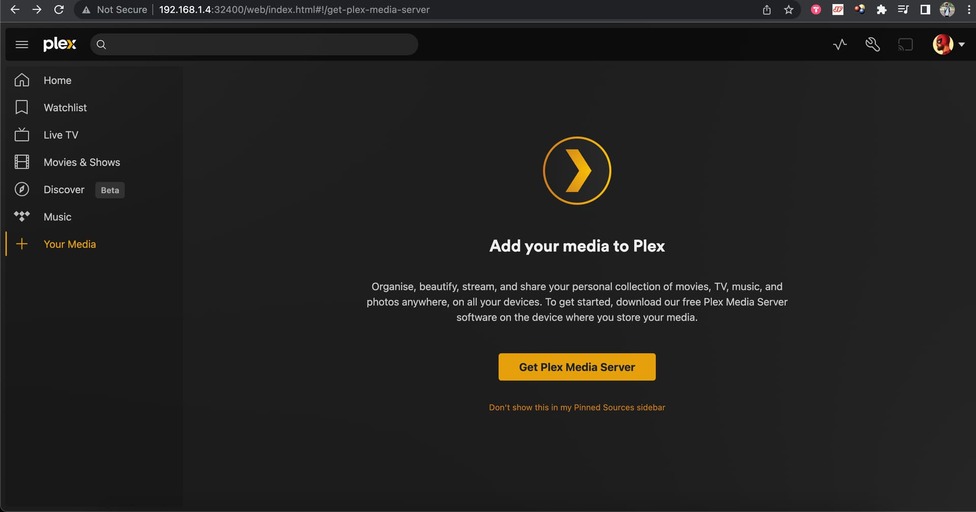
Now, I am only able to access plex web server via internal network, but unable to access server settings from internal server as well, plexdash, plexamp and plex main apps are completely in blackout unable to find mediaserver. I’m only getting normal/general options but no server related options or where I can check my raspberry pi as a plex server.
I try to restart my server by sudo systemctl restart plexmediaserver
And when I am checking the status of the server, it’s always act to up and running all its child processes are running too.
I also tried to restart my raspberry pi couple of times, but the issue was same.
Here are few screenshots
-
Server is up and running:
-
I am only able to see general setting, nothing related to plexmediaserver
-
No plexmediaserver available that too on local network


Please let know whats wrong here I dont want to reinstall and change library setting again, already spent countless hours setting this this up. Thanks
